24
SETUP "BASIC SETTINGS"
> > > 4A GUIDED SETUP PROCEDURE FOR SELF-PROPELLED MACHINES
Par.
7. 4
Conrm access
or data change
Exit the function or
data change
Delete
selected
character
Scroll
(LEFT /
RIGHT)
Data
increase /
decrease
Scroll
(UP /
DOWN)
Enter
selected
character
Fig. 52
OK Next step
ESC Previous step
Fig. 53
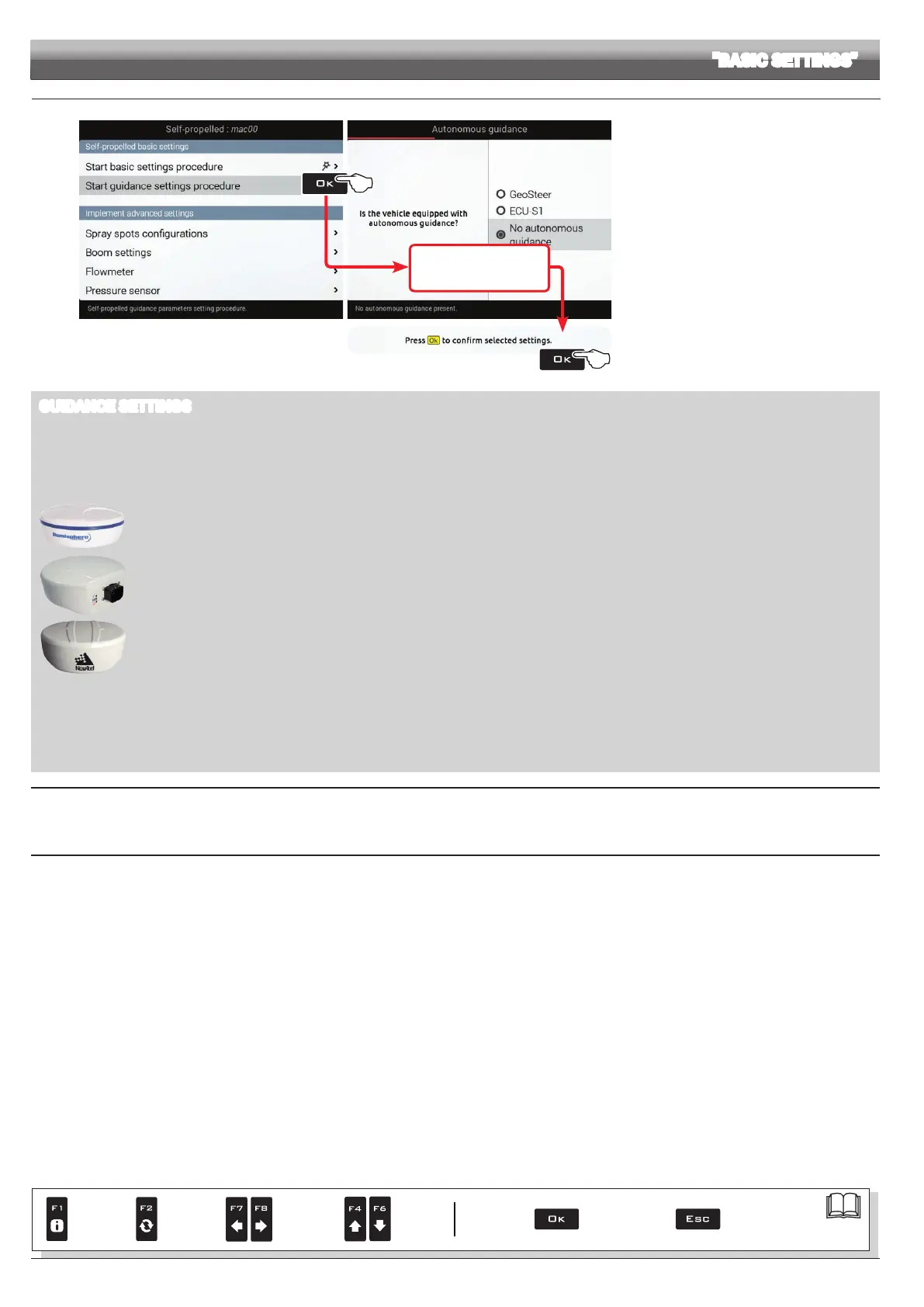
Start guidance settings procedure (Fig. 52)
- Delta 80 guides you through the setup procedure:
follow all suggested steps and select required options.
OK: next step ESC: previous step.
- When message
Press Ok to confirm selected
settings is displayed, setup is completed.
Press OK.
GUIDANCE SETTINGS
• AUTONOMOUS GUIDANCE: control unit for automatic guidance.
GeoSteer: control unit with built-in control unit.
ECU-S1: ARAG control unit code 4679100
None
• GPS RECEIVER
A100: ARAG receiver code 520100.693.
Smart-Ag / Smart 6: ARAG receivers code 467016xx.
AgStar: ARAG receivers code 467016xx.
NMEA: all GPS receivers with NMEA183 protocol and with the following features:
- 10 Hz GGA message; latitude and longitude coordinates with at least 6 decimal digits.
- 10 Hz VTG message.
- 0.1 Hz ZDA message.
- Serial port 57600 bps, n, 8, 1.
Demo: Delta 80 simulates guidance.
None
YOU COMPLETED BASIC SETUP FOR SELF-PROPELLED MACHINES:
YOU CAN REPEAT THEM AT ANY TIME, BY REPEATING STEPS 1, 2, 3 AND 4A.
NOW PROCEED TO ADVANCED SETUP DESCRIBED IN CHAP. 10.



 To Next Page