82
13.7 Boom section management
AUTOMATIC MANAGEMENT ON AUTOMATIC MANAGEMENT OFF (MANUAL)
The section valves are closed or opened automatically.
Section valves must be opened or closed manually.
To change section valve management mode, use function F6 Automatic section management ON/OFF (par. 13.8).
TREATMENT AND BOOM SECTION STATUS
Main control OFF
Sections OFF
Main control OFF
Sections ON
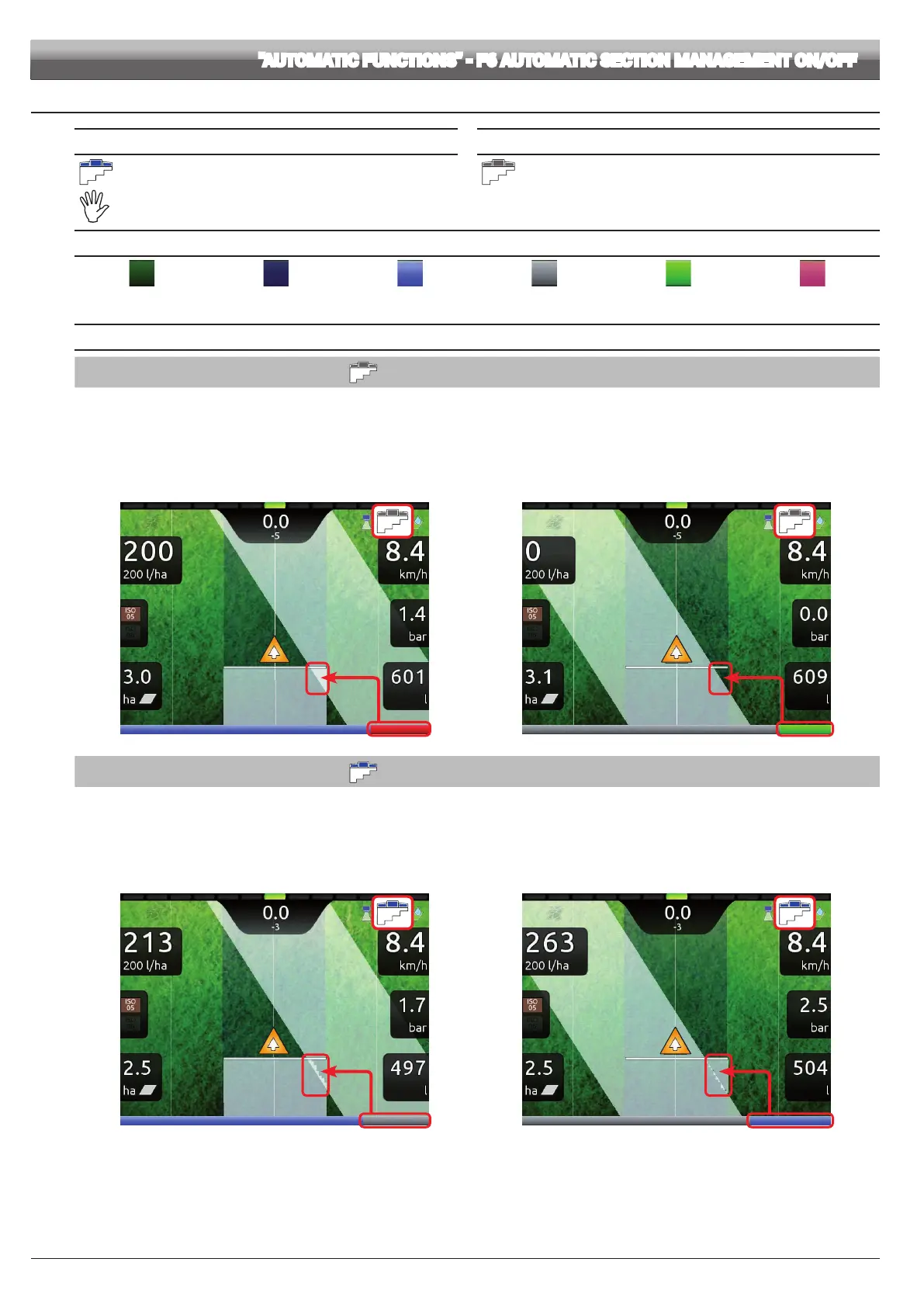
Section ON Section OFF Zone to be sprayed
OPEN SECTION
Zone already sprayed
CLOSE SECTION
OPENING AND CLOSING SIGNALS
MANUAL MANAGEMENT OF THE SPRAYING POINTS
When the overlapping exceeds the value set for the
Sections overlapping limit (par. 10.1.12), Delta 80 warns that the relevant spraying points must be CLOSED
(Fig. 264). Close the valves through the relevant switches: Delta 80 will conrm closure on display.
As the machine advances, the signal is triggered for each valve.
When overlapping returns within the set limit, Delta 80 warns to OPEN the relevant spraying points (Fig. 265). Open the valves through the relevant switches: Delta 80
will conrm opening on display. As the machine advances, the signal is triggered for each valve.
Closing signal Opening signal
Fig. 264 Fig. 265
AUTOMATIC MANAGEMENT OF THE SPRAYING POINTS
When overlapping of ONE or MORE spraying points is above the set value for the
Sections overlapping limit (par. 10.1.12) Delta 80 CLOSES the relevant valves
(Fig. 266). It is not necessary to intervene on the switches.
Delta 80 closes the sections automatically. Job interruption is shown on the display in real time.
When overlapping returns within the set limit, Delta 80 opens the relevant valves automatically. Job resumption is shown on the display in real time (Fig. 267).
Automatic section closing Automatic section opening
Fig. 266 Fig. 267
"AUTOMATIC FUNCTIONS" - F6 AUTOMATIC SECTION MANAGEMENT ON/OFF



 To Next Page