34
10.1.4 Filling owmeter
This menu is only visible when the lling owmeter is selected as tank level source (basic settings, chap. 9).
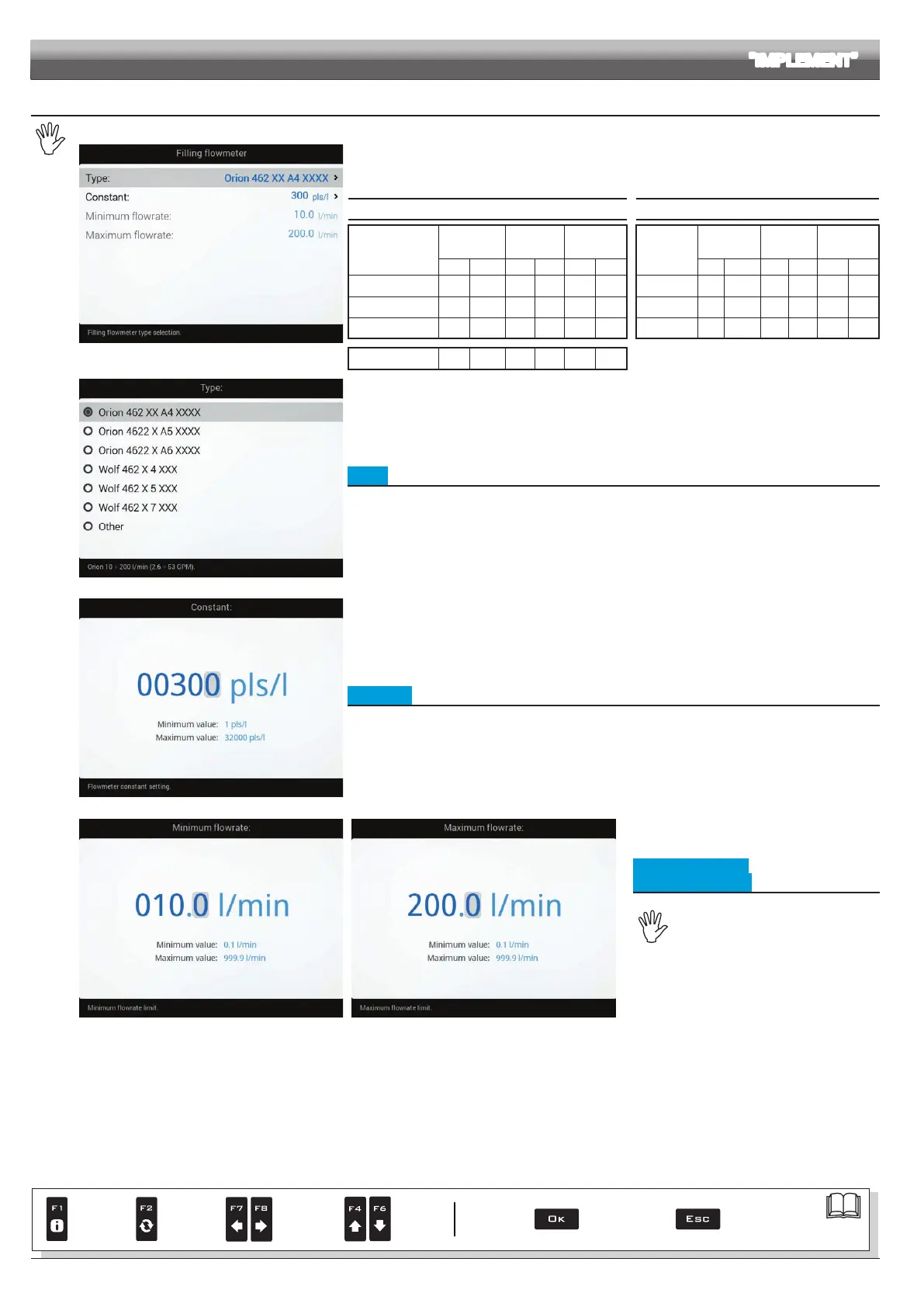
Fig. 92
The lling owmeter allows displaying the tank lling data in real time.
Enter the values for the lling owmeter installed on the system:
the table below indicates the values that are
automatically set when selecting the owmeter code.
If the installed lling owmeter is not displayed, select Other and enter the relevant values.
ORION FLOWMETERS WOLF FLOWMETERS
Type
Constant
Minimum
flowrate
Maximum
flowrate
Type
Constant
Minimum
flowrate
Maximum
flowrate
pls/l pls/gal l/min GPM l/min GPM pls/l pls/gal l/min GPM l/min GPM
462XXA4XXXX
300 113 5 10 2.60 200 52.8
462x4xxx
250 946 10.0 2.6 200 52.8
4622XA5XXXX
150 568 20 5.30 400 105.7
462x5xxx
132 500 20.0 5.3 400 105.7
4622XA6XXXX
100 378 30 7.90 600 158.5
462x7xxx
60 227 40.0 10.6 800 211.3
Other
625 2366 10 2.60 200 52.8
Fig. 93
• Type
Indicate the type of owmeter installed.
Fig. 94
• Constant
Indicate the constant of the installed lling owmeter.
Fig. 95 Fig. 96
• Minimum owrate
• Maximum owrate
The items Minimum flowrate and
Maximum flowrate can be modied
only when the option Other (Fig. 93) is
enabled.
Indicate the minimum and maximum pressure for
the lling owmeter installed on the system.
ADVANCED SETUP "IMPLEMENT"
Par.
7. 4
Conrm access
or data change
Exit the function or
data change
Delete
selected
character
Scroll
(LEFT /
RIGHT)
Data
increase /
decrease
Scroll
(UP /
DOWN)
Enter
selected
character



 To Next Page