97
"JOB MENU" - F1 INFO / ALARMS
15.1
F1 Info / Alarms
Displays job information / alarms
1
2
Fig. 313
1 In the guidance screen, press
Menu.
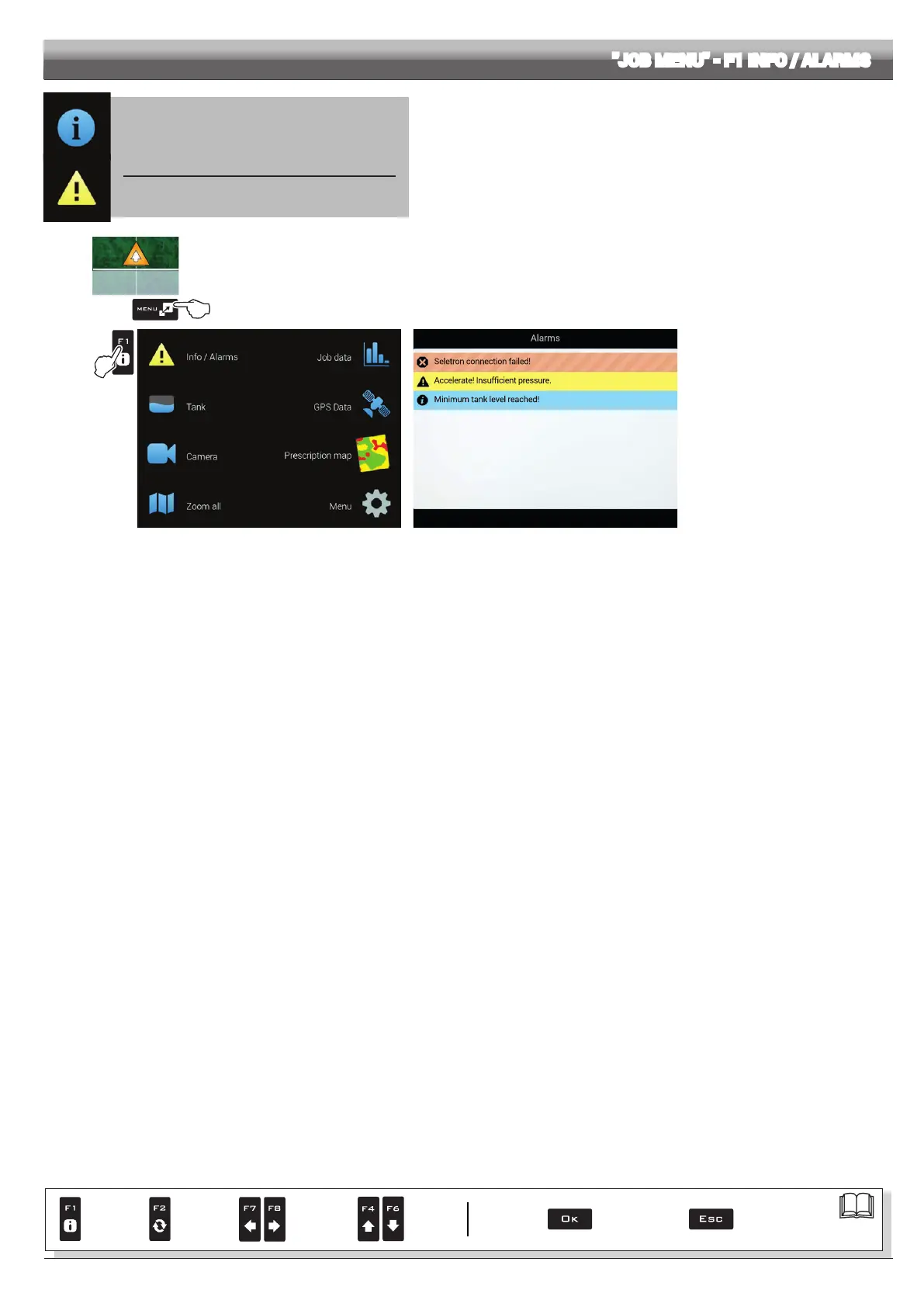
2 Press F1 to view the Info / Alarms menu (Fig. 314).
This screen gives an overview of the active notications for the operator, rated by importance as Critical alarms, Low priority
alarms and Info.
Fig. 314
Par.
7. 4
Conrm access
or data change
Exit the function or
data change
Delete
selected
character
Scroll
(LEFT /
RIGHT)
Data
increase /
decrease
Scroll
(UP /
DOWN)
Enter
selected
character



 To Next Page