30
10.1 IMPLEMENT ADVANCED SETTINGS
10.1.1 Spray spots congurations
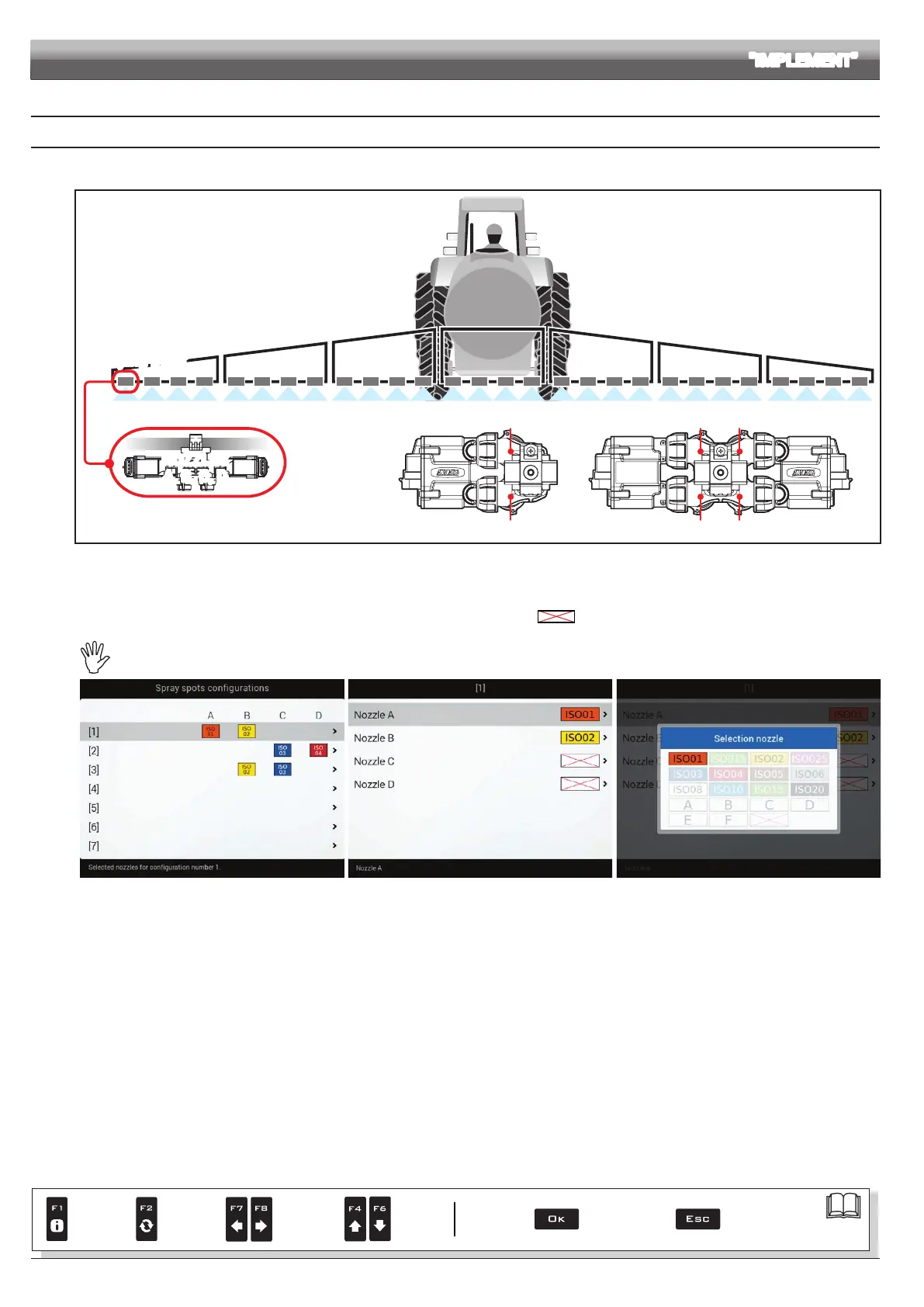
Allows setting 20 different congurations (i.e., 20 nozzle combinations), which can be selected before starting each job.
Each conguration indicates which type of nozzle is installed on the boom's spraying points.
NOZZLES
A, B, C, D
Spraying point
Nozzle A Nozzle C
Nozzle B Nozzle D
Nozzle A
Nozzle B
Fig. 75
During guided setup (chap. 9), the computer will ask you to indicate which type of Seletron is installed at said spraying points (single, twin or fourfold).
Depending on the selected option the number of nozzles to be programmed in this menu will vary.
- Select the conguration you wish to set up (Fig. 76).
- Select the nozzle you wish to set up (
A, B, C or D, in Fig. 77).
- Select one of the suggested nozzles (Fig. 78): if a nozzle is NOT in use, disable it by selecting .
- Repeat the setup for each conguration.
The nozzle settings are the same for all spraying points on the boom.
Fi g. 76 Fig. 77 Fig. 78
ADVANCED SETUP "IMPLEMENT"
Par.
7. 4
Conrm access
or data change
Exit the function or
data change
Delete
selected
character
Scroll
(LEFT /
RIGHT)
Data
increase /
decrease
Scroll
(UP /
DOWN)
Enter
selected
character



 To Next Page