109
"JOB FUNCTIONS" - F3 PAUSE
16.3
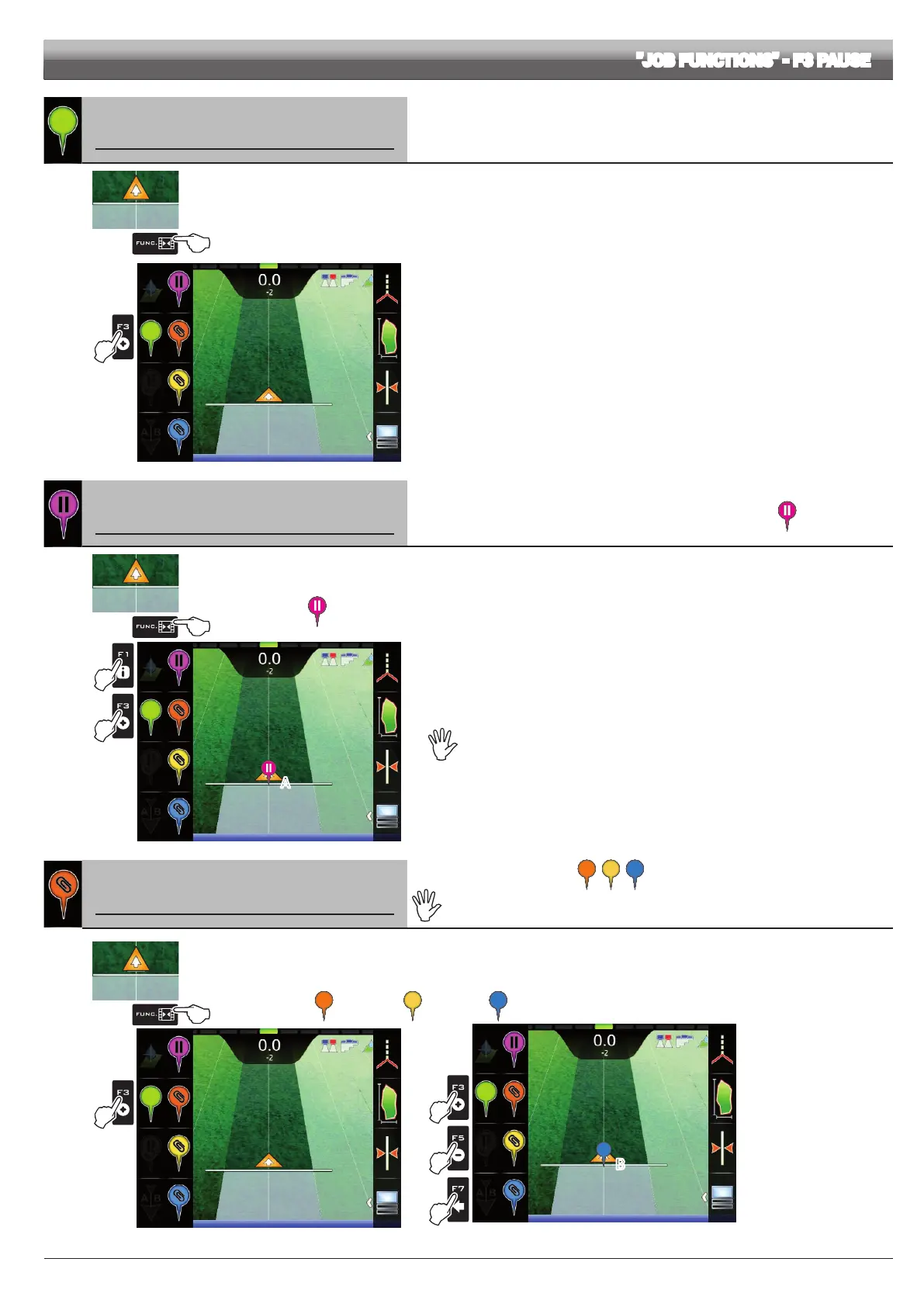
F3 Point marking
It groups the available options for marking points of interest.
1
2
Fig. 350
1 In the guidance screen, press Func.
2 Press F3. A list with options for marking the points will appear (Fig. 350).
Pressing each key will enable the corresponding function.
16.3.1
F1 Pause
Saves job breaking point, which will be shown on the display with the symbol .
1
3
2
A
Fig. 351
1 In the guidance screen, press Func.
2 Press F3 to view the available options.
3 Press F1 when you are in the position you wish to save (A in Fig. 351):
the symbol will be placed exactly on that point.
Delta 80 can save ONLY ONE BREAKING POINT:
every time you save a point, the previous one will be deleted.
16.3.2
F3/F5/F7 General point marking
Saving of general points of interest , , .
The general points of interest can be memorized with this procedure or in the eld
overview screen (par. 15.7). It is possible to mark more points.
1
2
Fig. 352
1 In the guidance screen, press Func.
2 Press F3 to view the available options.
3 Press again F3 (or F5 or F7) to save the point of interest (B in Fig. 353):
the symbol corresponding to the pressed key will be displayed exactly on that point:
F3 for point ; F5 for point ; F7 for point .
3a
3b
3C
B
Fig. 353



 To Next Page