9
5.2 Monitor and control unit positioning
• The Delta 80 computer must be placed in the control cabin of the farming machine. Observe the following precautions:
- Do NOT install the monitor in areas where it would be subjected to excessive vibrations or shocks, to prevent any damage or
accidental use of the control keys;
- Install the device in a visible position within easy reach by hand; bear in mind that the monitor should not obstruct the
operator’s freedom of movement or block his view.
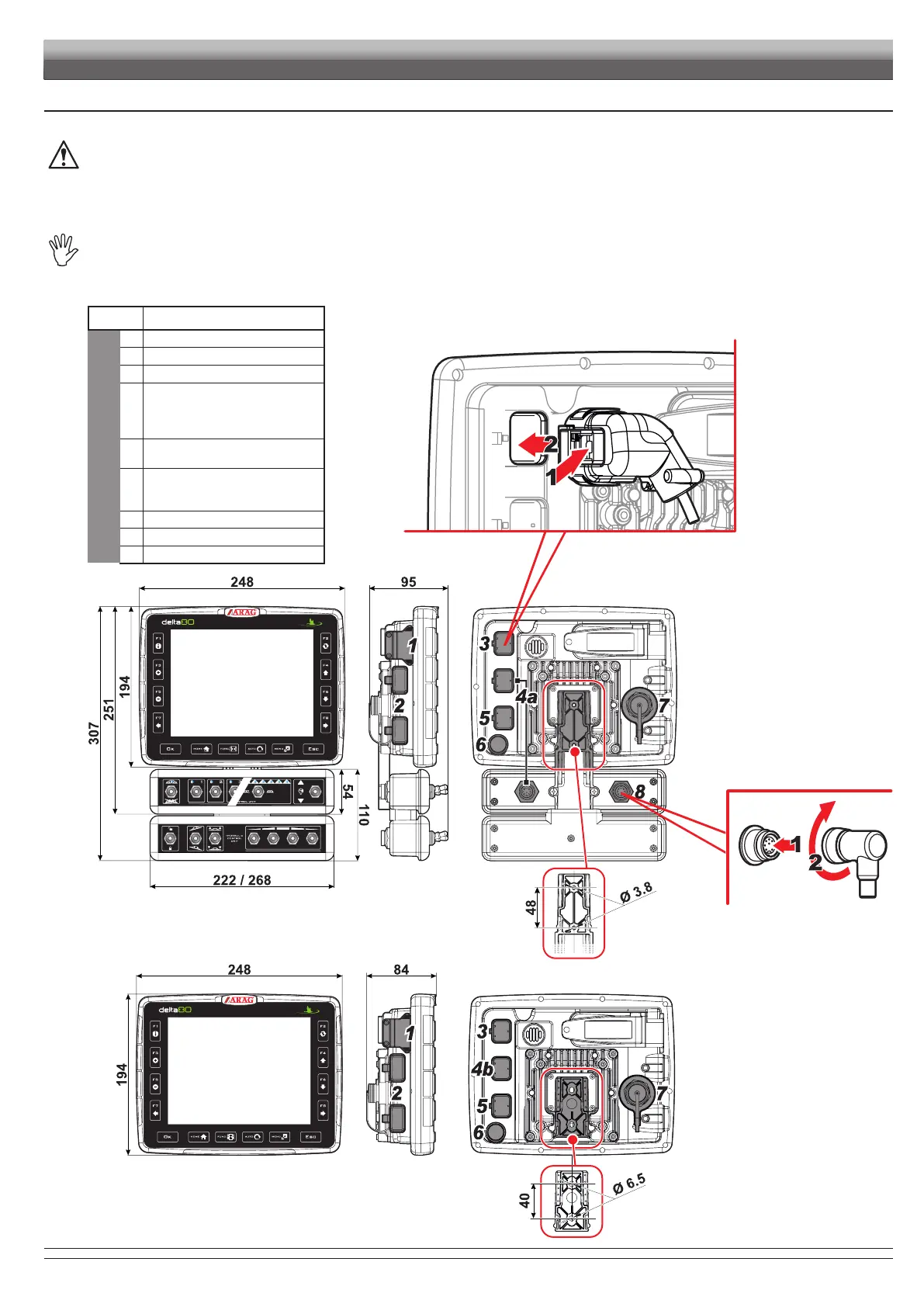
• Control units (ECU): secure the control units on the back of the machine, close to the control unit and the hydraulic unit.
Consider all necessary connections of the computer (Fig. 4, Fig. 5, Fig. 6 and Fig. 7), the cable length, and make sure there is
enough space for connectors and cables.
An identication symbol is located next to each connector to indicate its function.
For any reference to the system conguration read par. 5.1.
ITEM CONNECTION POINTS
MONITOR
1 3G Data SIM
2 USB (2)
3 GPS receiver
4a
Connection of
monitor / switch panel /
cameras /
external main control
4b
Connection of cameras /
external main control
5
Control panel power supply +
IBX100 ECU Sprayer
(water controls)
6 On/off switch
7 Ethernet port
8
Terminal
Fi g. 4
Fi g. 5
INSTALLATION
CONTINUES > > >



 To Next Page