112
"JOB FUNCTIONS" - F6 ALIGN
16.6 F6 Align
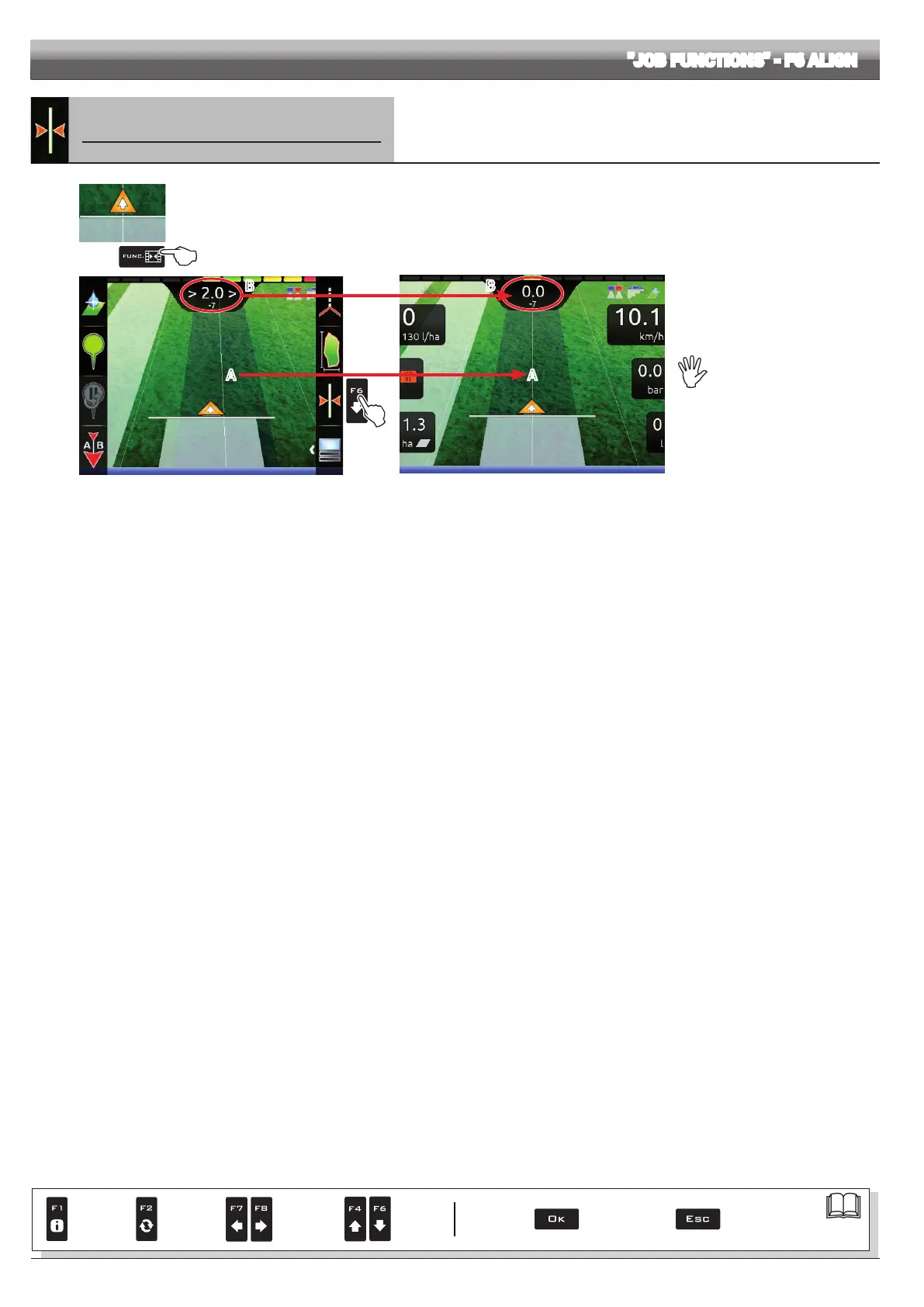
Moves the closest reference track, re-aligning it to the position of the machine.
This function is useful when you need to re-align the machine, whilst continuing to drive in the same
direction (for example, for corn, sugar cane).
1
2
Fig. 361
1 In the guidance screen, press Func.
2 Press F6 to align with the current position.
The closest reference track (A in Fig. 361) moves and becomes aligned with the center of the tractor: all other reference tracks move
accordingly. After the alignment, the deviation value >2.0> (B) becomes 0.0.
Fig. 362
Once this function has been
used, it is not possible to restore
the original reference track.
B B
A A
Par.
7. 4
Conrm access
or data change
Exit the function or
data change
Delete
selected
character
Scroll
(LEFT /
RIGHT)
Data
increase /
decrease
Scroll
(UP /
DOWN)
Enter
selected
character



 To Next Page