94
14.5
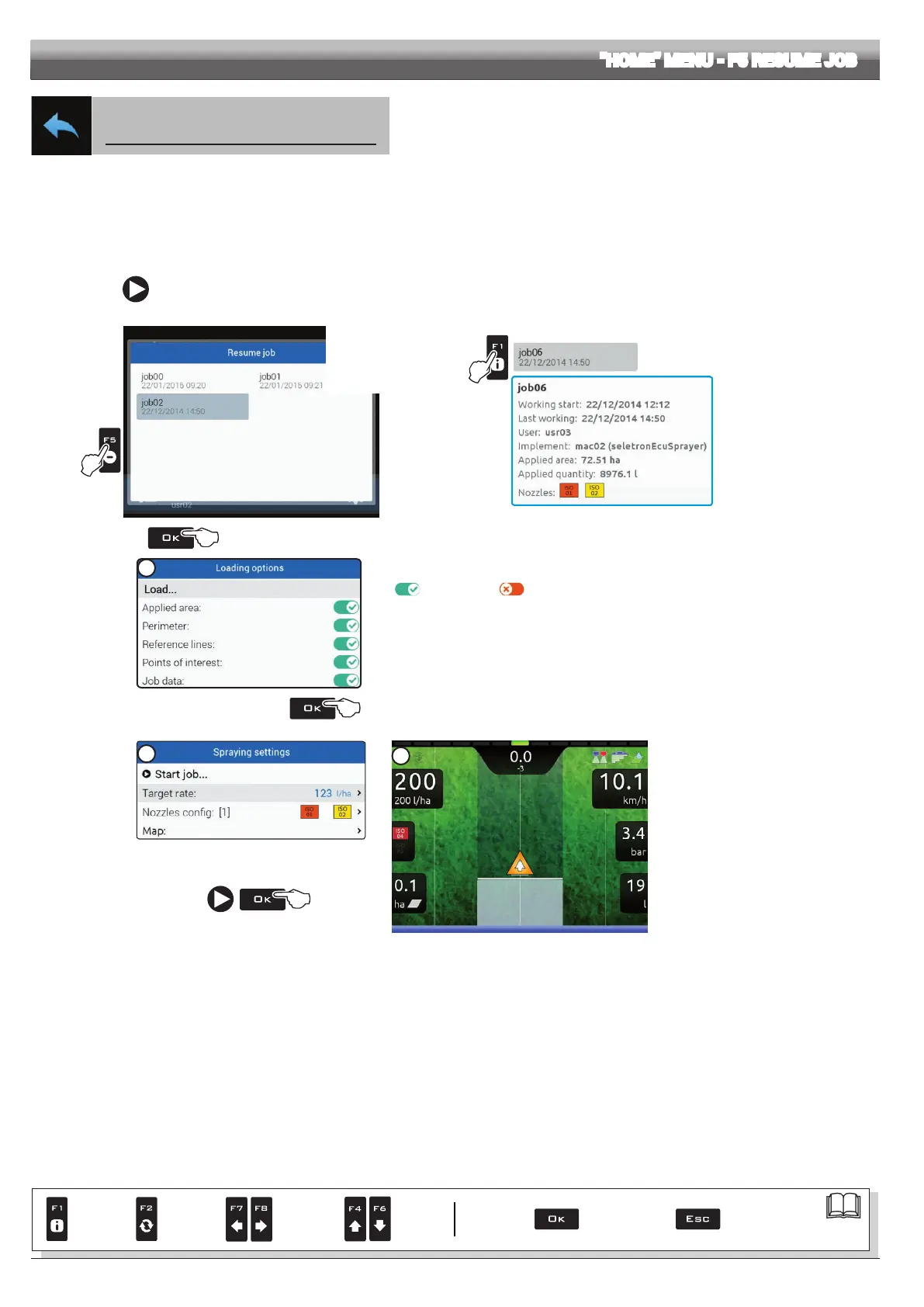
F5 Resume job
Enables procedure for resuming a previously saved job.
1 Press
F5 to resume a previous job, from the list of saved jobs.
As for the
New job function (par. 14.3), if the current job has not been saved yet, Delta 80 will prompt the user to save it.
2 Select the job among those in the list (Fig. 306) and press
OK to conrm the selection.
2a When an "old" job is resumed, Delta 80 provides guidance information by restoring the conditions which were active at the time of saving.
If the
Loading options screen is enabled (see par. 10.6.9), it is possible to choose which information to load (Fig. 307).
3 Check the
Spraying settings in Fig. 308; modify them if necessary.
4 Select
and press OK to switch to guidance mode.
5 Complete the job (Fig. 309).
1
2
Button F1 allows
you to view additional
information on selected
le.
Example:
Fig. 306
Fig. 307
2a
In this screen it is possible to enable or disable the information memorized during the last saving
(
Value enabled, Value disabled).
- Select, one by one, the parameters shown in the list and start the setup procedure:
• Applied area disabling this parameter resets the relevant counter.
• Perimeter disabling this parameter resets the calculated surface counter.
• Reference lines
• Points of interest (POI)
• Job data disabling this parameter resets all counters;
upon job loading a new spraying start date and time will be saved.
- Select
Start job... and press OK to switch to Spraying settings.
Fig. 308
3
5
Fig. 309
"HOME" MENU - F5 RESUME JOB
Par.
7. 4
Conrm access
or data change
Exit the function or
data change
Delete
selected
character
Scroll
(LEFT /
RIGHT)
Data
increase /
decrease
Scroll
(UP /
DOWN)
Enter
selected
character



 To Next Page