115
"JOB FUNCTIONS" - F8 DISPLAY
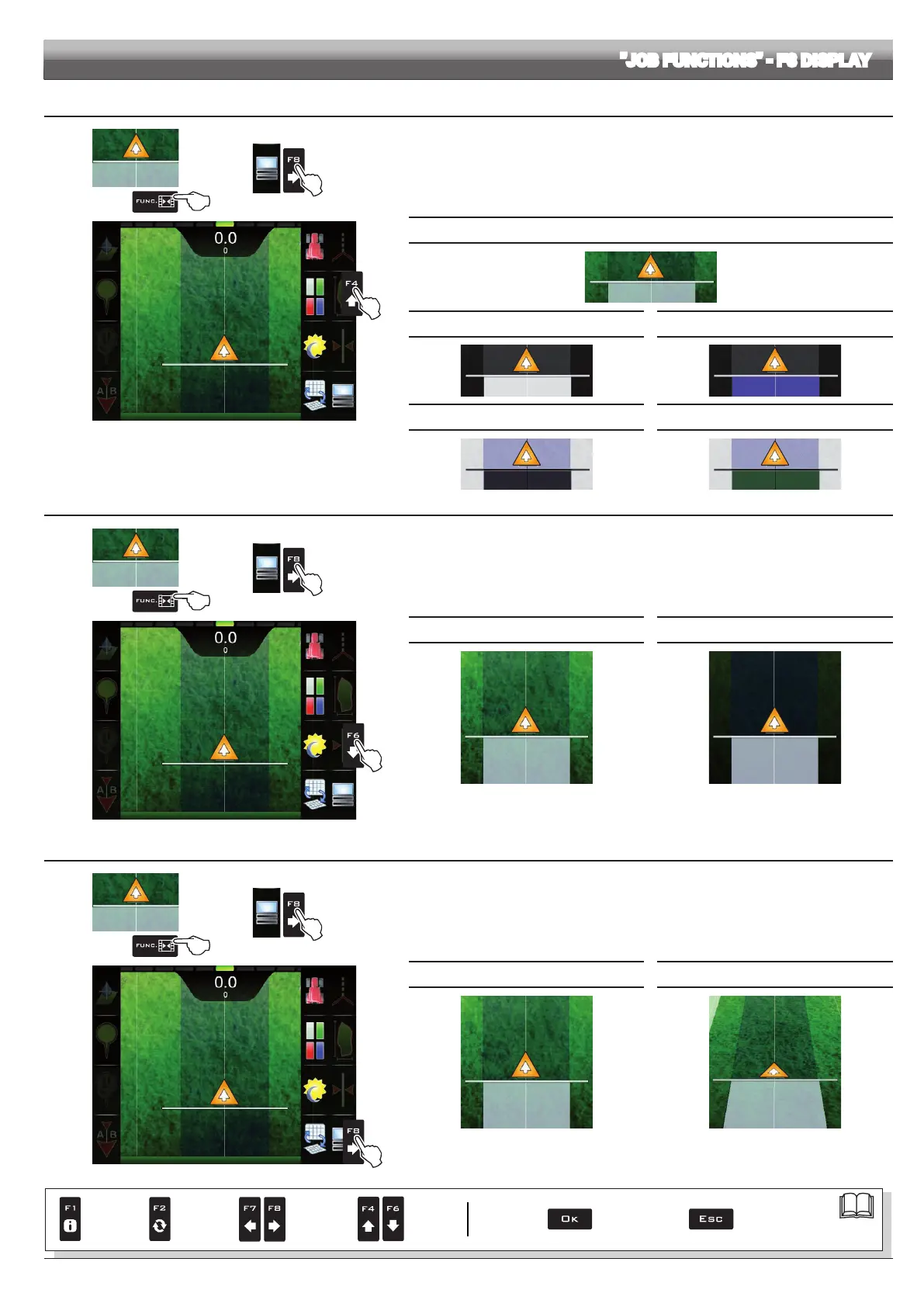
16.8.2 F4 Spraying themes
1
2
1 In the guidance screen, press Func.
2 Press
F8 to view the available options.
3 Press
F4 in succession to scroll spraying color combinations.
3
Fig. 369
SPRAYING THEME 1 (DEFAULT)
THEME 2 THEME 3
THEME 4 THEME 5
16.8.3 F6 Daytime/night time display mode
1
2
1 In the guidance screen, press Func.
2 Press
F8 to view the available options.
3 Press F6 in succession to switch between daytime and night time display mode.
3
Fig. 370
DAYTIME DISPLAY MODE (DEFAULT) NIGHT TIME DISPLAY MODE
16.8.4 F8 2D/3D display mode
1
2
1 In the guidance screen, press Func.
2 Press F8 to view the available options.
3 Press F8 in succession to switch between 2D and 3D display mode.
3
Fig. 371
2D DISPLAY MODE (DEFAULT) 3D DISPLAY MODE
Par.
7. 4
Conrm access
or data change
Exit the function or
data change
Delete
selected
character
Scroll
(LEFT /
RIGHT)
Data
increase /
decrease
Scroll
(UP /
DOWN)
Enter
selected
character



 To Next Page