93
• Upgrade monitor rmware
Allows updating monitor rmware.
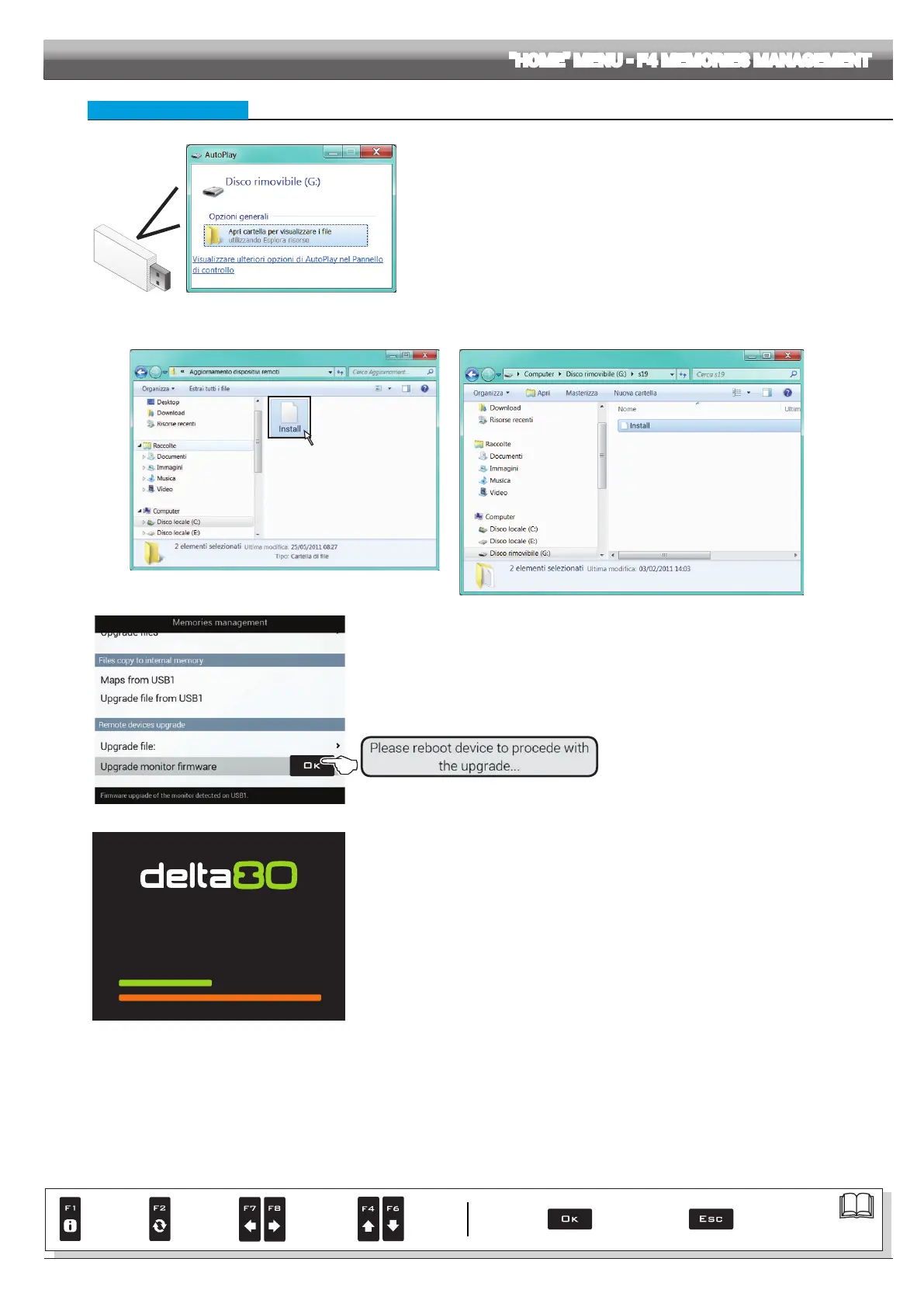
Fig. 301
Before starting the procedure copy the upgrade les onto the pendrive.
- Insert the pendrive in a pendrive reader and connect it to the computer.
The window to the right will appear: select Open folder to view the les.
- Content window of the pendrive will open.
- Select the upgrade le and drop it onto the pendrive explorer window.
WARNING: save le in the main directory of the USB pendrive or Delta 80 will not be able to read it.
Fig. 302
1
Fig. 303
- Insert the pendrive in its slot on Delta 80.
RUNNING THE UPDATE:
1 Select
Upgrade monitor firmware (Fig. 303) and press OK.
Message in Fig. 304 is displayed once the process is completed.
2 Reboot device (button at the back of the computer).
Fig. 304
IF YOU SELECT THE UPDATE FUNCTION, SYSTEM
IS PRESET TO KEEP ANY PREVIOUSLY SET
CONFIGURATION.
Updating...
Fig. 305
At power-on, the computer will check data and start installation.
WARNING: DURING THE FOLLOWING OPERATIONS DO NOT SWITCH DELTA 80 COMPUTER OFF AND
DO NOT POWER OFF!
When installation is completed, the computer automatically reboots.
"HOME" MENU - F4 MEMORIES MANAGEMENT
Par.
7. 4
Conrm access
or data change
Exit the function or
data change
Delete
selected
character
Scroll
(LEFT /
RIGHT)
Data
increase /
decrease
Scroll
(UP /
DOWN)
Enter
selected
character



 To Next Page