61
ADVANCED SETUP "USER"
10.6 USER
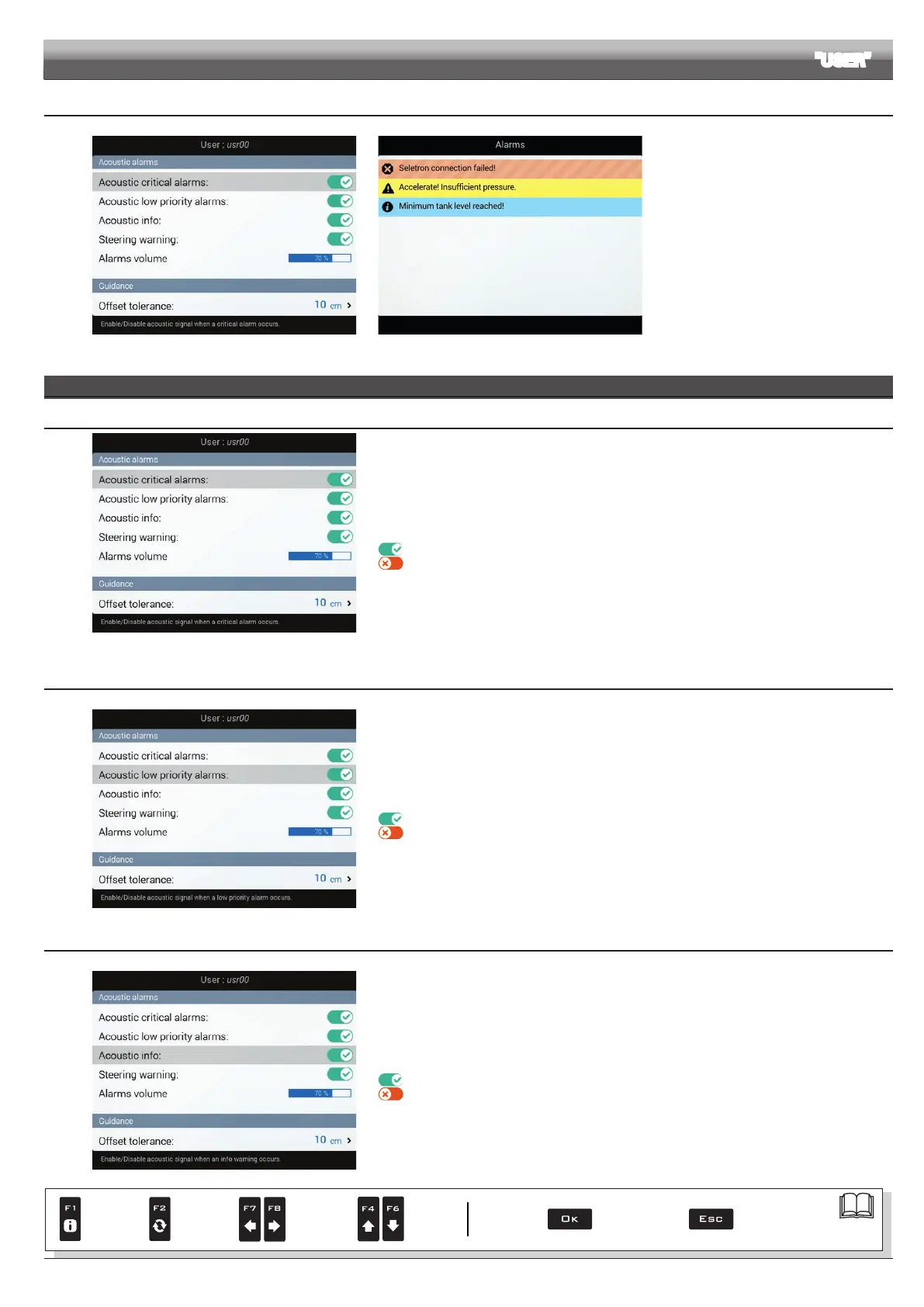
Fig. 205 Fig. 206
Delta 80 features an
Alarm menu
(Fig. 206, accessible from the "Home" menu
by pressing F6). This page displays all active
notications for the operator.
These notications are rated by importance as
Critical alarms, Low priority alarms and
Info.
From the
User menu it is possible to enable /
disable acoustic alarms for each notication:
•
Acoustic critical alarms (par. 10.6.1).
•
Acoustic low priority alarms
(par. 10.6.2).
•
Acoustic info (par. 10.6.3).
•
Steering warning (par. 10.6.4).
ACOUSTIC ALARMS
10.6.1 Acoustic critical alarms
Fig. 207
It allows to enable/disable the acoustic signal when new
Critical alarms are triggered
(Fig. 206).
Signal enabled
Signal disabled
10.6.2 Acoustic low priority alarms
Fig. 208
It allows to enable/disable the acoustic signal when new
Low priority alarms (Fig. 206) are triggered.
Signal enabled
Signal disabled
10.6.3 Acoustic info
Fig. 209
It allows to enable/disable the acoustic signal when new
Info (Fig. 206) are triggered.
Signal enabled
Signal disabled
Par.
7. 4
Conrm access
or data change
Exit the function or
data change
Delete
selected
character
Scroll
(LEFT /
RIGHT)
Data
increase /
decrease
Scroll
(UP /
DOWN)
Enter
selected
character



 To Next Page