113
"JOB FUNCTIONS" - F7 NEW AB
16.7 F7 New AB
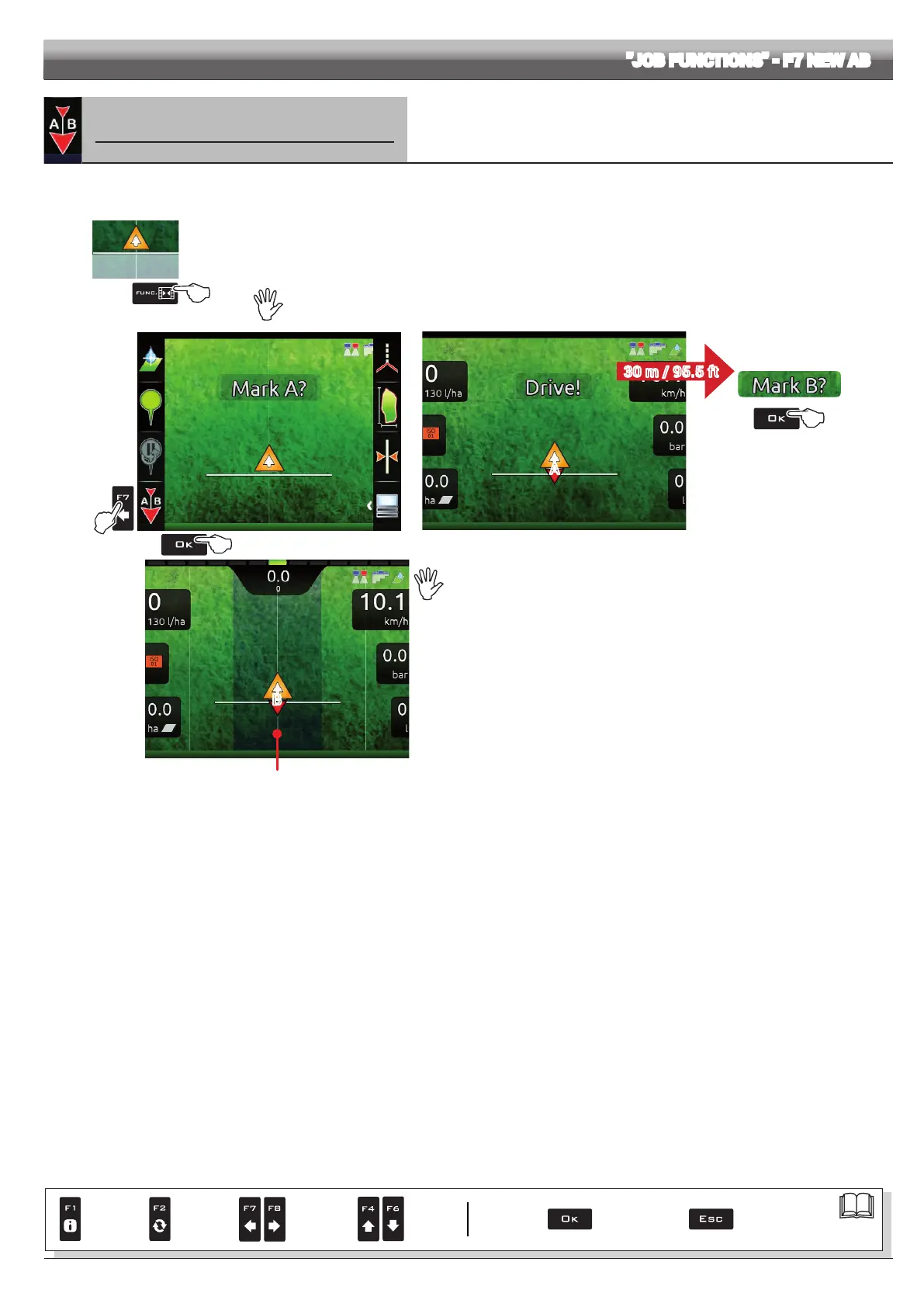
Saves two points A and B on the eld, which Delta 80 uses to draw a line that will act as a reference
track (T0, Fig. 365) for the current job.
1
2
3
Fig. 363
1 In the guidance screen, press Func.
2 Drive along the stretch you wish to use as a reference for the job.
Press F7 to enable the function: the request Mark A? will appear on the display. (Fig. 363).
3 Press OK. The display shows the message Drive! (Fig. 364).
4 Keep driving, when you have reached the minimum distance (30 m / 95.5 ft), the request Mark B? will appear on the display. Press
OK.
The reference track T0 and all tracks to be followed during the job will appear on the display (Fig. 365).
We recommend marking points A and B while the machine is moving, at both ends of a straight line that is as long as
possible: the longer the line marked by points A and B, the lower the error caused by any deviations of the machine
itself.
A
Fig. 364
4
T0
B
Fig. 365
When this function is used, Delta 80 deletes the previous reference track T0 (if
present), and prompts the operator to save two NEW points A and B on the eld,
which create a NEW reference track.
WARNING:
Points
A and B can be marked only when the vehicle is moving.
The previous track T0 cannot be restored.
30 m / 95.5 ft
Par.
7. 4
Conrm access
or data change
Exit the function or
data change
Delete
selected
character
Scroll
(LEFT /
RIGHT)
Data
increase /
decrease
Scroll
(UP /
DOWN)
Enter
selected
character



 To Next Page