76
USE
12.5 Spraying a eld
Let us assume we want to spray a eld
along parallel lines, but only once the
edges of the eld have been sprayed.
Fig. 242
• Go the beginning of the eld to be sprayed.
• Turn Delta 80 on (par. 7).
After self-diagnostics, Delta 80 displays the "Home"
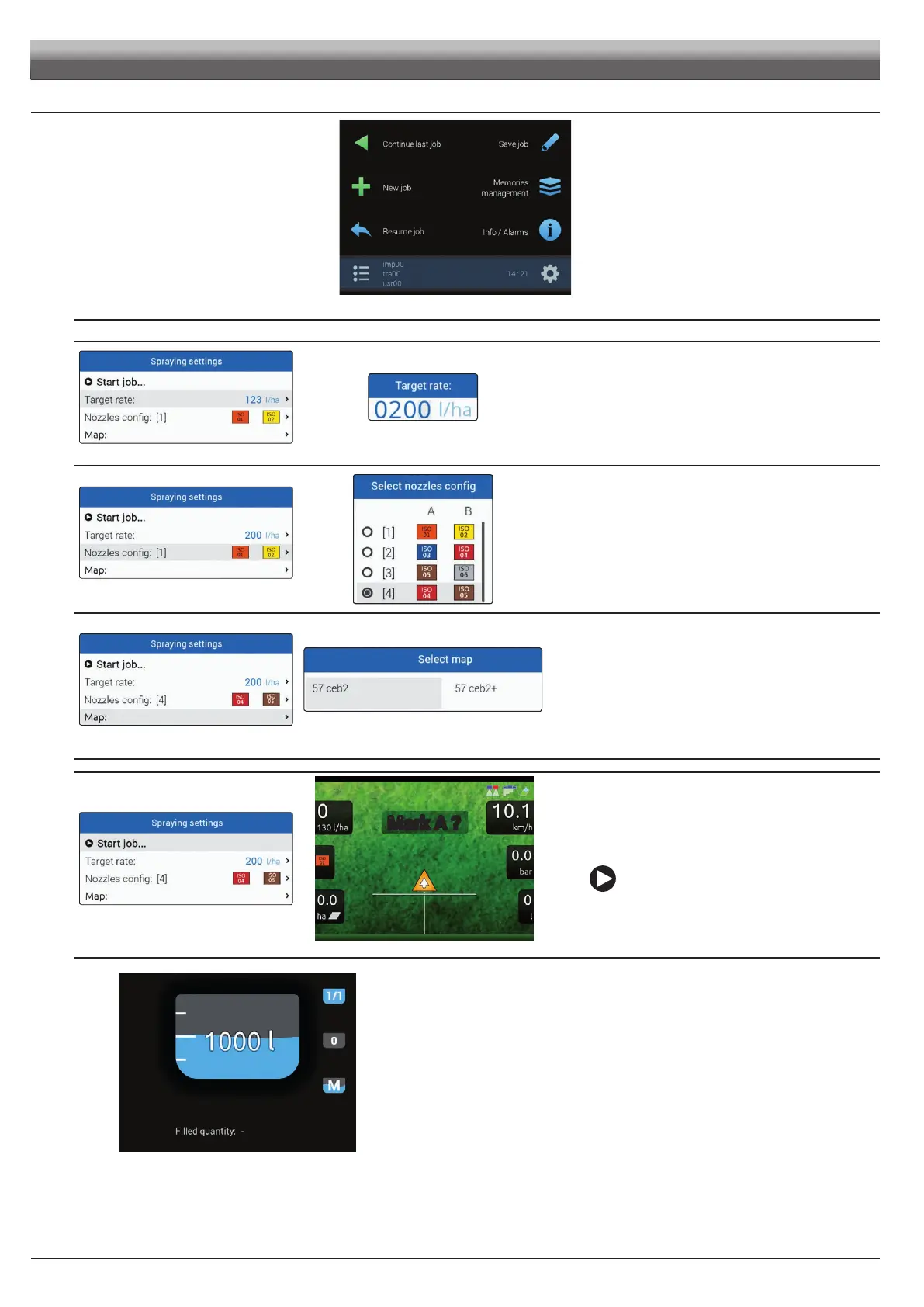
screen (Fig. 242).
• Begin a new job, using the function
F3 New job (par. 14.3).
• Enter spraying settings.
SPRAYING SETTINGS
Fig. 243
Fig. 244
Target rate
- Set the spray rate value for the treatment (Fig. 244).
Press OK to conrm the value.
Fig. 245
Fig. 246
Select nozzles config
- Select a nozzle conguration from the list (Fig. 246).
With this data indicate which nozzles are installed on the boom
spraying points (preset congurations in the Spray spots
configurations menu, par. 10.1.1).
- Press OK to conrm.
Fig. 247
Fig. 248
Map
If there is at least one map (on the internal memory), you can select
a prescription map for the spraying.
According to the position detected by the GPS receiver, Delta 80 will
use the appropriate spray rate for the area that is being sprayed
(par. 13.3 Importing and using a prescription map).
- Select a map from the list (Fig. 248).
- Press
OK to conrm.
Fig. 249
Mark A ?
Fig. 250
Start job
- Select and press OK to switch to guidance.
Fig. 251
• In the job menu, set the tank level with the function F3 Tank (par. 15.3).
• Start spraying by acting on the main control valve switch.
• Start moving along the eld perimeter.



 To Next Page