110
"JOB FUNCTIONS" - F4 SURFACE
16.4 F4 Surface
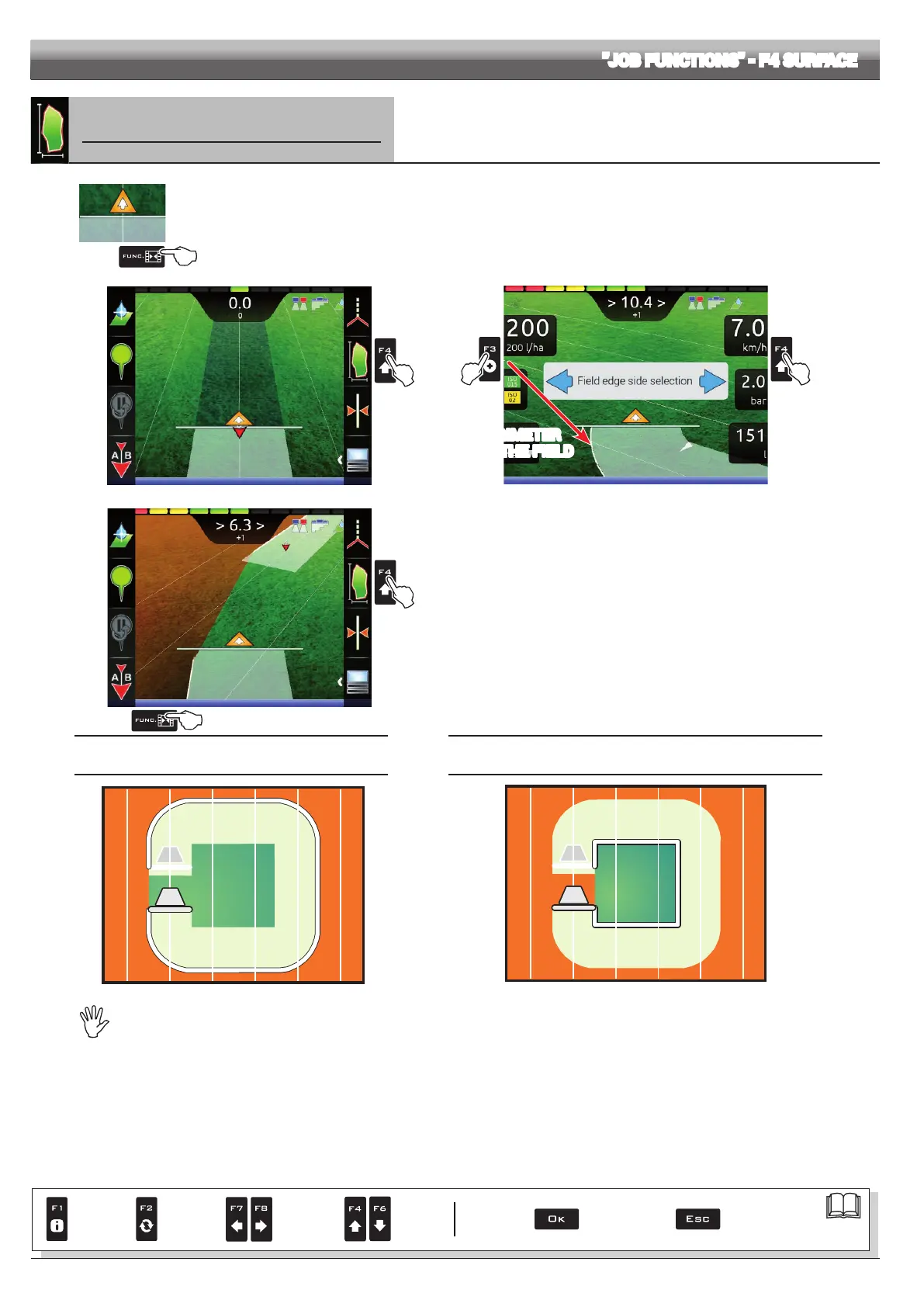
Enables the procedure to calculate eld surface by driving along its perimeter.
1
1 In the guidance screen, press Func.
2 Press F4 to start the surface calculation procedure (function list disappears).
The following message will appear: Field edge side selection prompting the operator to select which side of the machine to use as a
reference to dene the eld perimeter.
3 Press F3 (Left) or F4 (Right): a white line will be displayed to draw the eld perimeter as the tractor moves (Fig. 355).
2
Fig. 354
3a 3b
PERIMETER
OF THE FIELD
Fig. 355
5
4
Fig. 356
4 Drive along the perimeter of the eld or of the surface you wish to
measure. When you get close to the calculation starting point, press Func.
again.
5 Press F4 to complete the surface calculation procedure (Fig. 356).
The computer will connect starting and end points and will calculate the
surface.
FIELD PERIMETER
ON MACHINE LEFT-HAND SIDE
FIELD PERIMETER
ON MACHINE RIGHT-HAND SIDE
Fig. 357
Fig. 358
The eld external edge (white line) follows the trajectory of the most external open section valve.
When all section valves are closed, the eld edge starts from the boom center.
Par.
7. 4
Conrm access
or data change
Exit the function or
data change
Delete
selected
character
Scroll
(LEFT /
RIGHT)
Data
increase /
decrease
Scroll
(UP /
DOWN)
Enter
selected
character



 To Next Page