18
7 SETUP
7.1 Setup preparation
Before computer setup, check:
• that all components are correctly installed (control unit and sensors);
• the correct connection to the power source;
• the correct connection of components (control unit and sensors).
Failure to correctly connect system components or to use specied components might damage the device or its components.
WARNING: DO NOT CONNECT THE CONNECTORS TO THE SELETRON NOZZLE HOLDERS.
THE SELETRON ELECTRIC CONNECTORS MUST BE CONNECTED AT A LATER TIME, DURING THE PAIRING PROCEDURE
(chap. 11 Seletron connection).
7.2 Switching on
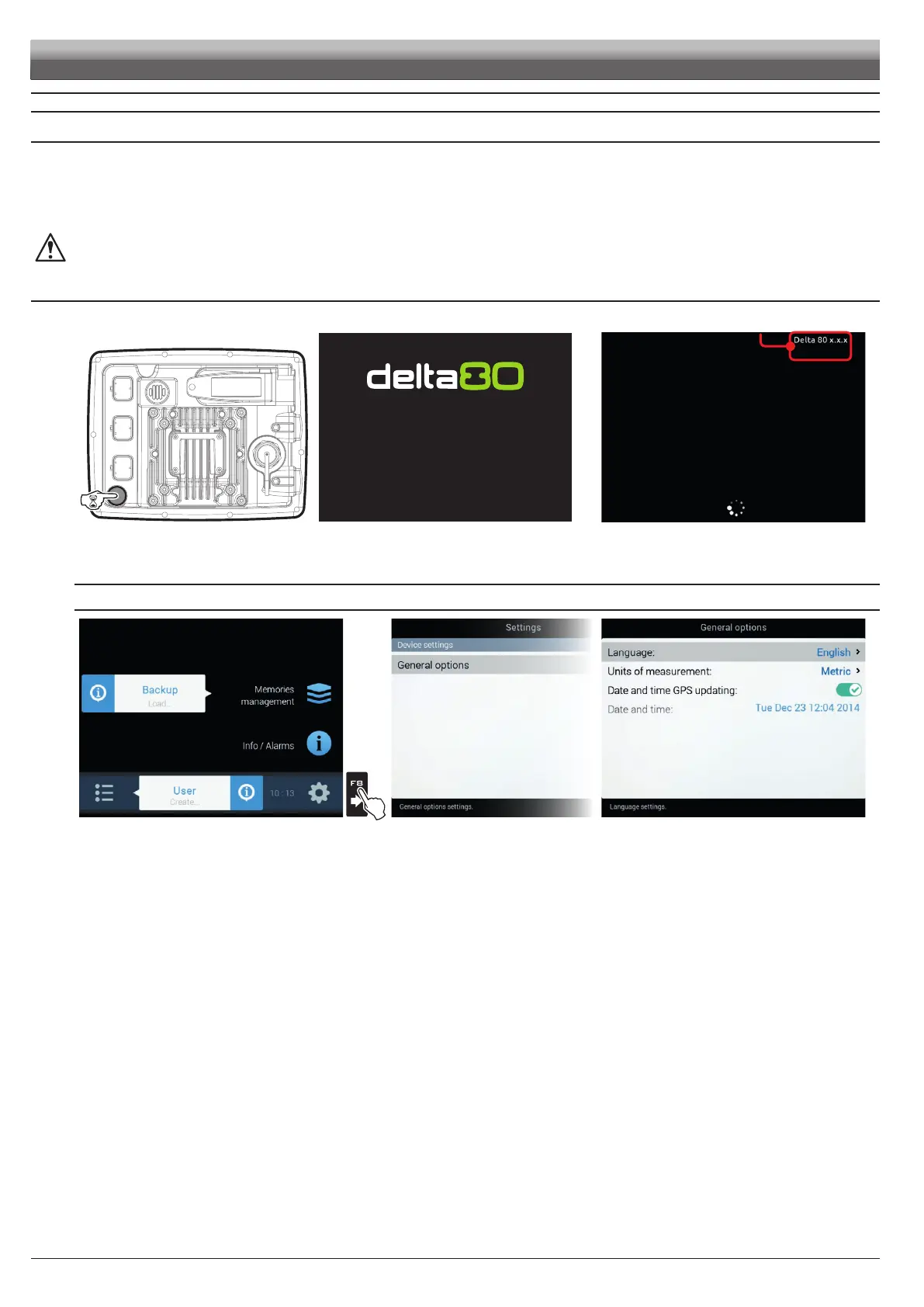
Fig. 26 Fig. 27
SOFTWARE VERSION
Fig. 28
Hold the button at the back of the monitor down for 3 seconds: after a few seconds, Delta 80 will display the page shown in Fig. 27.
The software version is shown immediately afterwards (Fig. 28).
FIRST DEVICE SWITCHING ON
Fig. 29
Fig. 30 Fig. 31
Upon rst switching on, after the software version, Delta 80 displays the "Home" screen (Fig. 29):
Set the Delta 80 language.
LANGUAGE SETTING
- In the "Home" screen (Fig. 29) press
F8 to enter the Settings menu (Fig. 30).
- Select General options > Language and set the language of Delta 80.
- Press ESC and return to the "Home" menu.
Go to device basic settings (chap. 9).
SETUP



 To Next Page