111
"JOB FUNCTIONS" - F5 RESUME FROM PAUSE
16.5 F5 Resume from pause
Guidance indications to return to job breaking point ,
previously saved with function "F1 Pause" (par. 16.3.1).
1
2
A
B
C
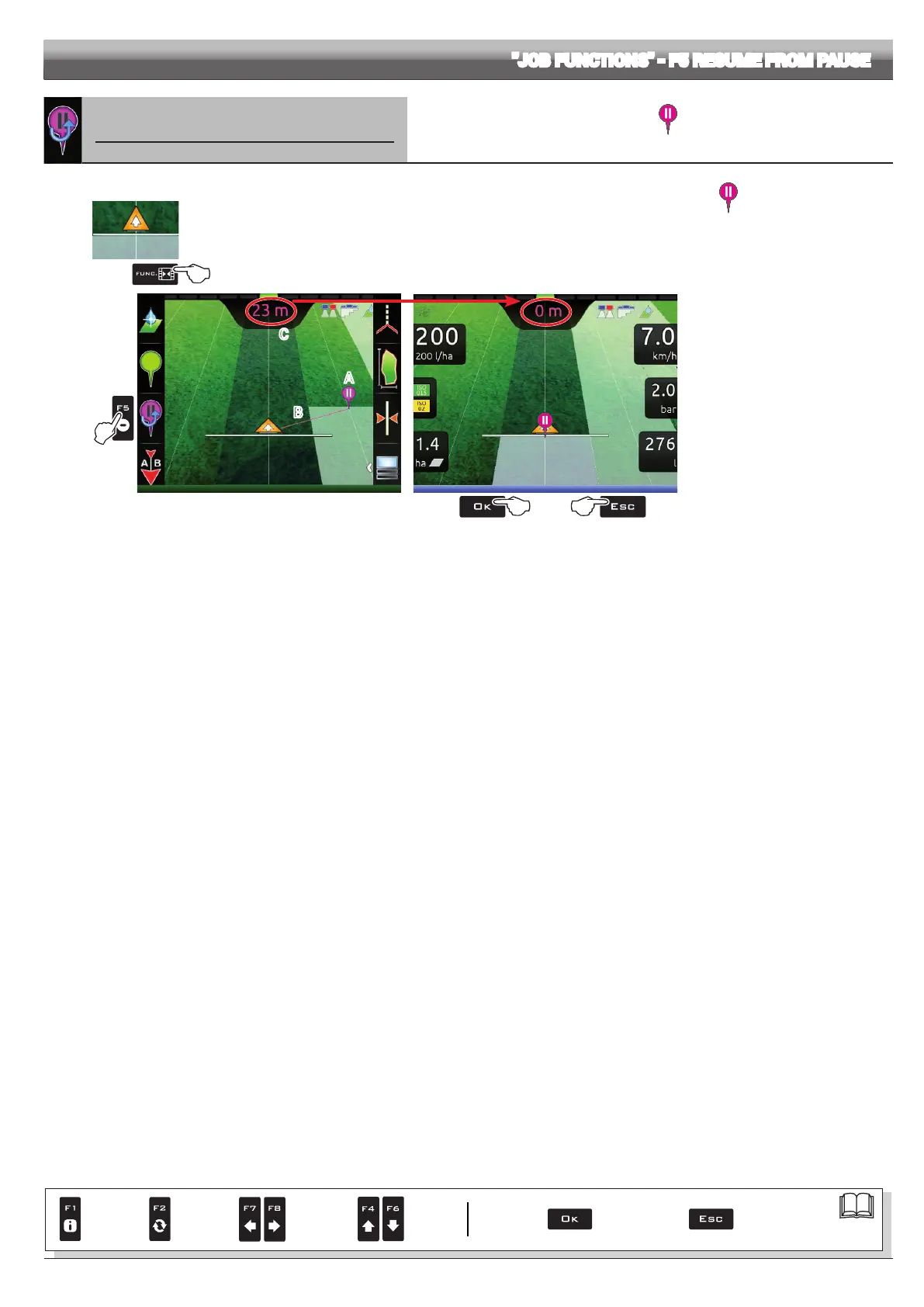
Fig. 359
1 In the guidance screen, press Func.
2 Press F5 to obtain guidance information and enable the return to job breaking point procedure .
The fuchsia line B in Fig. 359 (which connects the position of the machine to that of the breaking point) shows the direction to be
followed to reach the point marked as A. The display shows in fuchsia the distance between your position and the breaking point (C in
Fig. 359).
3 Continue driving and make sure that the distance is decreasing: you are reaching the breaking point.
When you are close to it, you can see it on the display.
4 Once you have reached the position, the value of the distance reaches "zero" (Fig. 360): press OK or ESC to exit the procedure.
4b4a
Fig. 360
OK Delta 80 goes back to displaying
guidance information for the job and the
symbol is erased.
ESC Delta 80 goes back to displaying
guidance information for the job but the
symbol is saved.
Par.
7. 4
Conrm access
or data change
Exit the function or
data change
Delete
selected
character
Scroll
(LEFT /
RIGHT)
Data
increase /
decrease
Scroll
(UP /
DOWN)
Enter
selected
character



 To Next Page