78
"AUTOMATIC FUNCTIONS" - STRUCTURE
13 AUTOMATIC FUNCTIONS
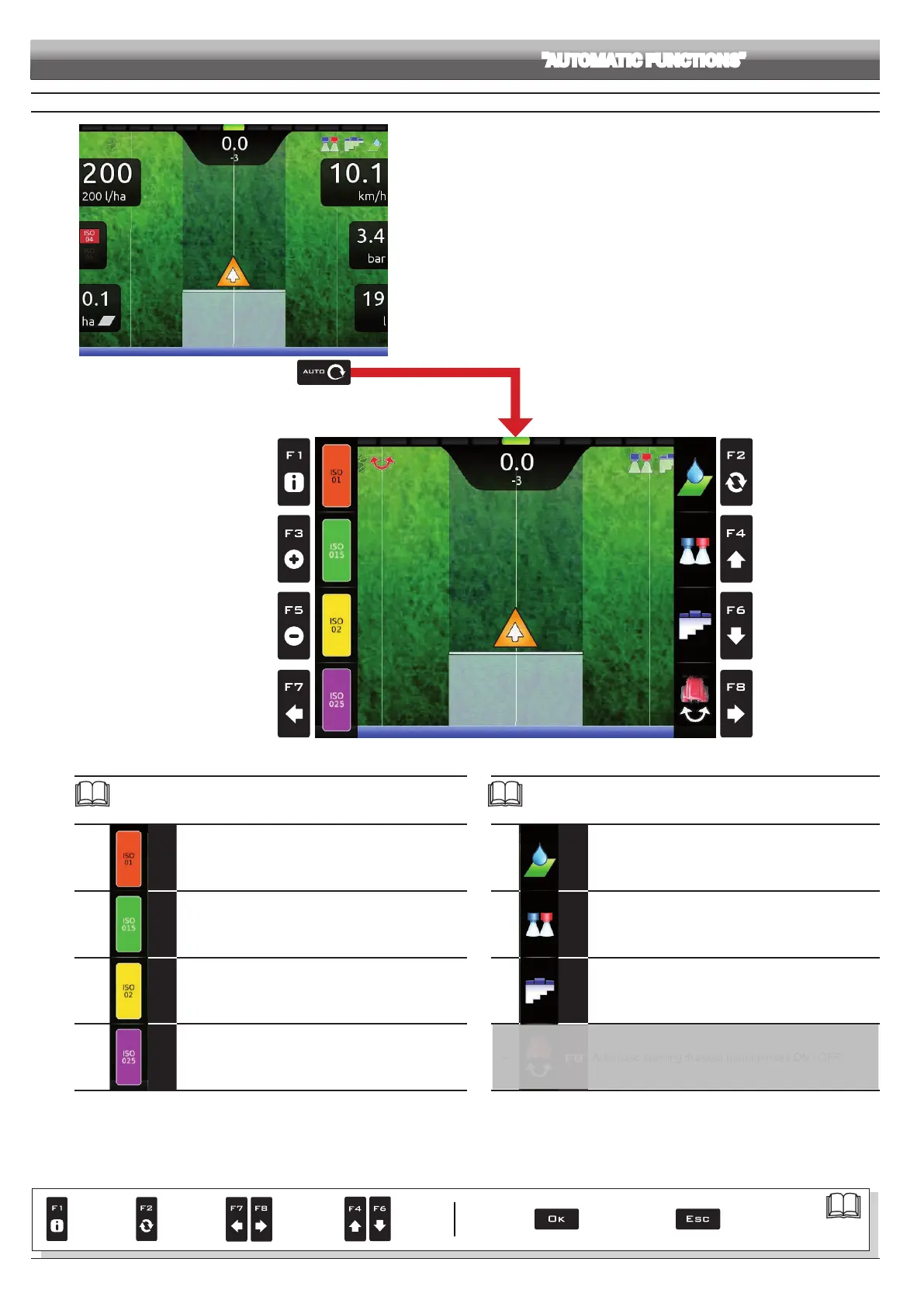
Fig. 255
To access automatic functions, start a job (
New job, Resume job,
Continue last job, chap. 14 "Home" Menu);
in the guidance screen press Auto. When the list is active (Fig. 255), pressing the
key at the side will enable the relevant function.
The table below lists all available job functions and the corresponding function keys:
Par.
13.6
F1
Manual selection of NOZZLE A
13.6
F3
Manual selection of NOZZLE B
13.6
F5
Manual selection of NOZZLE C
13.6
F7
Manual selection of NOZZLE D
Par.
13.2
F2
ON/OFF automatic adjustment
13.5
F4
Automatic nozzle selection ON / OFF
13.8
F6
ON/OFF section automatic management
--
F8
Automatic steering drawbar management ON / OFF
DRAFT
Par.
7. 4
Conrm access
or data change
Exit the function or
data change
Delete
selected
character
Scroll
(LEFT /
RIGHT)
Data
increase /
decrease
Scroll
(UP /
DOWN)
Enter
selected
character



 To Next Page