84
"HOME" MENU - STRUCTURE
14 "HOME" MENU
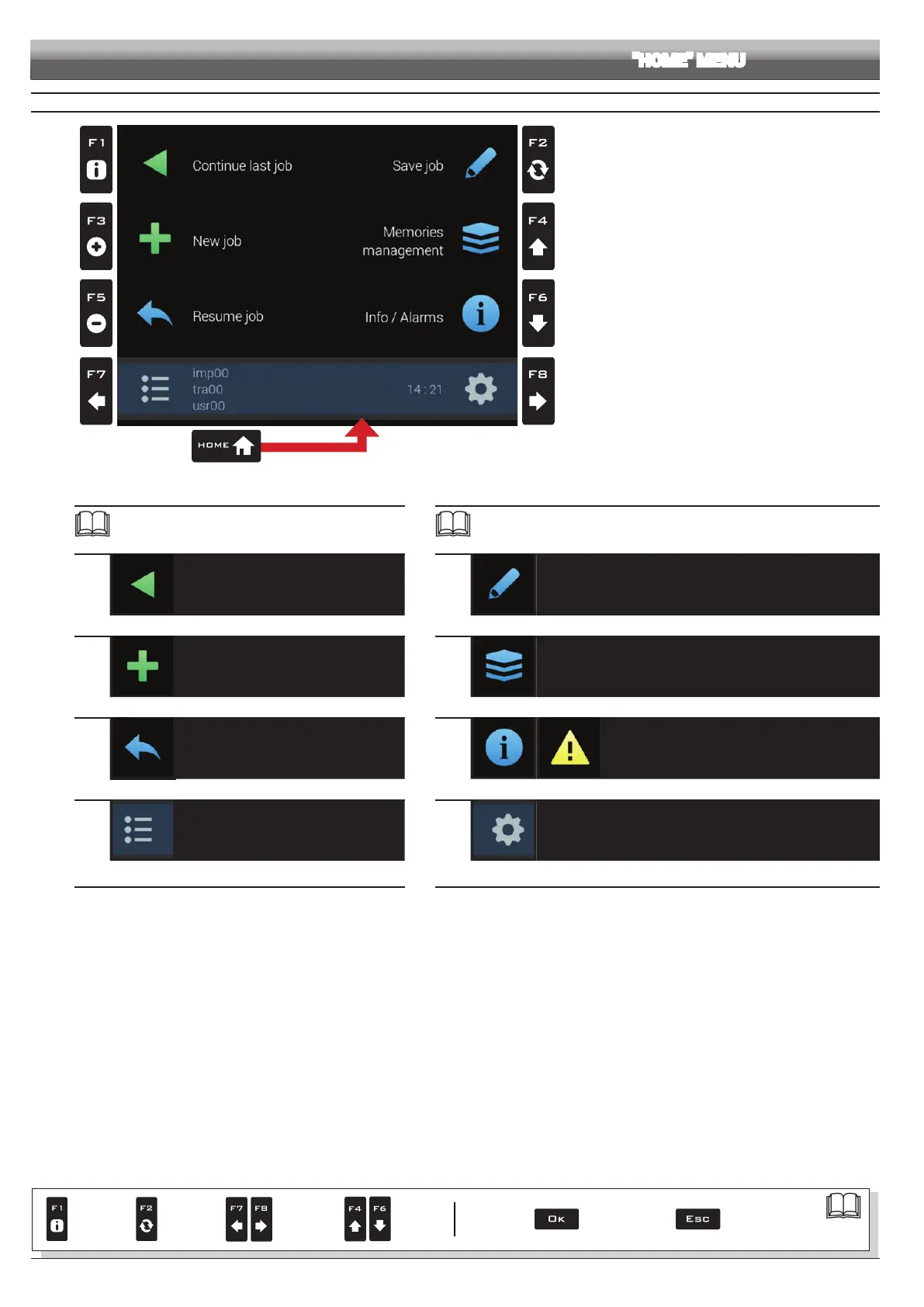
Fig. 269
To enter the menu press the
Home key: once inside the menu, pressing each key will enable the corresponding function.
The table below sums up all menu items and corresponding keys:
Par.
14.1
F1
Continue last job
Continues last job
14.3
F3
New job
Start a new spraying
14.5
F5
Resume job
Activate procedure for resuming a job
10
F7
Select / Create settings for User, Tractor and Implement
Par.
14.2
F2
Save job
Save current job
14.4
F4
Memories management
Manage and copy data between internal and external memories (Pendrive)
14.6
F6
Info / Alarms
Job information / alarms
10
F8
Edit settings for User, Tractor and Implement
Par.
7. 4
Conrm access
or data change
Exit the function or
data change
Delete
selected
character
Scroll
(LEFT /
RIGHT)
Data
increase /
decrease
Scroll
(UP /
DOWN)
Enter
selected
character



 To Next Page