63
ADVANCED SETUP "USER"
GUIDANCE
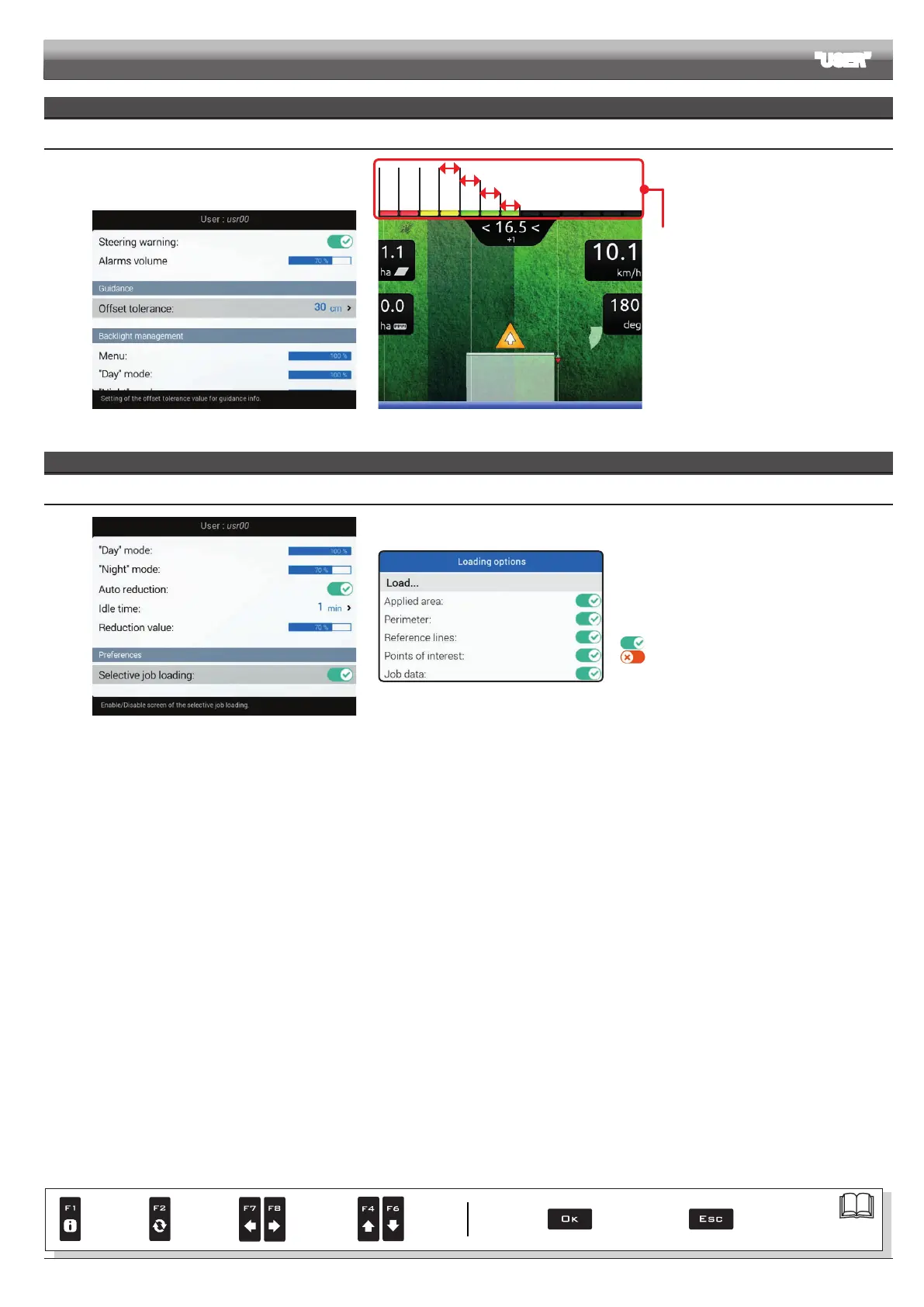
10.6.8 Offset tolerance
Fig. 214
30 cm
120 cm.........
60 cm
90 cm
Fig. 215
Vehicle offset from reference line is represented
by the LED bar on the side (guidance screen).
Each LED on indicates an offset value
corresponding to the one set in item
Offset
tolerance (for ex.: 30 cm).
As shown in the example, LED switch-on
increases progressively any time that offset
reaches a multiple of 30 cm
PREFERENCES
10.6.9 Selective job loading
Fig. 216
Fig. 217
It allows enabling/disabling the
Loading options
screen (Fig. 217) when the operator loads a previously
saved job (par. 14.5 F5 Resume job).
Screen enabled
Screen disabled
Par.
7. 4
Conrm access
or data change
Exit the function or
data change
Delete
selected
character
Scroll
(LEFT /
RIGHT)
Data
increase /
decrease
Scroll
(UP /
DOWN)
Enter
selected
character



 To Next Page