44
10.1.12 Working parameters
*
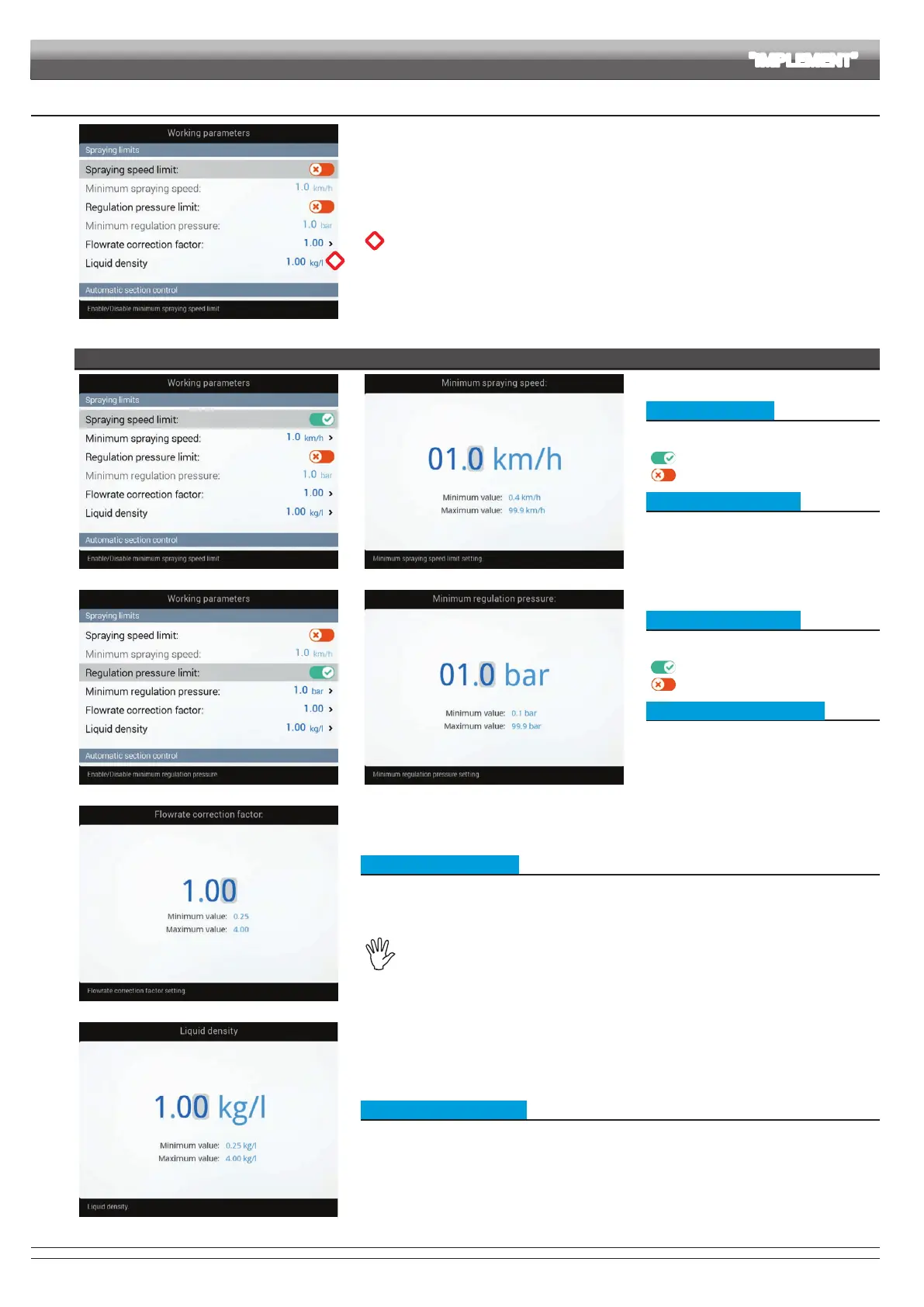
Fig. 128
Set the farming machine job limits.
*
Item Tank level correction factor is available only if Tank level sensor was selected,
under 9 "Basic settings".
SPRAYING LIMITS
Fig. 129 Fig. 130
• Spraying speed limit
To congure the items on this menu, you must
enable the speed limit:
Limit enabled
Limite disattivato
• Minimum spraying speed
Set the minimum spraying speed:
Delta 80 closes the main valve when the tractor
speed is lower than the set value.
Fig. 131 Fig. 132
• Regulation pressure limit
To congure the items on this menu, you must
enable the pressure limit:
Limit enabled
Limite disattivato
• Minimum regulation pressure
Set the minimum spraying pressure:
Delta 80 blocks the automatic regulation of the
proportional valve when the pressure is lower
than the set value.
Fig. 133
• Flowrate correction factor
When using a paddle owmeter and the sprayed uid has a different viscosity than that of water, the
computer could display wrong measurements; to correct them change the owrate correction factor:
• if at the end of the spraying the tank still contains uid, reduce the factor;
• if the uid nishes before the job has ended, increase the factor.
Flowmeters of the ORION series (code 462xxx) are not affected by the viscosity difference of
the uids: set the value to 1.00.
Fig. 134
• Tank level correction factor
If the sprayed uid is lighter than water, the device may indicate wrong measurements; to correct this
measurement, edit the sprayed liquid weight, referred to 1 liter of product.
CONTINUES > > >
ADVANCED SETUP "IMPLEMENT"



 To Next Page