90
14.4.3 Internal memory deletions
Allows to delete data from Delta 80 internal memory. THE CURRENTLY USED FILES MUST NOT BE DELETED.
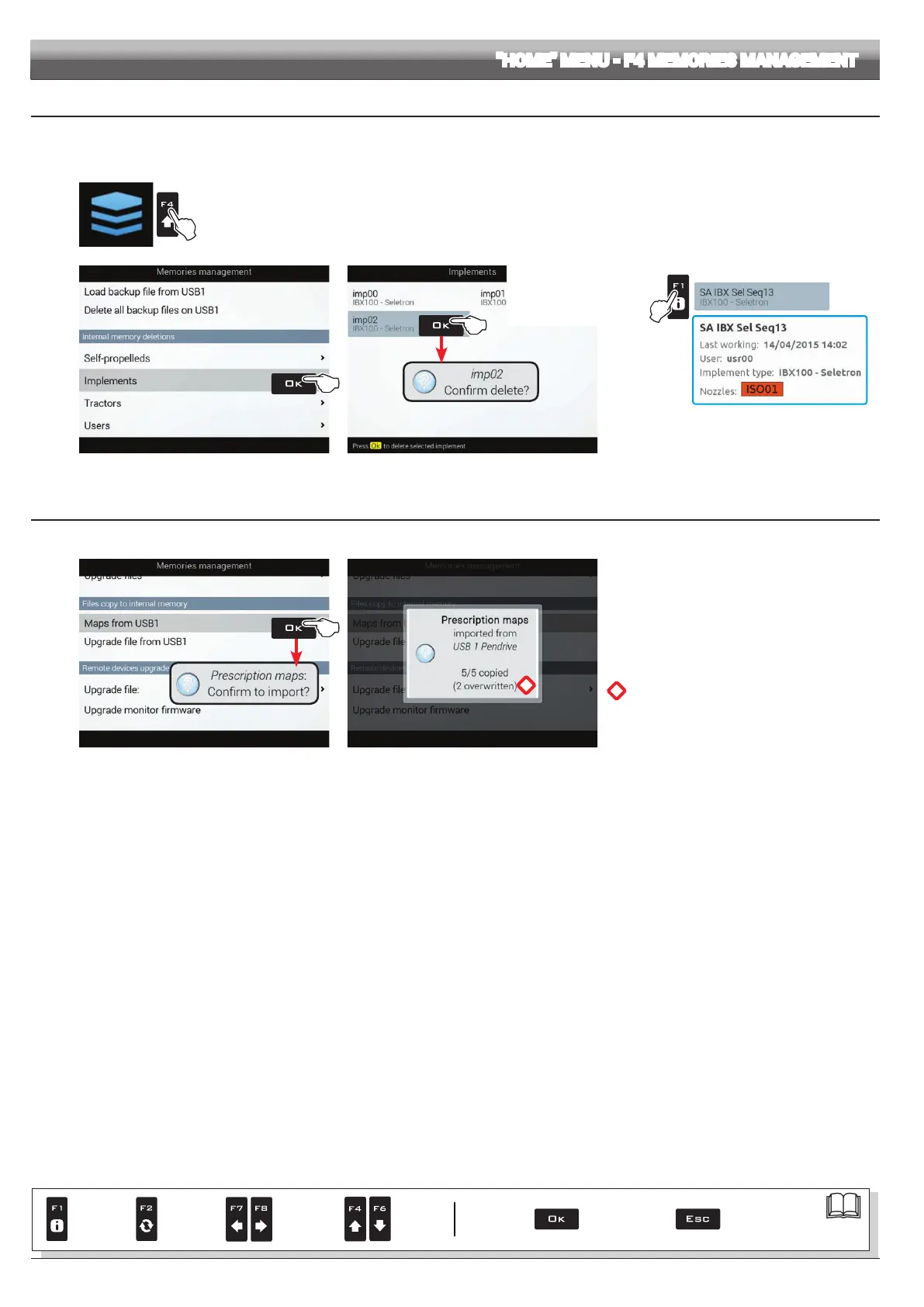
The following paragraphs will use Implements as an example: the same procedure will be valid for all other cases (Tractors, Users,
etc.).
Press F4 to enter Memories management.
Fig. 289
Button F1 allows
you to view additional
information on selected
le.
Example:
Fig. 290
- Select
Implements (Fig. 289) and press OK.
- In the list of memorized names select the desired
implement (Fig. 290) and press OK.
- The message in the gure is displayed: conrm
deletion by pressing OK.
14.4.4 Files copy to internal memory
Allows to copy data from the pendrive onto Delta 80 internal memory.
Fig. 291
*
Fig. 292
- Select
Maps from USB (Fig. 291) and press OK.
Delta80 requests you to conrm import
OK: conrm, ESC: cancel
- A conrmation message (Fig. 292) is displayed once
the process is completed. Press ESC.
*
WARNING: FILES HAVING THE SAME NAME
WILL BE OVERWRITTEN.
"HOME" MENU - F4 MEMORIES MANAGEMENT
Par.
7. 4
Conrm access
or data change
Exit the function or
data change
Delete
selected
character
Scroll
(LEFT /
RIGHT)
Data
increase /
decrease
Scroll
(UP /
DOWN)
Enter
selected
character



 To Next Page