96
"JOB MENU" - STRUCTURE
15 JOB MENU
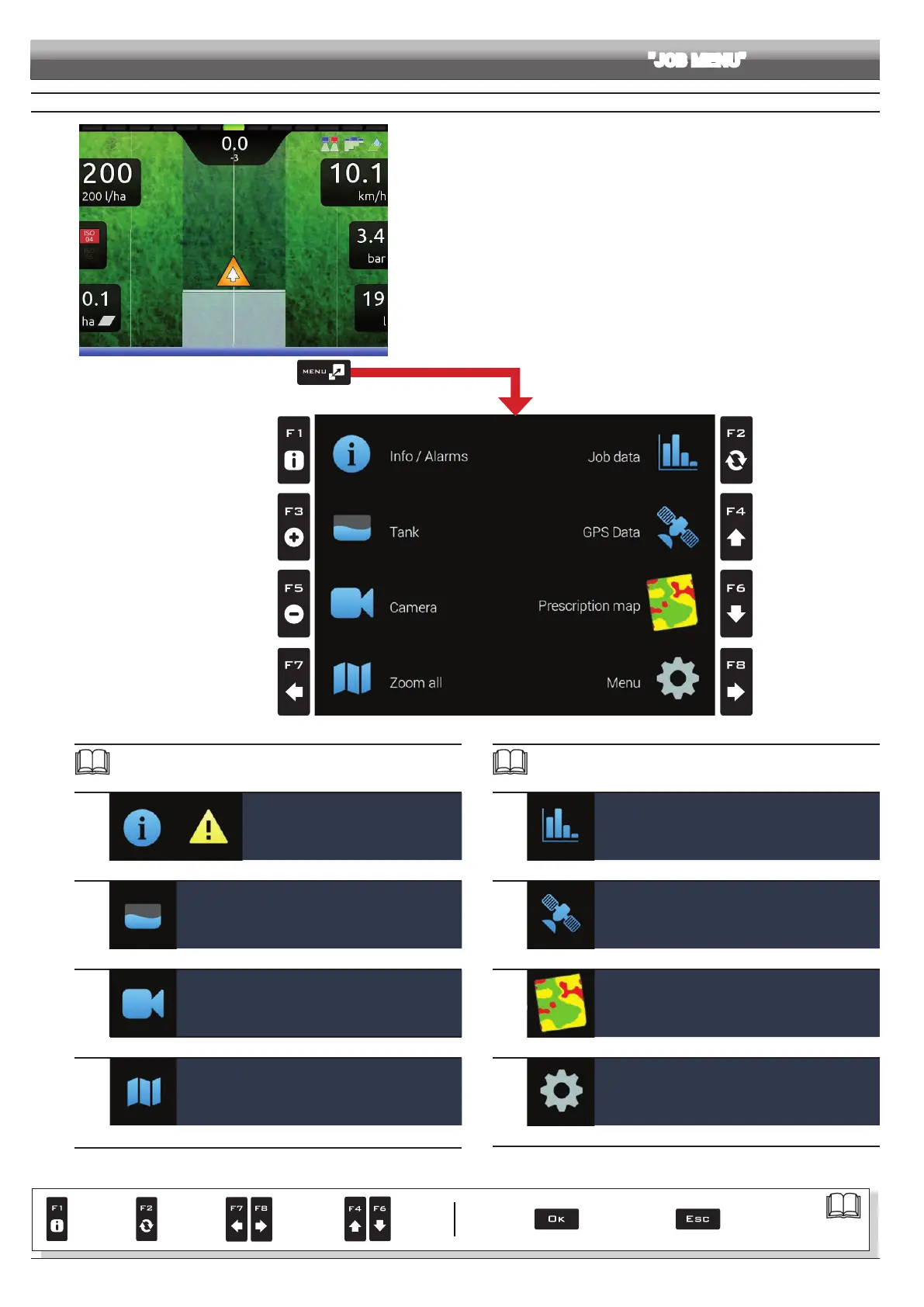
Fig. 312
To access job menu start a job (
New job, Resume job, Continue last job, chap. 14
"Home" Menu); in the guidance screen press Menu.
In the job menu (Fig. 312), pressing any key at the side will enable the relevant
function.
The table sums up all menu items and corresponding keys:
Par.
15.1
F1
Info / Alarms
Displays job information / alarms
15.3
F3
Tank
Tank lling management
15.5
F5
Camera
Displays images from connected cameras
15.7
F7
Zoom all
Overview of the eld during spraying
Par.
15.2
F2
Job data
Displays job data
15.4
F4
GPS Data
Displays GPS data
15.6
F6
Prescription map
Overview of the prescription map in use
15.8
F8
Menu
Job settings menu
Par.
7. 4
Conrm access
or data change
Exit the function or
data change
Delete
selected
character
Scroll
(LEFT /
RIGHT)
Data
increase /
decrease
Scroll
(UP /
DOWN)
Enter
selected
character



 To Next Page