92
"HOME" MENU - F4 MEMORIES MANAGEMENT
1
*
par.
14.4.4
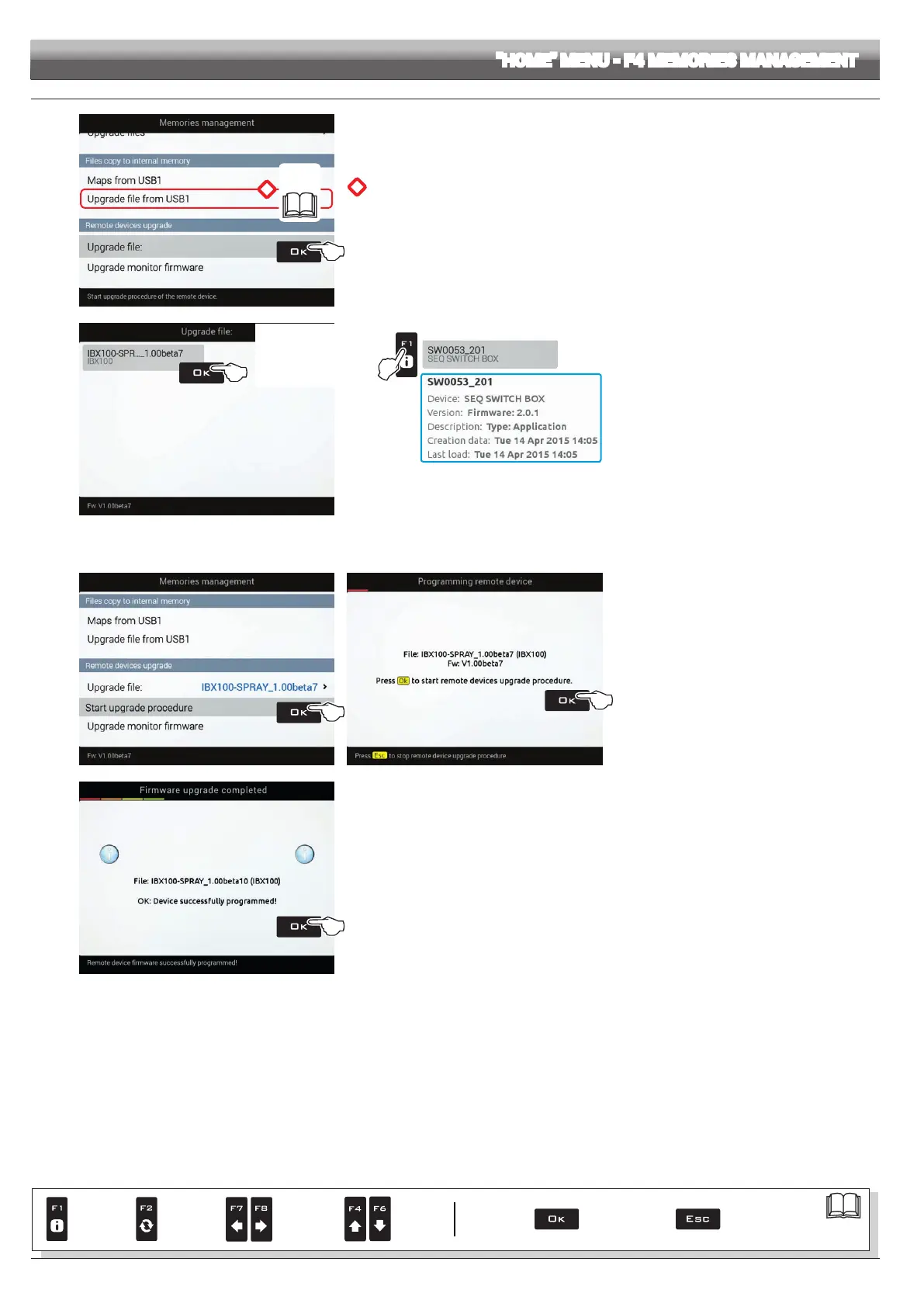
Fig. 296
*
Before starting the procedure, copy update le to device internal memory (function on the side).
RUNNING THE UPDATE:
1 Select the
Upgrade file menu and press OK.
2
Button F1 allows
you to view additional
information on selected
le.
Example:
Fig. 297
2 Scroll the list: select the desired le from the list (Fig. 297) and press
OK.
Available upgrades:
• IBX100 Aragnet Sprayer (for ECU with water controls)
• IBX100 Hydraulic Arag (for ECU with hydraulic controls)
• SWITCHBOX (for "Standard" switch panel)
• SEQ SWITCHBOX (for sequential control switch panel)
• SELETRON (for "Seletron" valve)
3
Fig. 298 Fig. 299
3 Now select
Start upgrade procedure (Fig. 298)
and press OK.
Follow the instructions on the display and start the
setup procedure (Fig. 299).
4
Fig. 300
4 When the message in Fig. 300 appears, the upgrade is complete.
Press
OK.
> > > 14.4.5 Remote devices upgrade
Par.
7. 4
Conrm access
or data change
Exit the function or
data change
Delete
selected
character
Scroll
(LEFT /
RIGHT)
Data
increase /
decrease
Scroll
(UP /
DOWN)
Enter
selected
character



 To Next Page