Brake System Argo Service Manual
BR-10
Ontario Drive & Gear Limited www.odg.com
PH.(519)- 662-2840 FAX (519)- 662-2421
1. Perform the servicing procedure Removing the Firewall (Quick Release) in section
VB.
Remove Hydraulic Brake Caliper
NEVER attempt to align these with the engine running and in gear.
2. Raise the vehicle off the ground
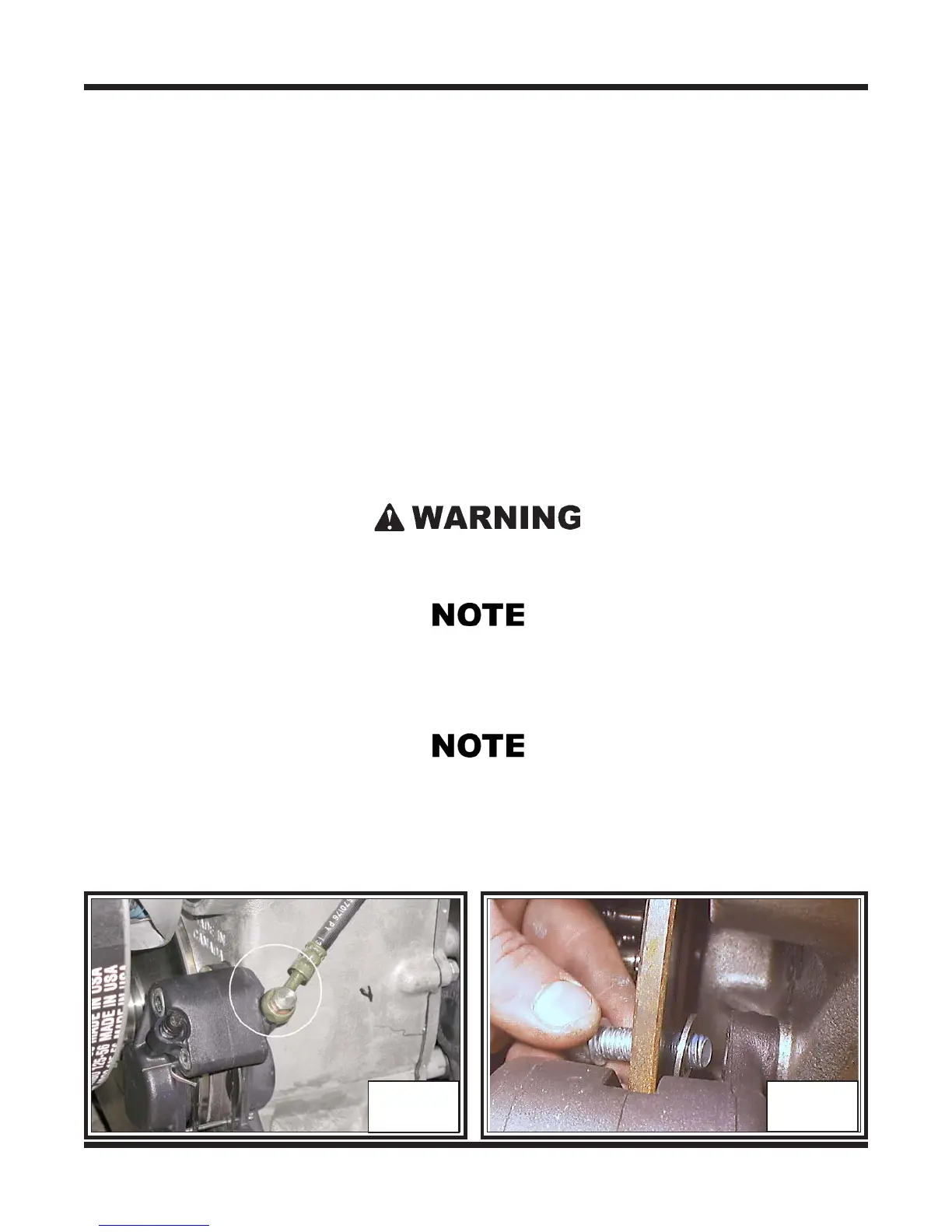
3. Disconnect the brake line at the caliper. Photo BR-6 Be aware of the brake fluid
present in the system. Use a rag or small container to collect any initial fluid that
may drain from the master cylinder until you can raise and secure the brake line
high enough to stop the flow of fluid.
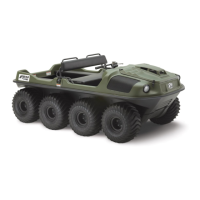
4. Line up the hole provided in the brake disc, with the hex head mounting bolts that
secure the hydraulic brake caliper to the transmission housing. To do this you will
need to rotate the tires by hand until they are lined up. Remove the 2 fasteners and
flat washers. Slide the caliper from the disc. Photo BR-7
BR-6
BR-7
The left hand caliper requires the removal of the drive belt and driven clutch to access the
mounting bolts at the transmission. Refer to Removing the Driven Clutch in Section CS
of this service guide.
When removing the caliper from the transmission, take note of any shims that may have
been used between the caliper and transmission mounting boss. Earlier models may have
employed shims to correctly align the calipers with the brake discs. Ensure that these are
reinstalled when remounting the caliper.



 To Next Page