Brake System Argo Service Manual
BR-34
Ontario Drive & Gear Limited www.odg.com
PH.(519)- 662-2840 FAX (519)- 662-2421
7. Using two opened end wrenches,
tighten the jam nut against the adjust-
ment nut.
8. Recheck the clearance one more time
and adjust if necessary.
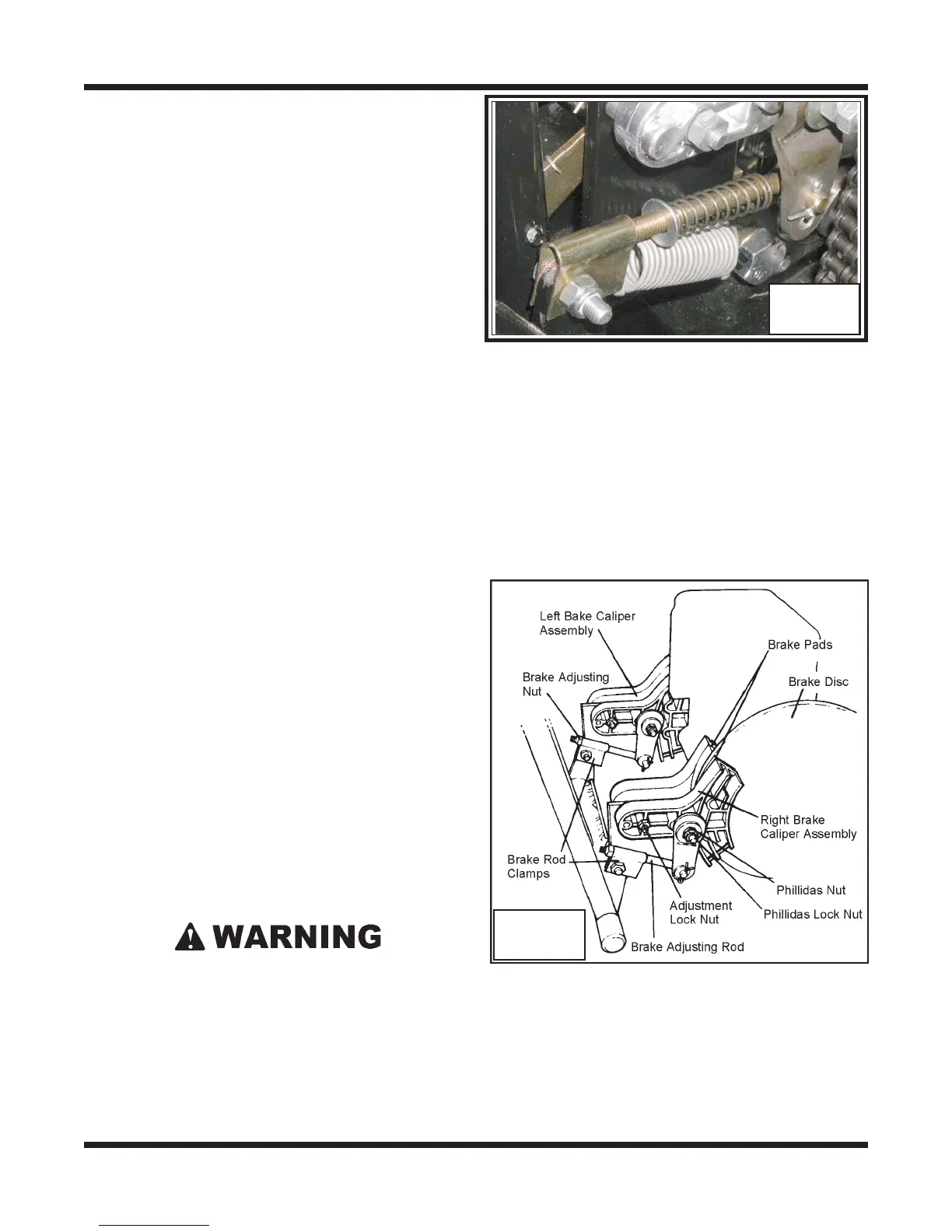
9. Install return spring & flat washer to
adjustment rod and loosely start the
locknut to the end. Photo BR-61
BR-61
10. Perform the servicing procedure, Installing the Firewall in section VB.
Although the holding brake system has been
factory adjusted, it should be checked after
every 25 operating hours to ensure the correct
adjustment.
Steering Lever Adjustment
Adjust the steering levers when:
steering levers travel more than 18 cm (7") from the dash to apply the brakes;
the levers are not parallel when the brakes are applied; or
the brake adjustment nuts have been removed during the removal of the firewall.
To adjust the steering levers, tighten both
brake adjustment nuts (refer to DIAGRAM
BR-62) clockwise using a 1/2" deep socket
and ratchet until the levers are both 18 cm (7")
from the dash. DO NOT OVER TIGHTEN.
Holding Brake Adjustment
1. Pull the left steering lever back.
2. While holding the lever, lift the spring loaded brake lever until it contacts the pin in
the steering lever.
The use of an improperly adjusted holding brake is a serious safety hazard, and
could lead to vehicle damage or personal injury.
BR-62



 To Next Page