Argo Service Manual Clutch System
Ontario Drive & Gear Limited www.odg.com
PH.(519)- 662-2840 FAX (519)- 662-2421
CS-5
Remove and service the driver clutch if:
the clutch plates have tracking grooves caused by drive belt action
the clutch plates are bent or cracked
the weight blocks are damaged or missing
Driver Clutch Removal
Installing Drive Belt
Use only ARGO quality replacement drive belts.
Maintenance Schedule- Inspect every 50 hours of vehicle operation.
If the vehicle is not shifting speeds smoothly, if the vehicle hesitates or sticks at one
speed, or if the vehicle creeps at idle or is hard to shift into gear, remove and inspect the
driver clutch. Service as necessary.
Driver Clutch Inspection
If this procedure is not carried out as described, the edge of the fixed face may cut or
damage the drive belt.
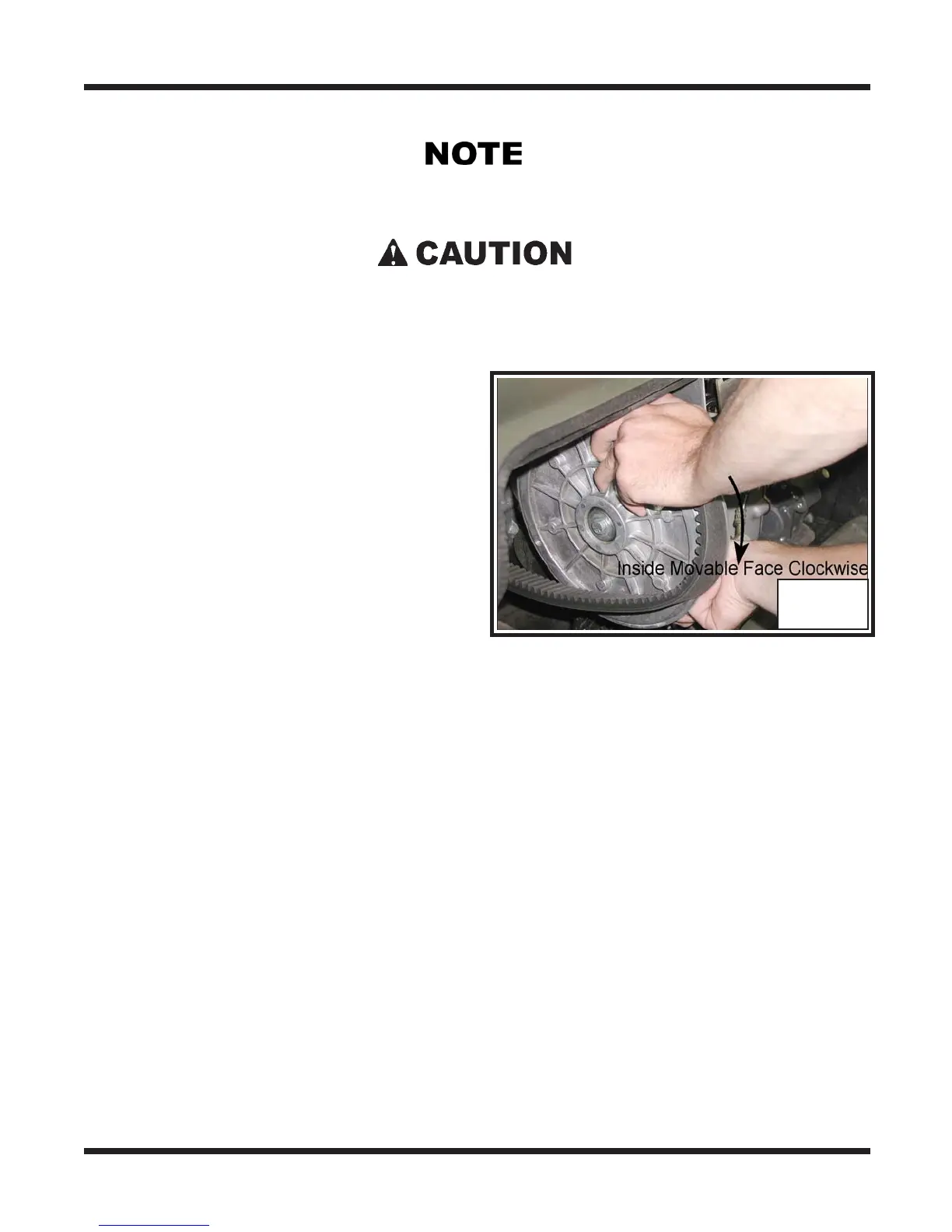
1. Position the belt around the driver clutch
first.
2. Ease the belt over the edge of the fixed
face on the driven clutch and at the same
time, turn the inside moveable face
clockwise. Photo CS-2
CS-2
1. Remove the engine access cover.
2. Perform the servicing procedure, Removing the Firewall, in section VB



 To Next Page