Wheels, Axles & Chains Argo Service Manual
Ontario Drive & Gear Limited www.odg.com
PH.(519)- 662-2840 FAX (519)- 662-2421
WA-6
ii. Rotate the chain until the connect-
ing link can be accessed.
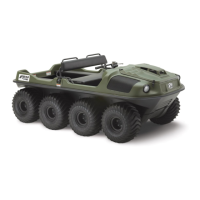
iii. Using a screwdriver, pry off the
connecting link clip. DIAGRAM
WA-2
WA-3
WA-2
Drive Chain Removal
1. Perform the servicing procedure, Removing the Firewall in section VB of this
guide.
On 8x8 models manufactured prior
to serial numbers CB16049 &
RB16104, or 6x6 models prior to se-
rial numbers SN1019 & S10178:
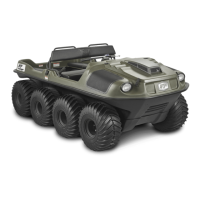
iv. Remove the outside plate and tap
out the connecting link. There
are 2 inside plates located at the
center of the RC50 Double Chain.
DIAGRAM WA-3
IMPORTANT
Any damage to the connecting link clip during removal requires that it be replaced
with a new one. Failure to do so could result in the drive chain becoming
disconnected and a costly repair.
WA-1
Drive Chain Installation
Drive Chain Lubrication
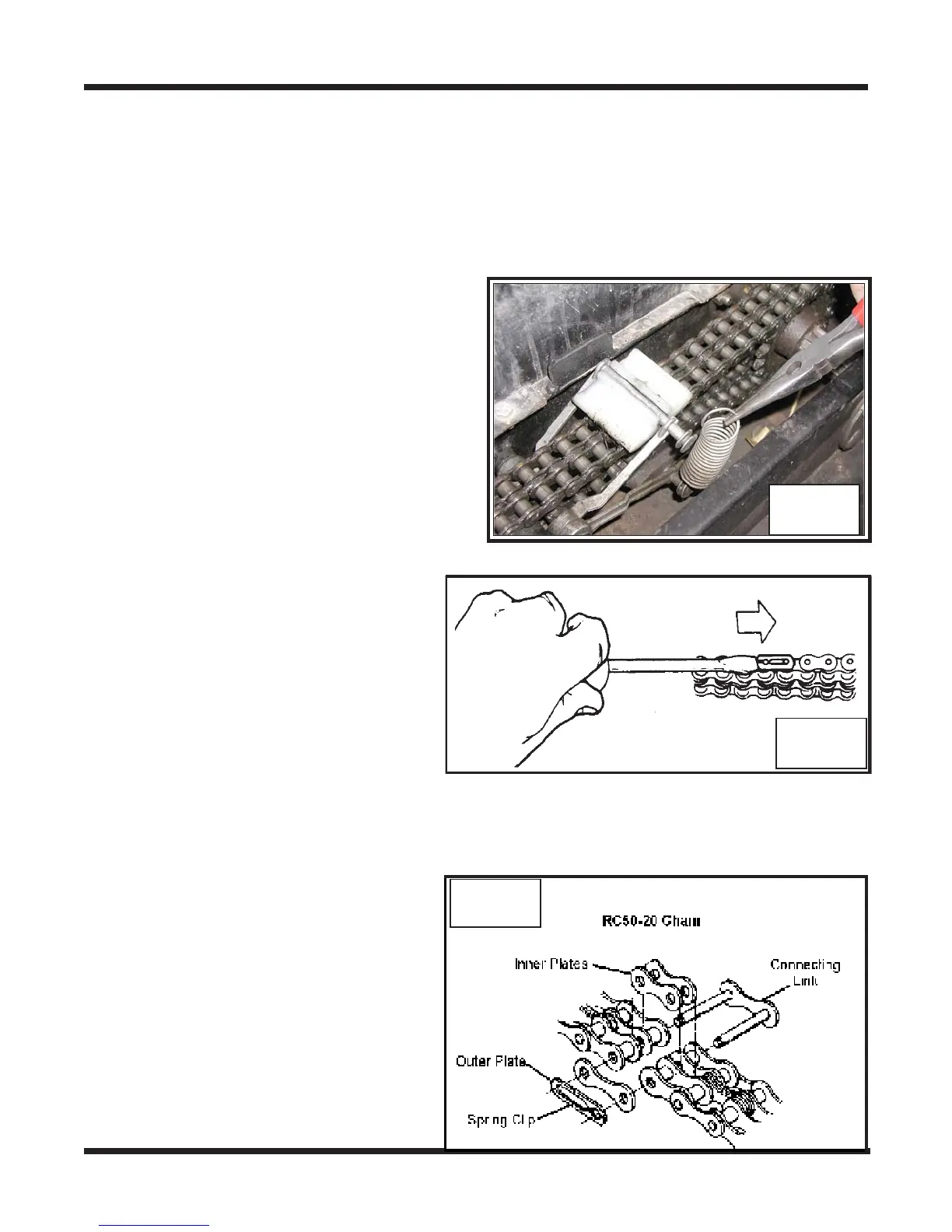
i. Locate the chain you wish to remove
and release the spring holding the chain
tensioners together. Photo WA-1
2. Remove the front and rear floorpans.



 To Next Page