CHAPTER 3 FLYING THE EFD1000 C3 PRO PFD
Page 3-22
091-00019-001 REV B
Page 3-23
091-00019-001 REV BEFD1000 C3 Pro PFD Pilot’s Guide
We’re all set up for the approach. Nearing Mustang VOR (FMG), Oakland Center hands
us o to Reno Approach, and we request nav for the ILS16R. Approach gives us the new
altimeter setting of 30.08, clears us down to 9,000 feet, and after FMG direct TAKLE. We
initiate the descent, set 30.08 in the standby altimeter and on the PFD:
1. Press the Right Knob twice to select ALT for editing.
2. Turn the Right Knob left to set 9,000 as our Selected Altitude.
3. Press the BARO Hot Key for editing.
4. Turn the Right Knob left to set 30.08 as our barometric pressure setting.
Fifteen seconds before reaching 9,000 feet, the Altitude Alerter ag illuminates, and
the alert tone sounds. We begin our level-o and re-engage ALT hold on the autopilot
upon reaching 9,000 feet. We leave the autopilot in HDG mode and continue with GPSS
enabled on the PFD.
Approaching FMG, the GPS turn anticipation sequences to TAKLE, our Course Pointer
swings automatically from 302° to 316°, and GPSS steers us through the turn, rolling
out precisely on course. We power back and select the rst notch of aps to slow
down. Reno Approach calls, reports us six miles from TAKLE, and clears us for the ILS16R
approach, pilot nav.
We activate the approach on the GPS and move the ILS frequency into the
activewindow.
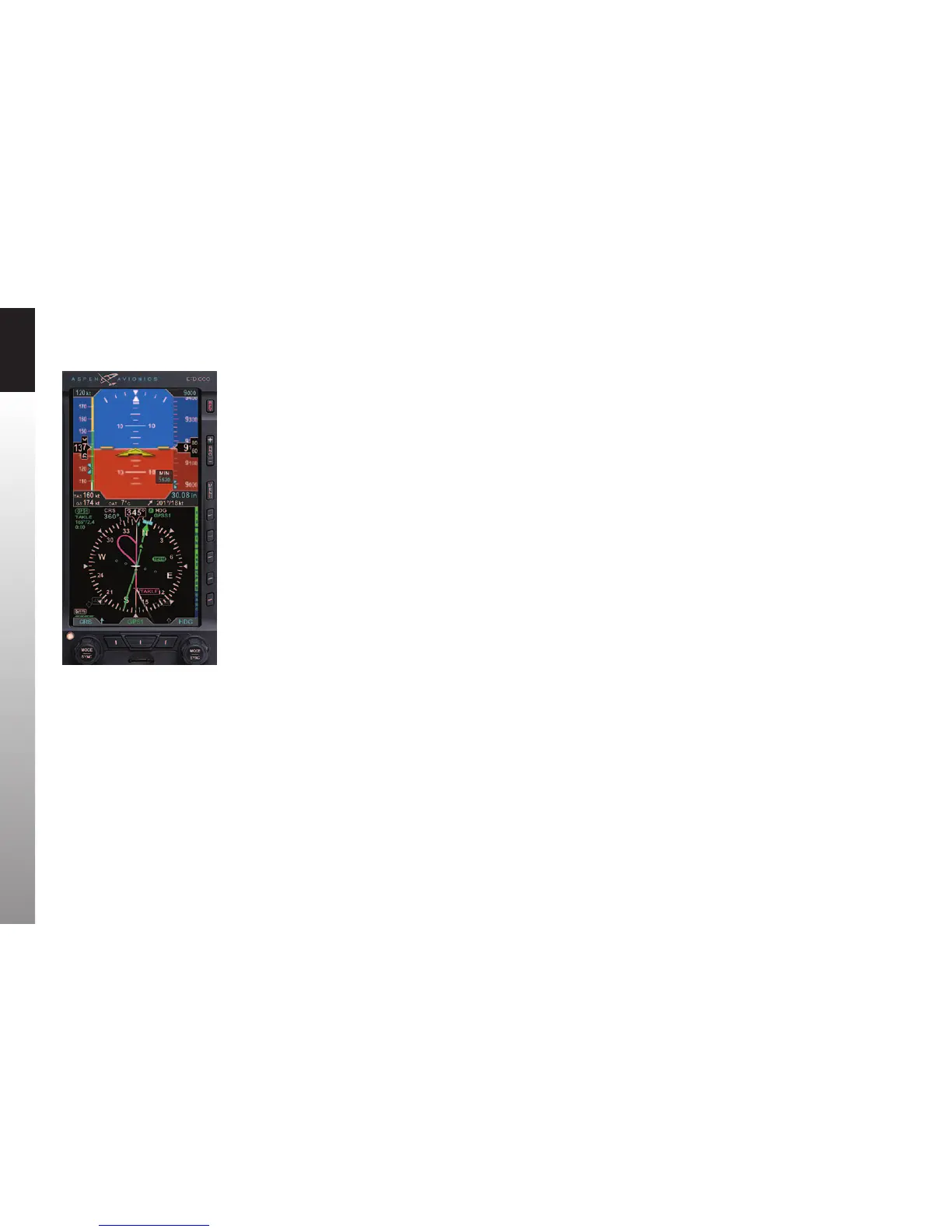
GPSS continues to steer the plane to the initial approach x, TAKLE, and, at TAKLE,
turns us outbound on a 344° course for the procedure turn (Figure 3-35). We see the
procedure turn drawn on the Basemap ahead of us and watch it turn magenta as GPSS
turns and ies the procedure turn for us, with no further pilot action required.
Figure 3-35
360º Mode Showing Procedure Turn,
GPSS Enabled



 To Next Page