CHAPTER 2 CONTROLS AND DISPLAY
Page 2-12
091-00019-001 REV B
Page 2-13
091-00019-001 REV B EFD1000 C3 Pro PFD Pilot’s Guide
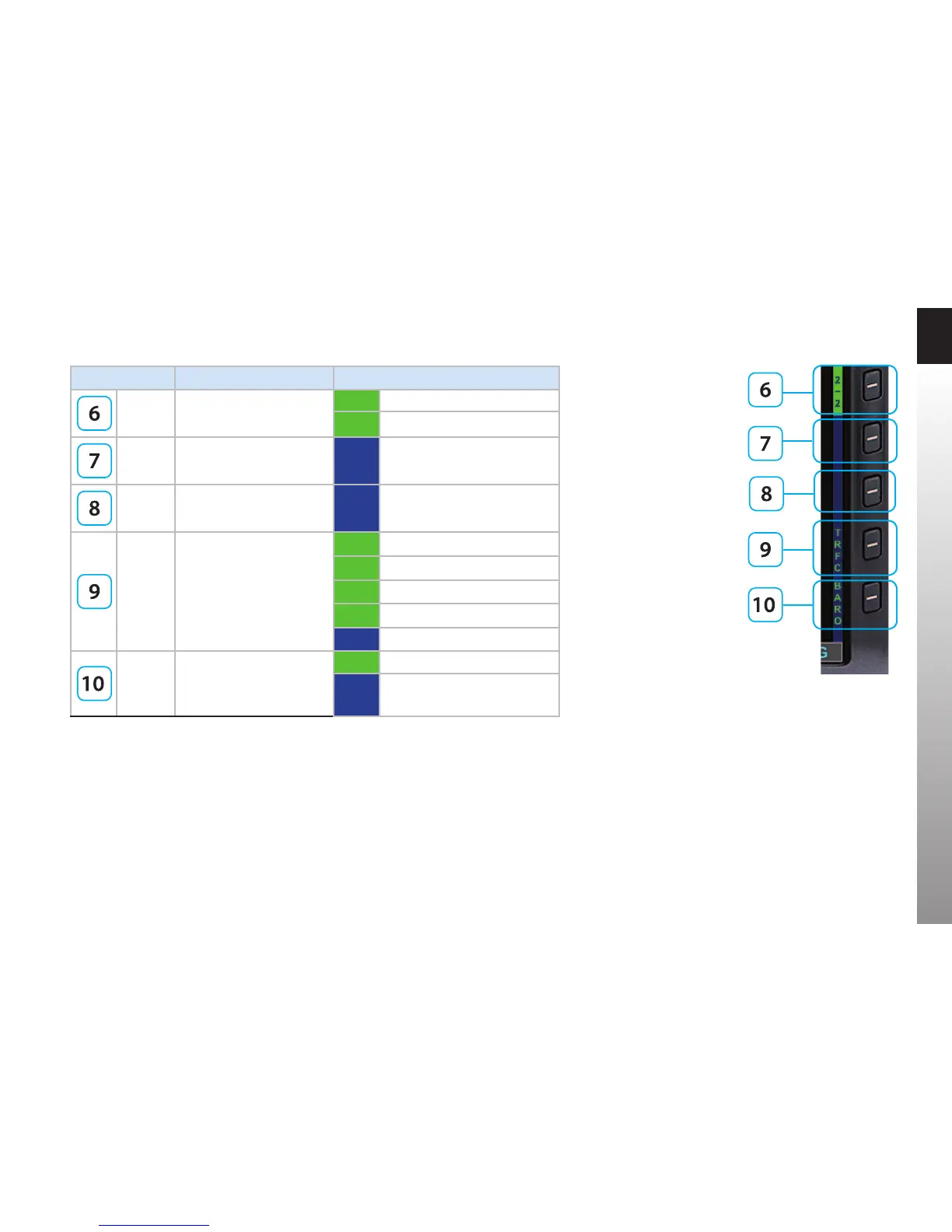
Figure 2-9
Hot Key Menu 2 of 2
Hot Key DESCRIPTION OPTIONS
2/2 Hot Key Menu selection
2/2 Hot Key Menu 2 of 2
4
1/2 Hot Key Menu 1 of 2
4
No function
No function
TRFC
Displays Trac Overlay
(see Section 4.8.1.2.)
TFCN Normal Filter
TFCU Unrestricted (No Filtering)
TFCA Above Filter
TFCB Below Filter
TRFC Trac Overlay O
BARO
Toggles between BARO
adjustment on or o for
Barometric Pressure setting
BARO BARO adjustment on
BARO BARO adjustment o
Table 2-3
Hot Key Descriptions
1. When the Minimums eld is rst enabled with the MIN Hot Key, the MIN value is immediately available for editing
2. Flight plan legs and waypoints display available in all installations including a GPS navigator. Basemap display of nearby
waypoints available with all ARINC 429 GPS navigators and some RS-232 GPS navigators.
3. GPSS available only with ARINC 429-based navigators
4. Trac Overlay is available when the Evolution Hazard Awareness (EHA) option and compatible hazard awareness sensors are
installed. Hot Key is blank when function is not available
5. The Trac Filter Hot Key is blank when the Trac Overlay function is not available



 To Next Page