CHAPTER 2 CONTROLS AND DISPLAY
Page 2-24
091-00019-001 REV B
Page 2-25
091-00019-001 REV BEFD1000 C3 Pro PFD Pilot’s Guide
2.3.2.1. Attitude Director Indicator (ADI)
The Attitude Director Indicator (ADI) features a conventional blue (sky) over brown
(ground) background, with a white horizon line dividing the two areas. A triangular
Aircraft Reference Symbol (Ref. 17) is in a xed position and shows aircraft attitude
relative to the horizon.
The pitch scale (or ladder) indicates degrees of nose up (blue) or nose down (brown)
pitch relative to the apex of the aircraft symbol. Minor pitch marks are shown every
2.5º up to +/-20º of pitch, with major pitch marks every 10º up to +/-90º of pitch. The
distance between pitch marks is greater than on most mechanical attitude indicators,
making it easier for the pilot to y more precise pitch attitudes.
At extreme pitch attitudes (above 30º nose up or below 25º nose down), red Unusual
Attitude Recovery chevrons come into view, pointing towards the horizon or ground
as applicable (see Chapter 4, Section 4.2.1.2. Pitch Scale). At extreme pitch attitudes,
some sky (blue) or ground (brown) will always be displayed to help maintain situational
awareness, even though the horizon line may be o-scale.
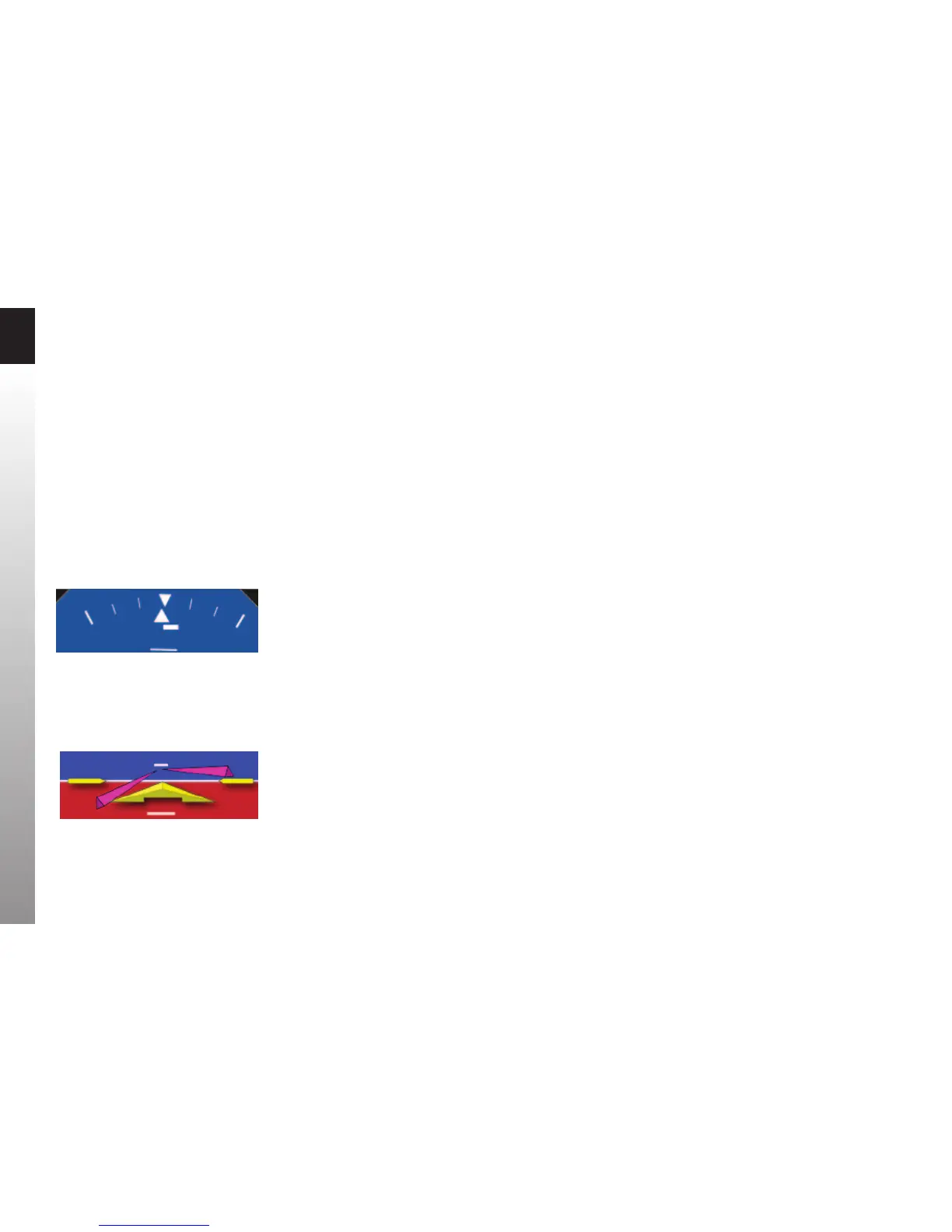
At the top of the ADI are the roll scale, roll pointer, and slip/skid indicator (Figure 2-28).
The roll scale is indicated by tick marks at 10º, 20º, 30º, 45º, and 60º on both sides of the
zero roll inverted solid white triangle. The 45º marks are represented as hollow triangles.
Slip/skid is indicated by the lateral position of the white rectangle under the roll pointer.
One rectangle width is equivalent to one ball width of a conventional inclinometer.
When connected to a compatible autopilot system, the PFD will display a single-cue
Flight Director (Figure 2-29). The Flight Director command bars visually represent the
lateral and vertical steering cues transmitted to the PFD by the autopilot. When the FD
output from the autopilot is unavailable or invalid, the FD Command Bars are removed
from the display.
Figure 2-28
Slip/Skid
Figure 2-29
Flight Director



 To Next Page