CHAPTER 3 FLYING THE EFD1000 C3 PRO PFD
Page 3-24
091-00019-001 REV B
Page 3-25
091-00019-001 REV B EFD1000 C3 Pro PFD Pilot’s Guide
When the glideslope is full-scale deection above us, the Deviation Indicator on the
VDI will show as a hollow diamond at the top of the scale (Figure 3-36). When the
glideslope comes “alive”, the Indicator will change to a solid green diamond and begin
to move down the VDI. Just before intercepting the glideslope, we drop the gear
and check for three green lights. At glideslope intercept, we verify that the autopilot
switches to glideslope-capture and begins to y the aircraft down the glide slope.
We continue to monitor the approach and verify that the autopilot is tracking both
localizer and glide slope. The weather is well above minimums, and we intend to land
out of the approach but will let the autopilot y it down to minimums. As we get
close to minimums, a green triangle appears on the Altimeter Tape at 500 feet above
minimums; a hollow yellow triangle appears with its tip at 200 feet above minimums
and its base at 100 feet above. A red and yellow-striped triangle appears at the
MINIMUMS setting. These three color markers on the Altimeter Tape give us visual cues
that we are approaching or at minimums.
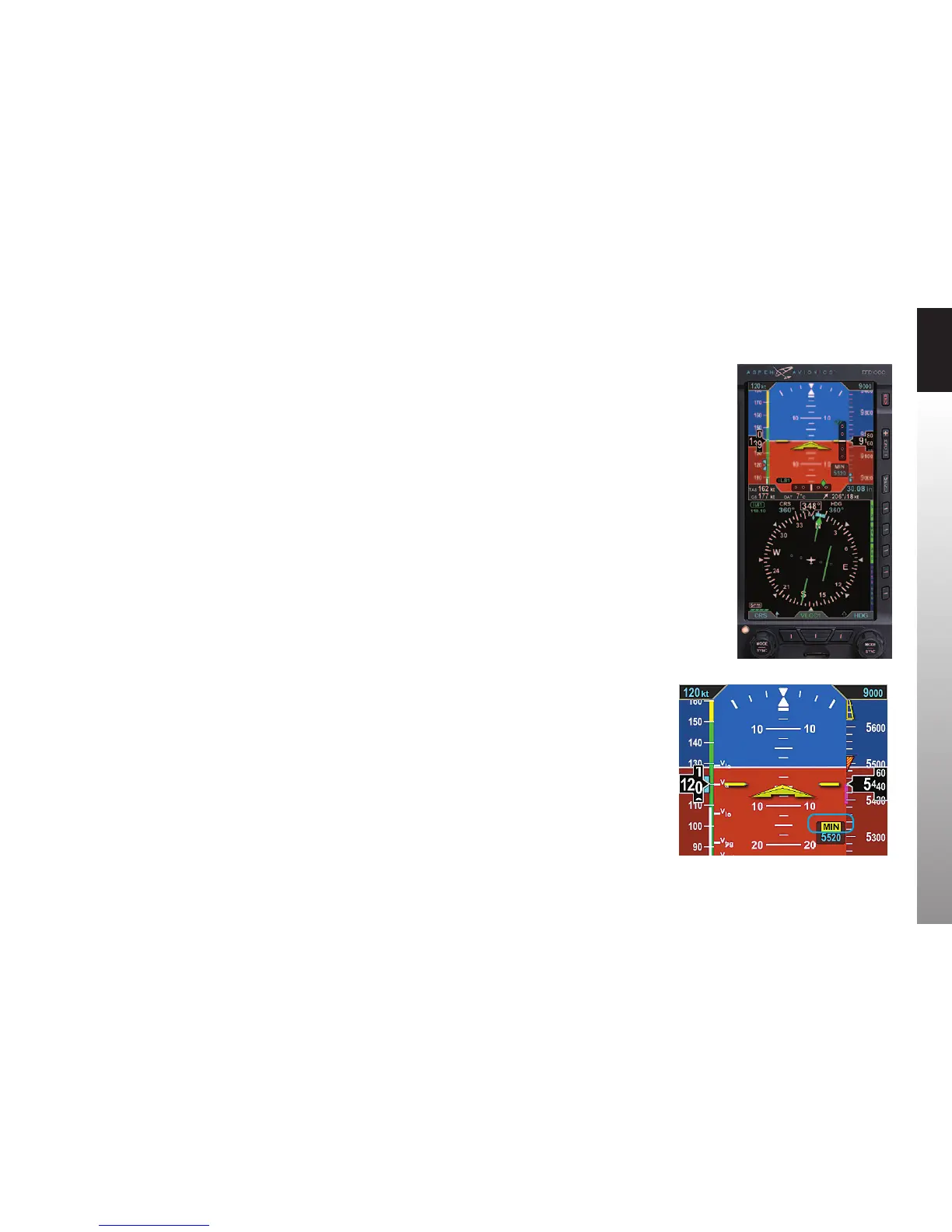
On reaching the pre-set minimums (6,450 feet):
• The MIN legend in the Selected Minimums Field turns inverse amber (Figure
3-37).
• The MINIMUMS alert tone sounds three times.
We disconnect the autopilot and hand-y the plane, continuing to y the Flight Director
and track the glide slope down to a smooth landing.
Figure 3-36
Vertical and Horizontal Deviation
Indicator, Showing Glide Slope
Figure 3-37
MINIMUMS Alert



 To Next Page