CHAPTER 2 CONTROLS AND DISPLAY
Page 2-6
091-00019-001 REV B
Page 2-7
091-00019-001 REV BEFD1000 C3 Pro PFD Pilot’s Guide
2.2.1.3. SYNC Function
Knob SYNC Function
1. Press the Knob until its state shows the value you want to set in magenta.
2. Press and hold the Knob for approximately one (1) second to SYNC the
setting according to the rules shown in Table 2-2.
3. After 10 seconds of inactivity, the knob defaults to CRS or HDG. The label and
eld will appear in cyan.
RIGHT KNOB
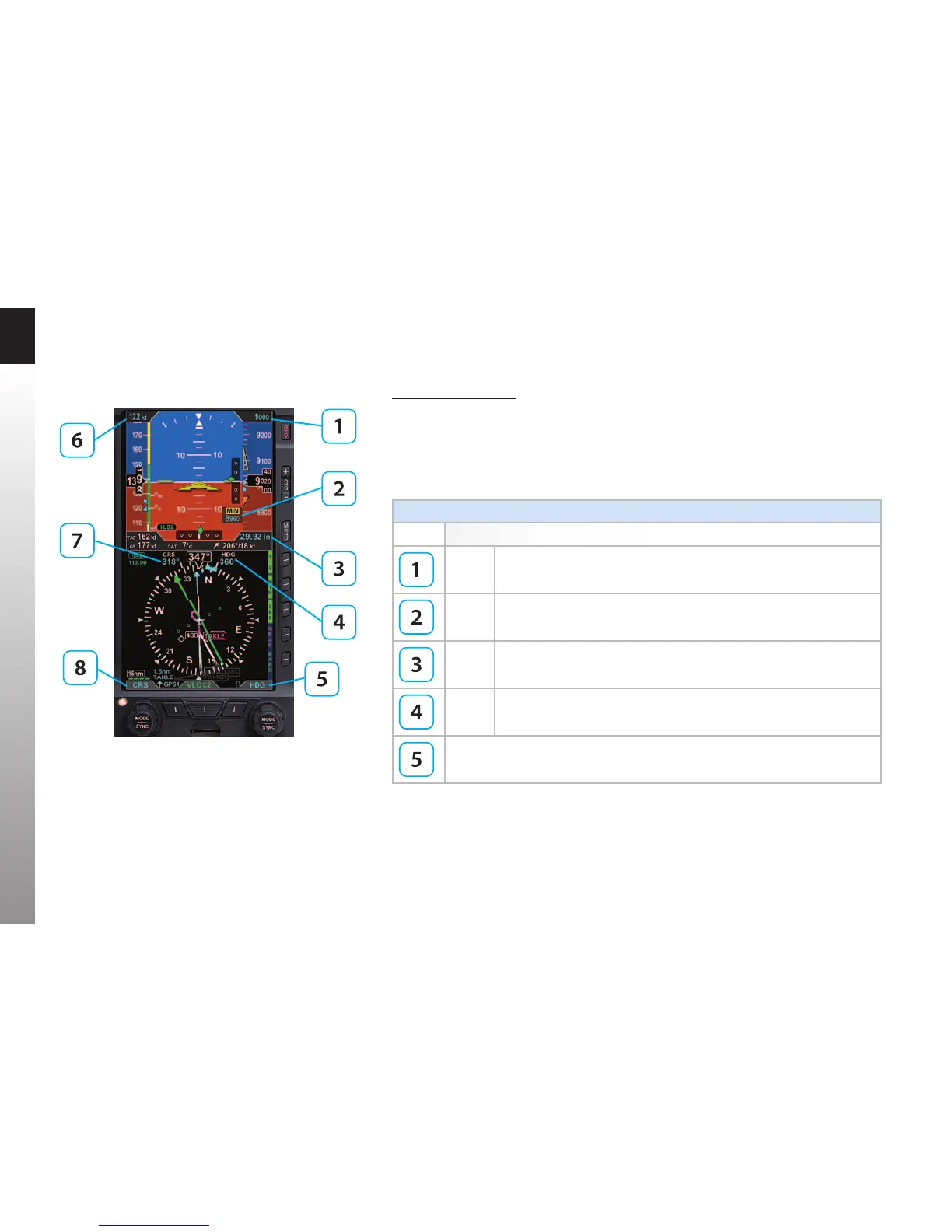
Item SYNC Action
ALT Altitude Bug and Altitude Alerter are set to the current altitude.
MIN Set to the current altitude.
BARO Set to 29.92 in. Hg or 1013 mB.
HDG Set to the current heading.
Right Knob -Current State default setting: HDG
Cyan indicates eld is inactive.
Figure 2-3
Left and Right Knobs and
Corresponding Fields



 To Next Page