CHAPTER 3 FLYING THE EFD1000 C3 PRO PFD
Page 3-12
091-00019-001 REV B
Page 3-13
091-00019-001 REV B EFD1000 C3 Pro PFD Pilot’s Guide
Evolution Hazard Awareness and Trac Overlay
Aspen’s Evolution Hazard Awareness (EHA) option allows a trac system to be
connected to the PFD. This option enables trac hazard display capability on the PFD
Navigation Display.
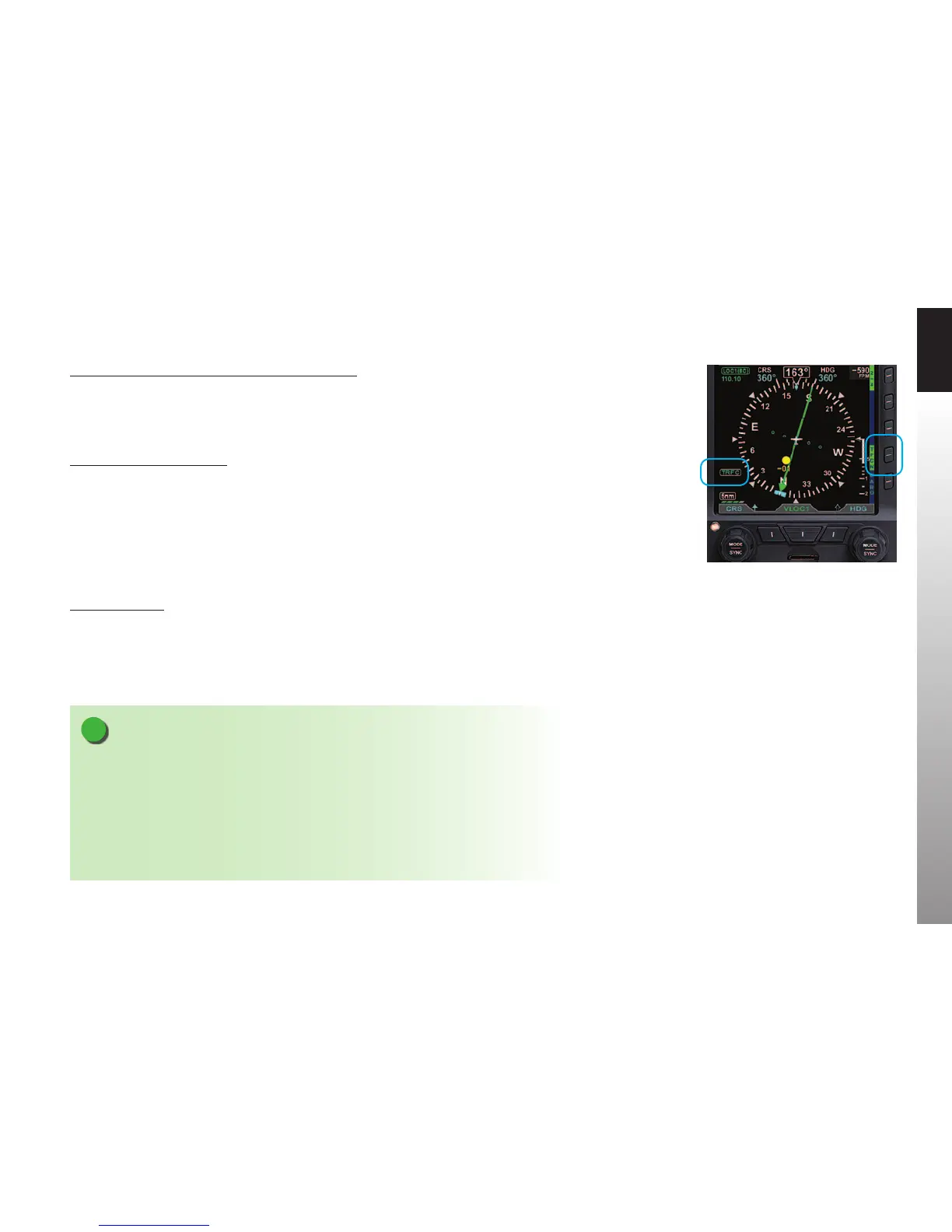
Display the Trac Overlay
1. Display the 2/2 Hot Key menu.
2. Press the TRFC Hot Key to select the desired Altitude Filter. The label turns
inverse green for TFCN (Normal), TFCU (Unrestricted), TFCA (Above), and
TFCB (Below). The TFRC annunciation displays in the lower left of the display
(Figure 3-17).
3. Press the 1/2 Hot Key menu for access to GPSS for departure.
Altitude Alerter
Next, we set our assigned initial altitude of 7,000 feet in the Selected Altitude Field
which enables the Altitude Alerter. We press the Right Knob twice, changing the legend
above the knob to ALT in magenta. Then we turn the Right Knob to set 7,000. This will
help us capture and maintain our assigned altitude.
NOTE
Setting the Altitude Alerter provides visual and aural cues to help the pilot capture and
maintain target altitudes. When set to a new altitude, the Alerter will illuminate a yellow flag
adjacent to the target altitude display and sound a one-second tone; 15 seconds (or 200 feet)
before the aircraft will reach the target altitude (based on current rate of climb or descent).
The yellow flag will extinguish once the target is reached. Subsequently, if the aircraft deviates
more than 200 feet above or below the target altitude, the flag will again illuminate, and
another one-second tone will sound to alert the pilot to thedeviation.
Figure 3-17
Trac Overlay On



 To Next Page