CHAPTER 4 REFERENCE GUIDE
Page 4-55
091-00019-001 REV B
EFD1000 C3 Pro PFD Pilot’s Guide
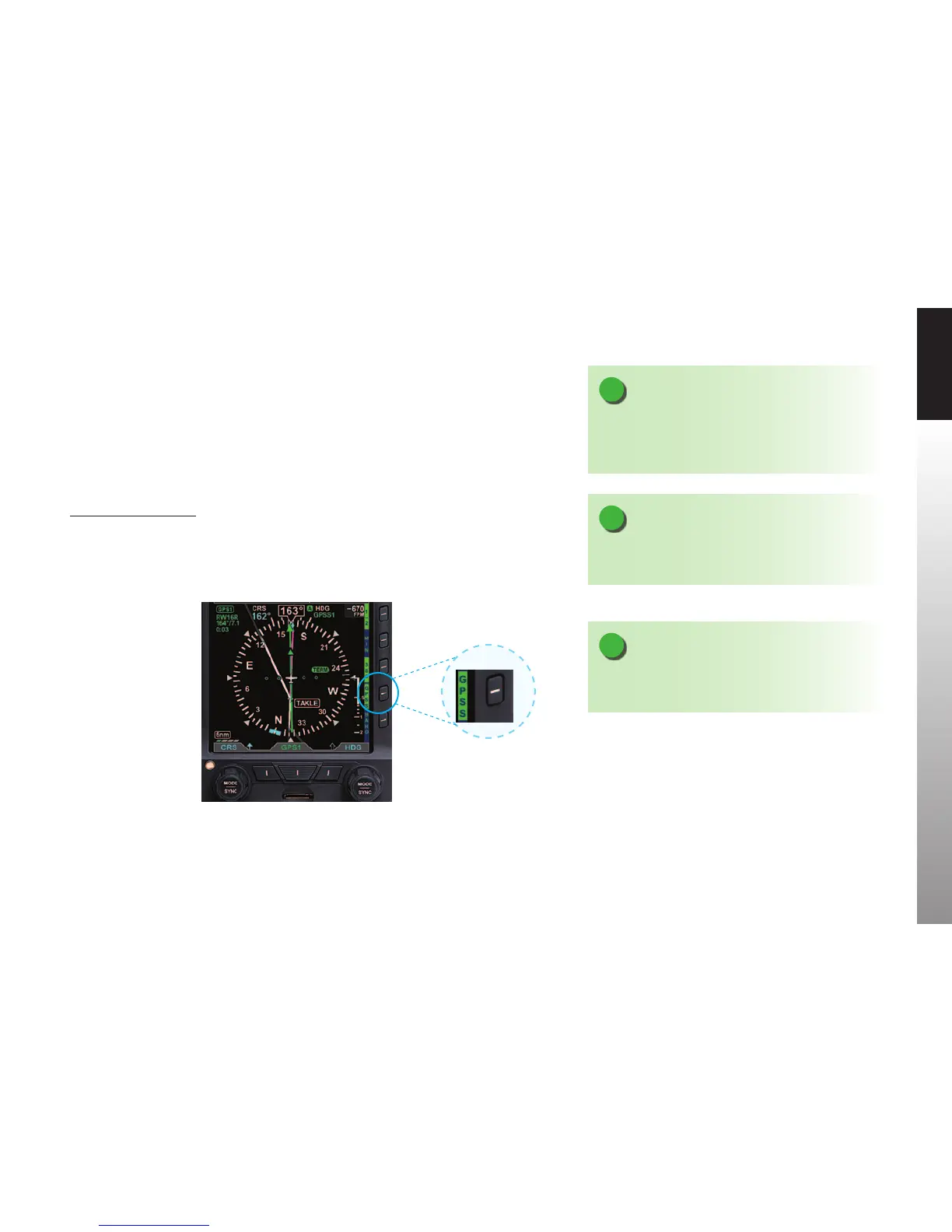
Figure 4-109
GPSS Hot Key
NOTE
Refer to the Aircraft Flight Manual Supplement for your
GPS for information about GPSS commands that may
be output by that system.
NOTE
When GPSS is selected on the PFD, the autopilot must
be in Heading mode to follow the GPSScommands.
NOTE
When GPSS is disabled, the autopilot will follow the
Heading Bug.
The PFD translates GPS Steering commands received over a digital data bus into a
signal that is compatible with the autopilot Heading channel. Thus, by selecting GPSS
on the PFD and the Heading mode of the autopilot, the autopilot is able to y GPSS
commands.
If the connected GPS does not provide the required steering commands, the GPSS
legend adjacent to the GPSS Hot Key will be rendered in gray, and it will not be possible
to enable GPSS with the Hot Key.
Enable/Disable GPSS
1. Press the GPSS Hot Key to alternately enable or disable GPS Steering
(Figure 4-109).



 To Next Page