CHAPTER 2 CONTROLS AND DISPLAY
Page 2-34
091-00019-001 REV B
Page 2-35
091-00019-001 REV B EFD1000 C3 Pro PFD Pilot’s Guide
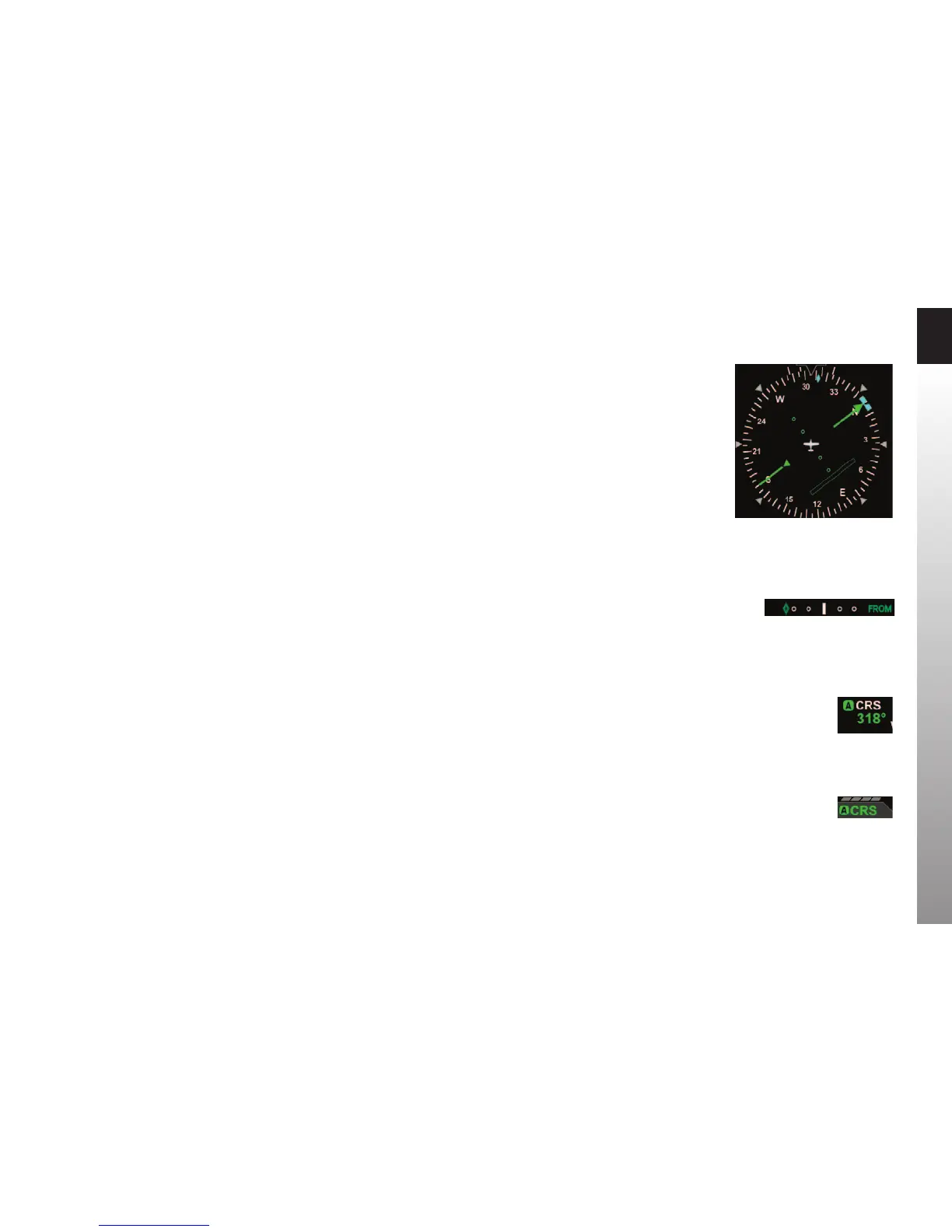
Figure 2-41
O Scale CDI Bar
Figure 2-42
O Scale Deviation Diamond, ARC CDI Mode
Figure 2-43
Auto Course Indication on CRS Field
Figure 2-44
Auto Course Indication over Left Knob
2.3.4.4. Deviation O Scale Indication
Whenever the course deviation exceeds the maximum displayable range of 2.5 dots,
the CDI bar or deviation diamond is shown as a hollow, ghosted image pegged to the
corresponding side (Figure 2-41 and Figure 2-42). As soon as the deviation comes
into range, the CDI or diamond turns solid green, making it easy to identify when the
indicator is “alive”.
2.3.4.5. Auto Course Select
When a GPS is selected as the CDI’s navigation source, the default setting of the PFD is
Auto Course Select. When Auto Course Select is enabled, the GPS will automatically set
the Course Pointer to the current GPS course (CRS) value whenever the GPS sequences
between waypoints. This capability relieves the pilot from having to manually set the
course at each waypoint along a GPS route. When Auto Course Select is enabled, the
pilot cannot adjust the CRS value.
Auto Course Select is indicated by an inverse A on a green background, adjacent
to both the numerical CRS value and the CRS Left Knob State. (Figure 2-43 and
Figure2-44).
If the GPS navigator enters the OBS or HOLD mode, Auto Course Select is automatically
disabled on the PFD until the GPS navigator resumes waypoint sequencing. The pilot
can disable Auto Course Select from Page 1 of the Menu.



 To Next Page