CHAPTER 4 REFERENCE GUIDE
Page 4-47
091-00019-001 REV B
EFD1000 C3 Pro PFD Pilot’s Guide
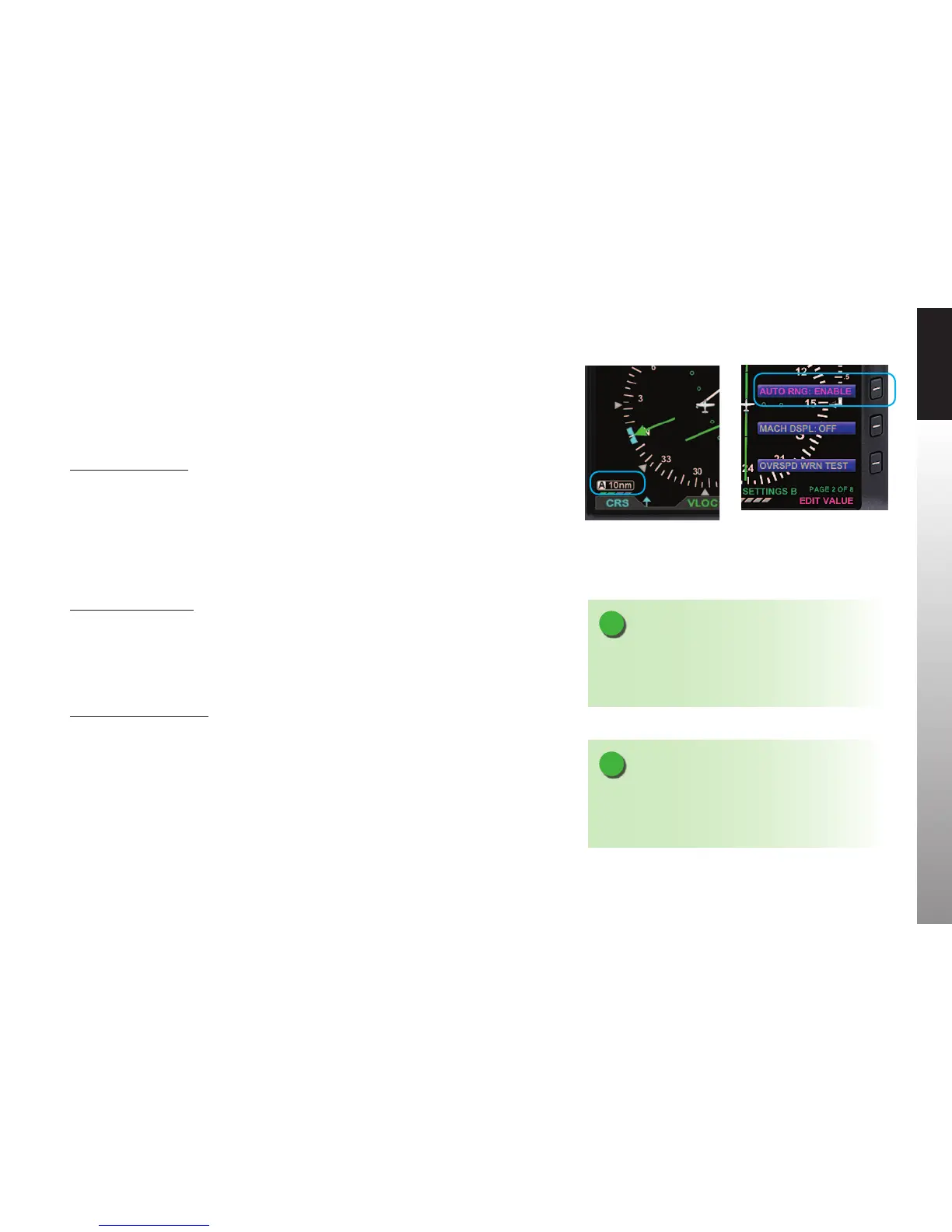
The PFD has an Auto Range feature that automatically scales the range (to the closest
range setting) to t the Aircraft Ownship and the active waypoint within the Navigation
Display, e.g., if the active waypoint is 84 miles away, Auto Range will select a 100nm
range (the closest range setting is 100nm). When Auto Range is active, an inverse white
A is shown next to the range value (Figure 4-95).
Enable Auto Range
1. Press the MENU Button.
2. Rotate the Right Knob to the GENERAL SETTINGS B page.
3. Press the AUTO RNG Menu Key.
The AUTO RNG label turns magenta (Figure4-96).
4. Rotate the Right Knob to the desired value, either ENABLE or DISABLE.
5. Press the MENU Button to exit.
Activate Auto Range
1. Press the RNG +/- Button to select the highest or lowest map range.
2. Press and hold the RNG +/- Button for two seconds.
The map range changes and the new map range is indicated on the map. An inverse
white A displays next to the numeric range value.
Deactivate Auto Range
1. Press the RNG +/- Button once to deactivate Auto Range mode.
The inverse white A next to the numeric range value is removed.
Pressing RNG + moves to the next higher range; pressing RNG - moves to the next
lower range.
Figure 4-95
Auto Range Mode
NOTE
The map range increases or decreases one increment
each time the RNG + or - Button is pressed. Press and
hold to continuously increase or decrease the range.
NOTE
The Basemap declutter setting can determine what is
displayed for a particular range. Refer to Chapter 5,
Table 5-9 for more information.
Figure 4-96
GENERAL SETTINGS B Page Editing
Auto Range Setting



 To Next Page