CHAPTER 4 REFERENCE GUIDE
Page 4-58
091-00019-001 REV B
EFD1000 C3 Pro PFD Pilot’s Guide
Figure 4-113
Flight Director
Figure 4-112
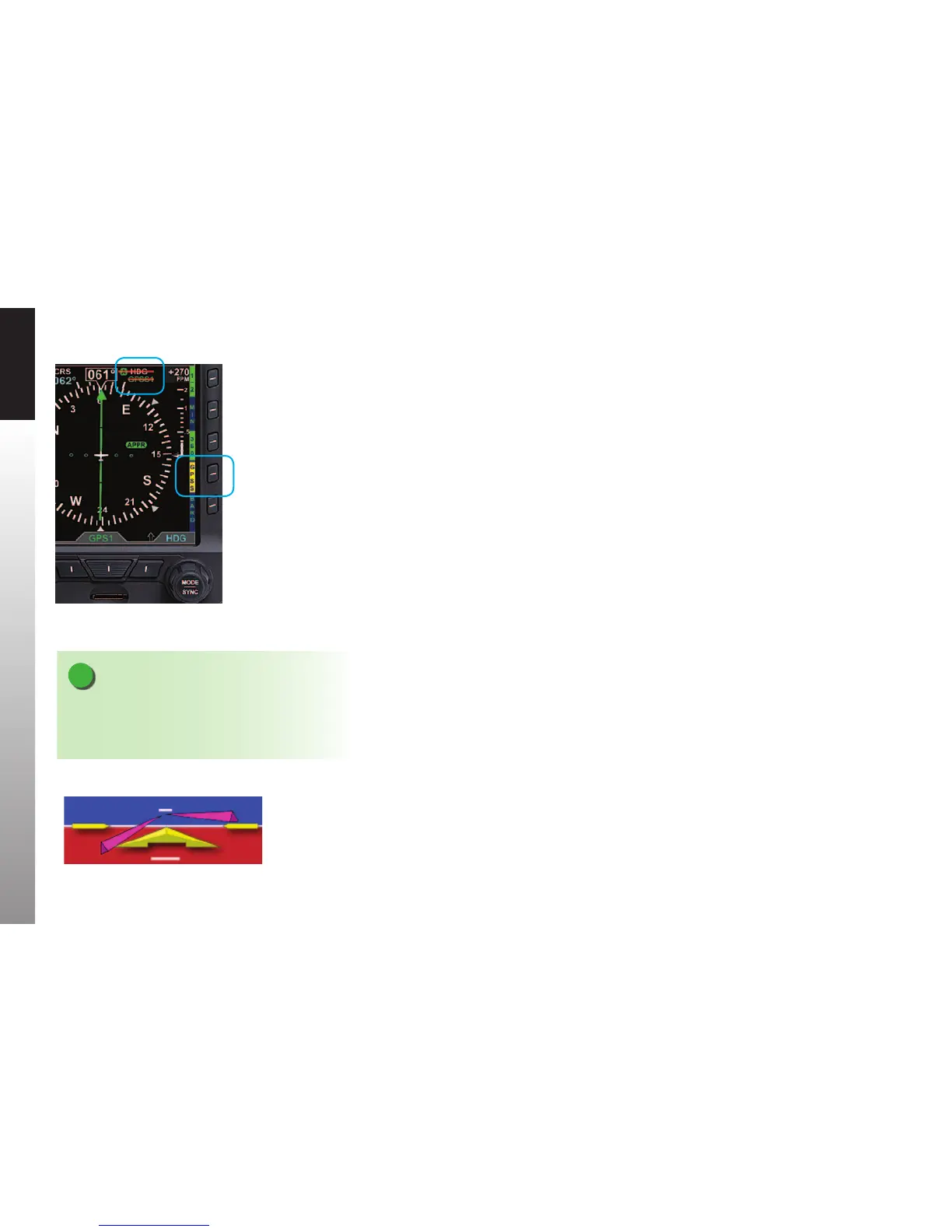
GPSS Automatically
Disabled — Wings Level Mode
NOTE
With the autopilot in HDG mode, if GPSS is
automatically disabled, the autopilot will roll wings
level; it will not follow the Heading Bug.
Several conditions can cause GPSS to be disabled automatically (switching to a dierent
GPS steering source on the PFD, losing the GPS navigator source, canceling the ight
plan, etc.). If this happens, the PFD will send a Wings Level command to the autopilot
when in HDG mode, the GPSS Hot Key will annunciate the condition by showing
GPSS in inverse amber, and the GPSS# and inverse A annunciation at the top of the
Navigation Display will be shown with a red slash. (Figure 4-112). To re-engage GPSS,
select a valid GPS navigation source (with valid ight plan or direct-to selection on
the GPS navigator), and then press the GPSS Hot Key. If a valid GPSS signal cannot be
restored, pressing the GPSS Hot Key will cancel GPSS mode and restore the Heading
Bug’s output to the autopilot. More detail on these abnormal conditions, and corrective
pilot actions, can be found in Chapter 6, Expanded Emergency and Abnormal
Procedures. See also Chapter 4, Section4.7.3. Typical Autopilot Operations.
4.7.2. Flight Director
When connected to a compatible autopilot system, the PFD will display a single-cue
Flight Director (FD). The FD’s command bars visually represent the lateral and vertical
steering cues transmitted to the PFD by the autopilot (Figure 4-113). When the FD
output from the autopilot is unavailable or invalid, the FD command bars are removed
from the display. To hand y using the FD, maneuver the airplane to tuck the Aircraft
Reference Symbol into the FD’s command bars.
4.7.3. Typical Autopilot Operations
Whenever the PFD installed conguration includes connections to GPS, VLOC, and
autopilot systems, it acts as a data conduit between the navigators and the autopilot.
This enables any compatible navigator to be coupled to the autopilot.



 To Next Page