CHAPTER 4 REFERENCE GUIDE
Page 4-39
091-00019-001 REV B
EFD1000 C3 Pro PFD Pilot’s Guide
Disable Auto Course
1. Press the MENU Button.
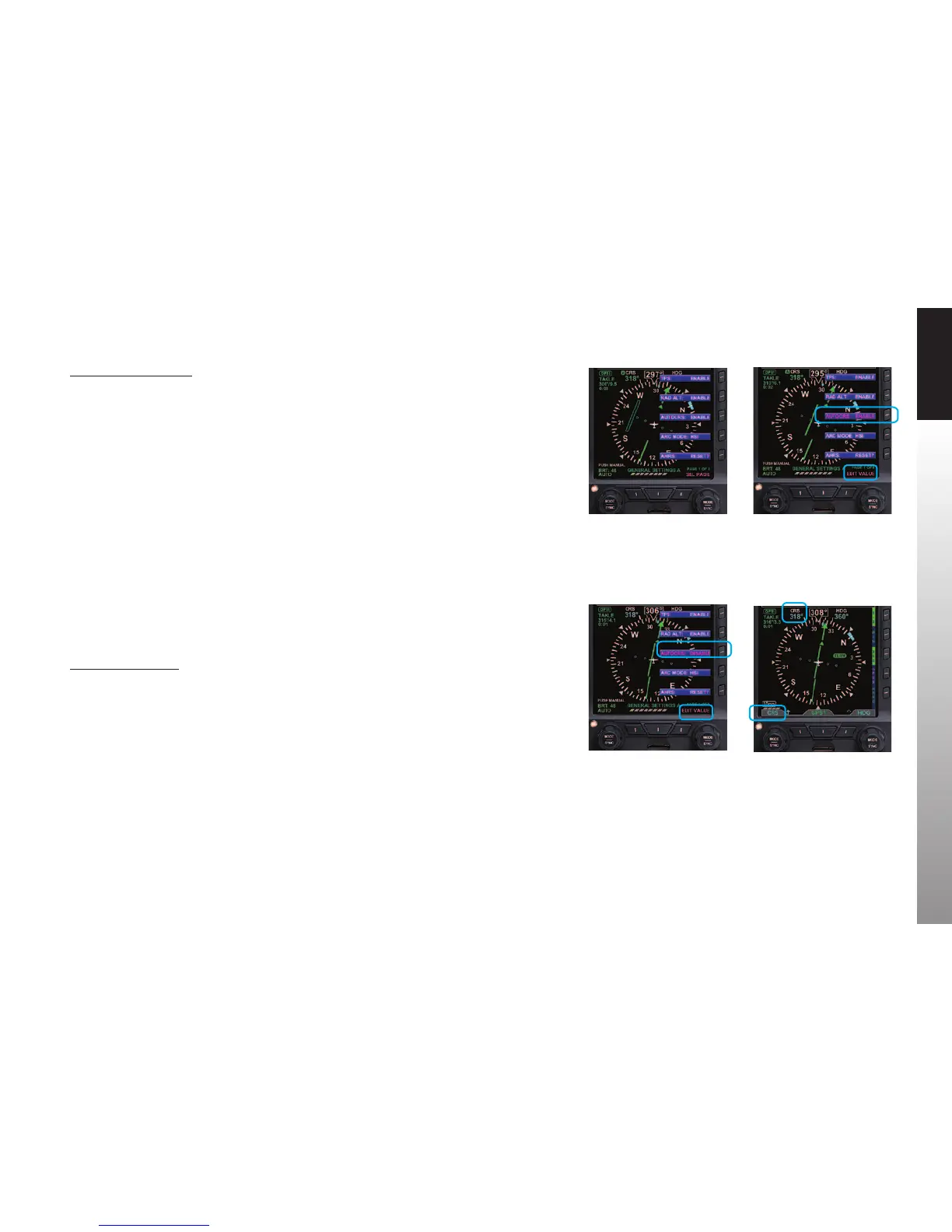
2. Rotate the Right Knob to the GENERAL SETTINGS A page (Figure 4-72).
3. Press the AUTOCRS Menu Key.
The Menu label turns magenta, and the EDIT VALUE label displays above the Right Knob
(Figure 4-73).
4. Rotate the Right Knob to select DISABLE (Figure 4-74).
5. Press the MENU Button to exit.
4.4.7. CDI Selected Course
When the CDI source changes from a GPS source with AUTOCRS to another CDI source,
the CRS value reverts to the last set value. When the CDI source is set to a VHF receiver
operating in the VOR or Localizer modes, editing the CRS value adjusts the current
selected CRS value. When the CDI source is set to a GPS receiver, and AUTOCRS is
disabled, the CRS value may be adjusted.
Select CDI Course
1. Press the Left Knob.
The CRS label above the Left Knob and the Course eld are enabled for editing, both
rendered in magenta (Figure 4-75).
2. Rotate the Left Knob to change the value of the Course eld.
Once the CRS value is set, and after 10 seconds of inaction, the CRS eld is disabled, and
both the label and eld are rendered in cyan.
Figure 4-72
Menu, GENERAL SETTINGS
Figure 4-74
AUTOCRS Disabled
Figure 4-75
CRS Field Enabled for Editing
Figure 4-73
Editing AUTOCRS



 To Next Page