CHAPTER 4 REFERENCE GUIDE
Page 4-65
091-00019-001 REV B
EFD1000 C3 Pro PFD Pilot’s Guide
4.8.1. Trac Overlay
The Trac Overlay will display the trac symbols on the Navigation Display when the
PFD is congured with one of the following trac sensors:
• Avidyne TAS 600/610/620 series (TAS)
• Bendix/King KMH 880 (TAS)
• Bendix/King KTA 870 (TAS)
• Garmin GTX 330 (TIS)
• RYAN 9900BX (TAS)
• SKYWATCH SKY 497 (TAS)
• SKYWATCH SKY 899 (TAS)
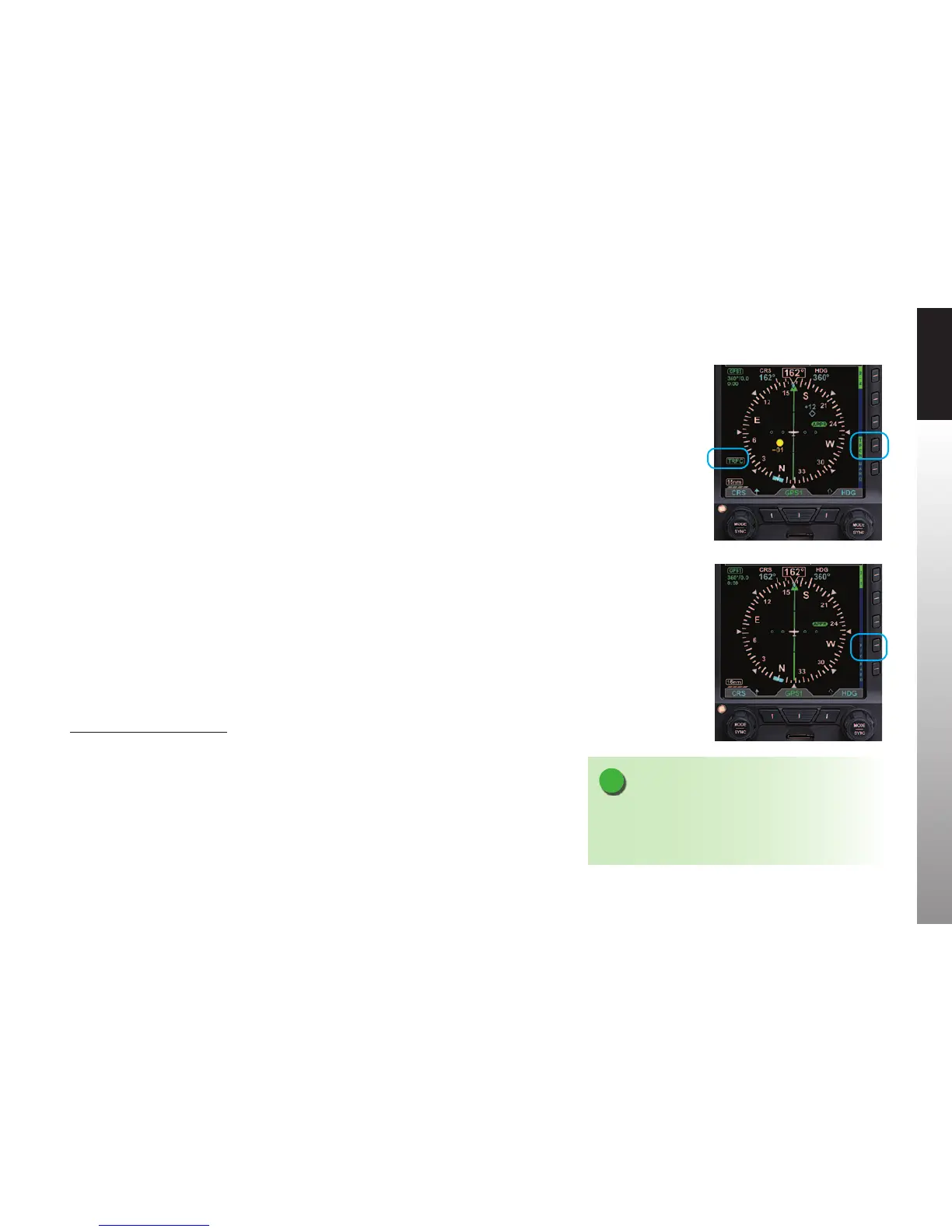
The TRFC Hot Key enables the Trac Overlay and the selection of a Trac Altitude Filter.
The Hot Key Label is inverse green (green label with dark blue letters) when enabled
(Figure4-114) or a blue label with green letters when disabled (Figure4-114a).
When the Trac Overlay is enabled, a TFRC annunciation is presented on the lower left
of the Navigation Display. The trac setting that was previously reset over a power cycle
is retained as last congured by the pilot.
Display the Trac Overlay
1. Select the 2/2 Hot Key Menu.
2. Press the TRFC Hot Key to select the desired Altitude Filter.
Figure 4-114
Trac Overlay Enabled
NOTE
Because of their importance, the PFD will show Trac
Advisories on the Navigation Display even when the
Trac Overlay is disabled.
Figure 4-114a
Trac Overlay Disabled



 To Next Page