CHAPTER 3 FLYING THE EFD1000 C3 PRO PFD
Page 3-20
091-00019-001 REV B
Page 3-21
091-00019-001 REV B EFD1000 C3 Pro PFD Pilot’s Guide
3.2.4. Arrival and Approach to Landing
As we near Reno, we prepare for our arrival. Within range, we pick up the ATIS:
Reno-Tahoe International Airport, Information Romeo, 2253 Zulu. Winds 180 at
17. Ceiling 1,400 broken. Temperature 23, Dewpoint 18, Altimeter 30.08. ILS16R
approach in use. Advise on initial contact you have Information Romeo.
Our route along V105 brings us to the Mustang VOR (FMG), which has a published
transition to TAKLE, an Initial Approach Fix (IAF) for the ILS RWY 16R instrument
approach procedure. Because we’d like some practice with our new PFD and GPSS, we’ll
ask to y the full procedure with pilotnav.
We load the KRNO ILS16R approach into the GPS, selecting TAKLE as our IAF and the
ILS frequency (110.9) is placed in the standby window of the 430W. With Auto Course
Select enabled on the PFD, the HSI Course Pointer will be slewed automatically once
we turn inbound to the Final Approach Course of 164º. Brieng the approach, we load
the Ground and Tower frequencies into our #2 comm and note our Decision Height is
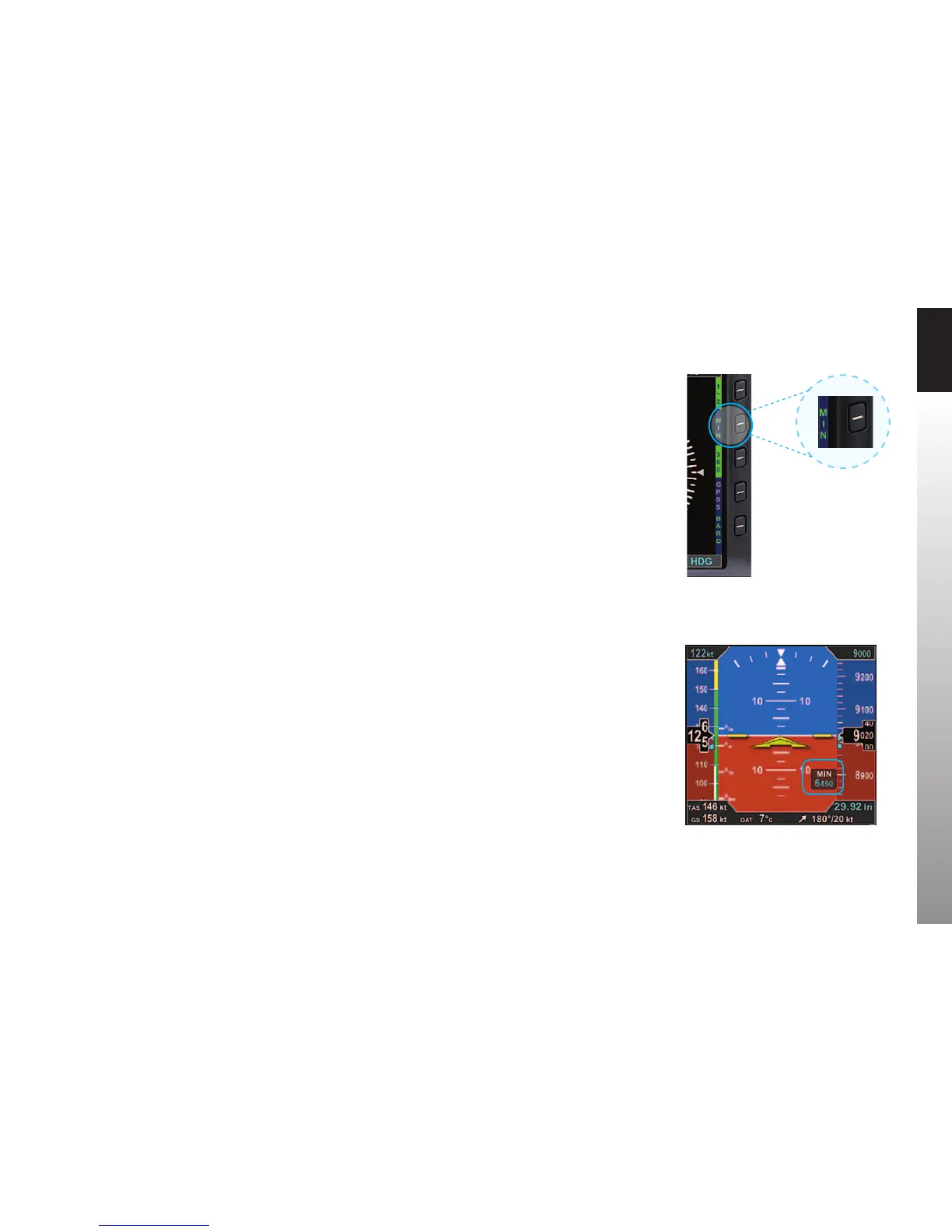
6,446 feet. We set our approach MINIMUMS on the PFD to 6,450 feet (MINIMUMS are
set in increments of 10 feet, so we round up), and we set our Selected Airspeed for the
approach at 120 KIAS.
1. Press the MIN Hot Key (Figure 3-37).
The Selected Minimums Field appears on the lower right-hand corner of
the Attitude Display and the Right Knob State changes from HDG to MIN in
magenta, ready for setting (Figure 3-38).
2. Turn the Right Knob to set 6,450 on the Selected Minimums Field.
3. Press the Left Knob twice to select IAS for editing.
4. Turn the Left Knob to set 120 kt as our target airspeed.
Figure 3-33
MIN Hot Key (shown disabled)
Figure 3-34
MIN Display Selected for Editing



 To Next Page