CHAPTER 4 REFERENCE GUIDE
Page 4-21
091-00019-001 REV B
EFD1000 C3 Pro PFD Pilot’s Guide
Set Altitude Minimum
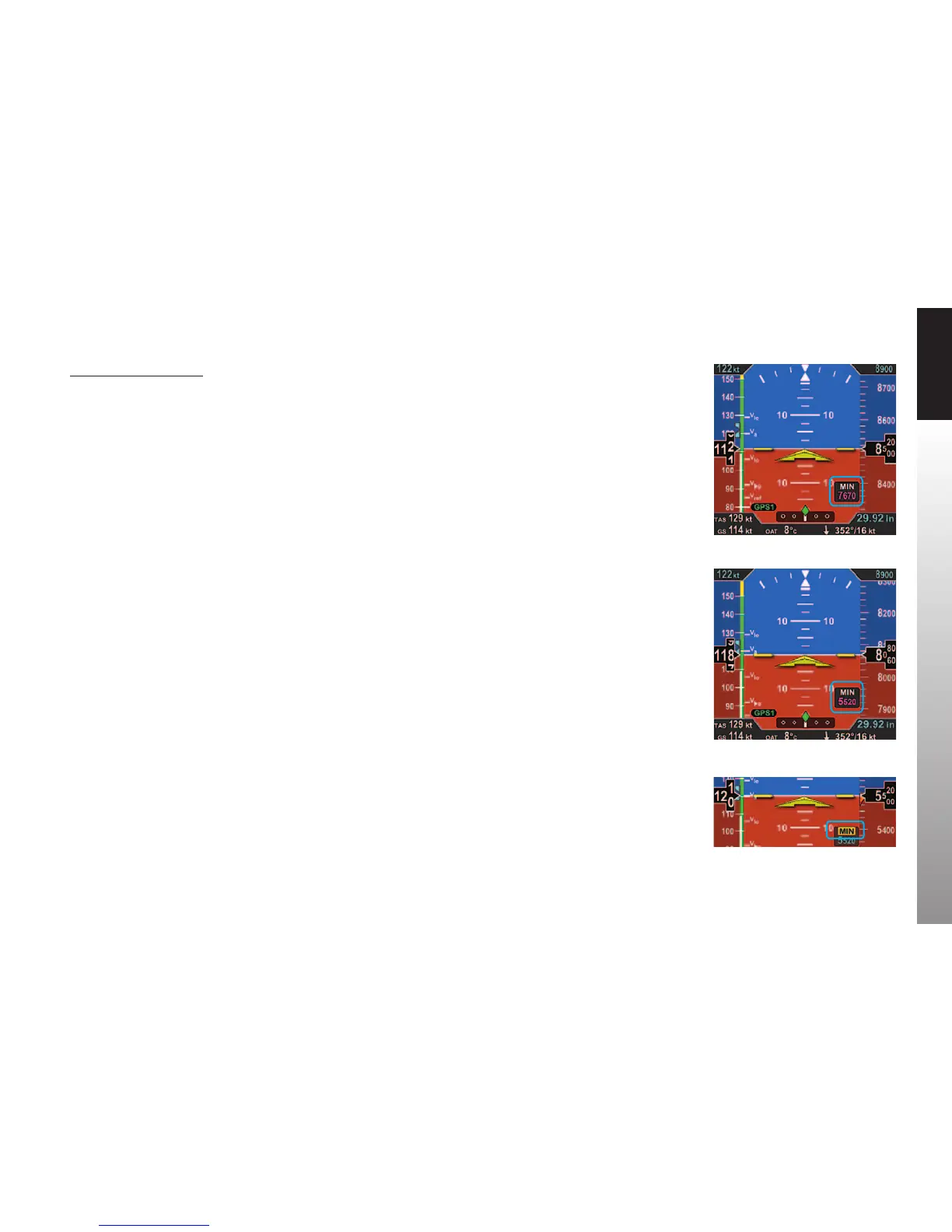
1. Press the MIN Hot Key to set the altitude minimum.
The Selected MINIMUMS Field and the MIN label above the Right Knob are rendered in
magenta (Figure4-30).
2. Rotate the Right Knob to change the value of the Selected MINIMUMS Field.
Once the correct value is selected, and after 10 seconds of inaction, the eld is disabled
(Figure 4-31).
Whenever the aircraft is at or below the Selected MINIMUMS setting, the MIN legend in
the Selected Minimums Field turns inverse amber (Figure 4-32) and when congured
with an optional Sonalert, a one-second stuttered tone is generated.
The amber MIN Annunciation is cancelled when the aircraft is 100 feet above the
selected minimums setting or when the selected minimums is set to a new altitude.
Additionally, the MINIMUMS Markers on the Altitude Tape provide the pilot with
additional awareness of aircraft altitude with respect to the set MINIMUMS.
Figure 4-30
Selected MINIMUMS Field -
MIN Enabled
Figure 4-31
New Selected MINIMUMS
Annunciation Setting
Figure 4-32
MINIMUMS
Annunciation Active



 To Next Page