CHAPTER 3 FLYING THE EFD1000 C3 PRO PFD
Page 3-8
091-00019-001 REV B
Page 3-9
091-00019-001 REV BEFD1000 C3 Pro PFD Pilot’s Guide
The navigator’s indicated lateral and vertical deviations cannot be compared to the
PFD Lateral Deviation Indicator (LDI) and Vertical Deviation Indicator (VDI) because the
4xx/5xx Instrument Panel Self-Test Page does not send an Approach Mode signal to the
PFD.
Once the radios are available, we listen to the ATIS and learn that the local altimeter
setting is 30.15 and that Runway 8 is in use for departures.
First set the standby altimeter to 30.15, then set the PFD barometric pressure setting.
Set the Barometric Pressure
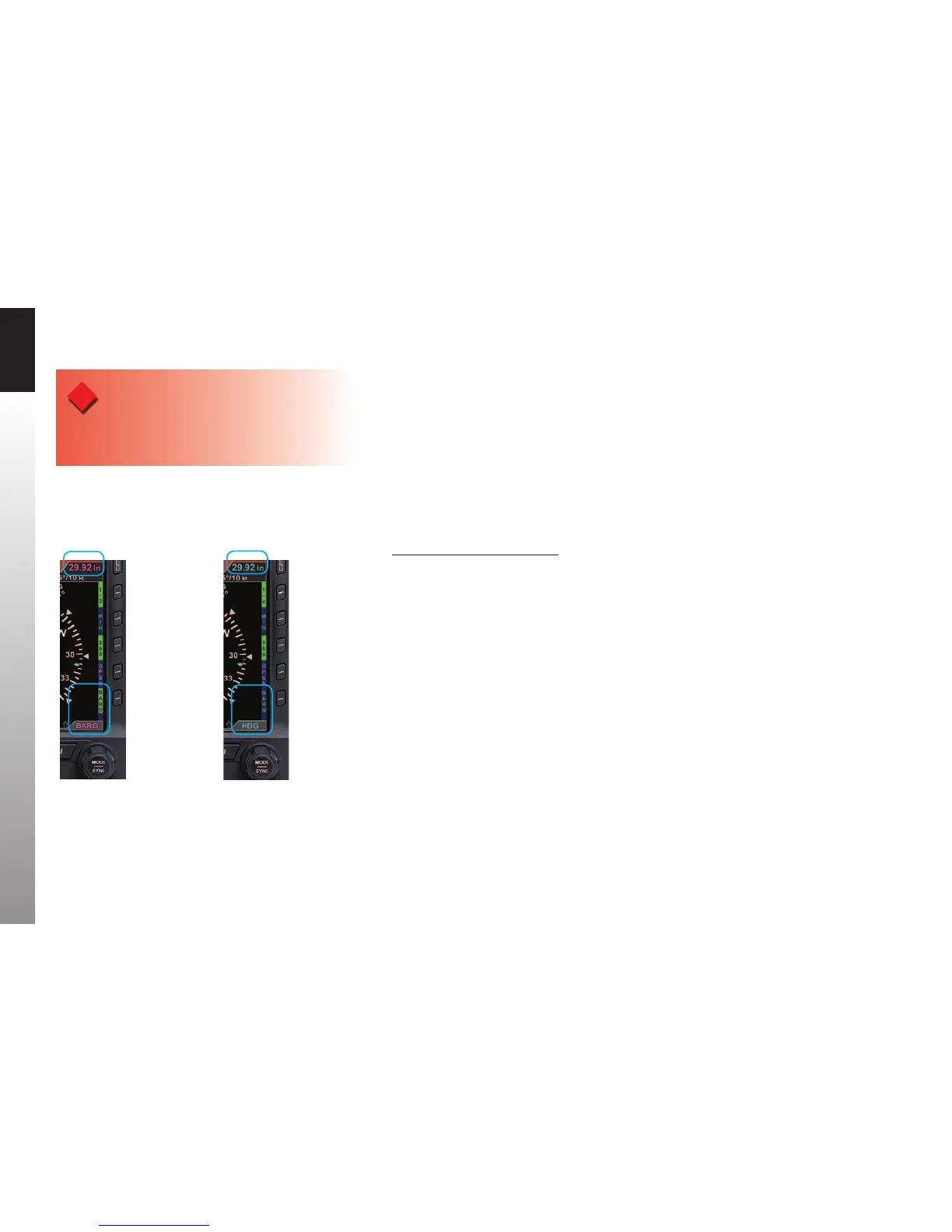
1. Press the BARO Hot Key. The BARO label above the Right Knob and Barometric
Pressure Setting Field appear in magenta - enabled for editing (Figure3-6).
2. Rotate the Right Knob clockwise to increase or counterclockwise to decrease
the value of the Barometric Pressure Setting Field.
3. Once the correct value is selected, press the BARO Hot Key or any knob,
button/key to exit the BARO function. After 10 seconds of inaction or if any
other button/key is pressed, the BARO function is disabled and the Right
Knob returns to normal operation (Figure3-7).
Figure 3-6
BARO Setting Field
Enabled
Figure 3-7
BARO Setting Field
Disabled
WARNING
Whenever there is a new altimeter setting, set both the
PFD and the standby altimeter.



 To Next Page