Chapter 3 Aircraft 37
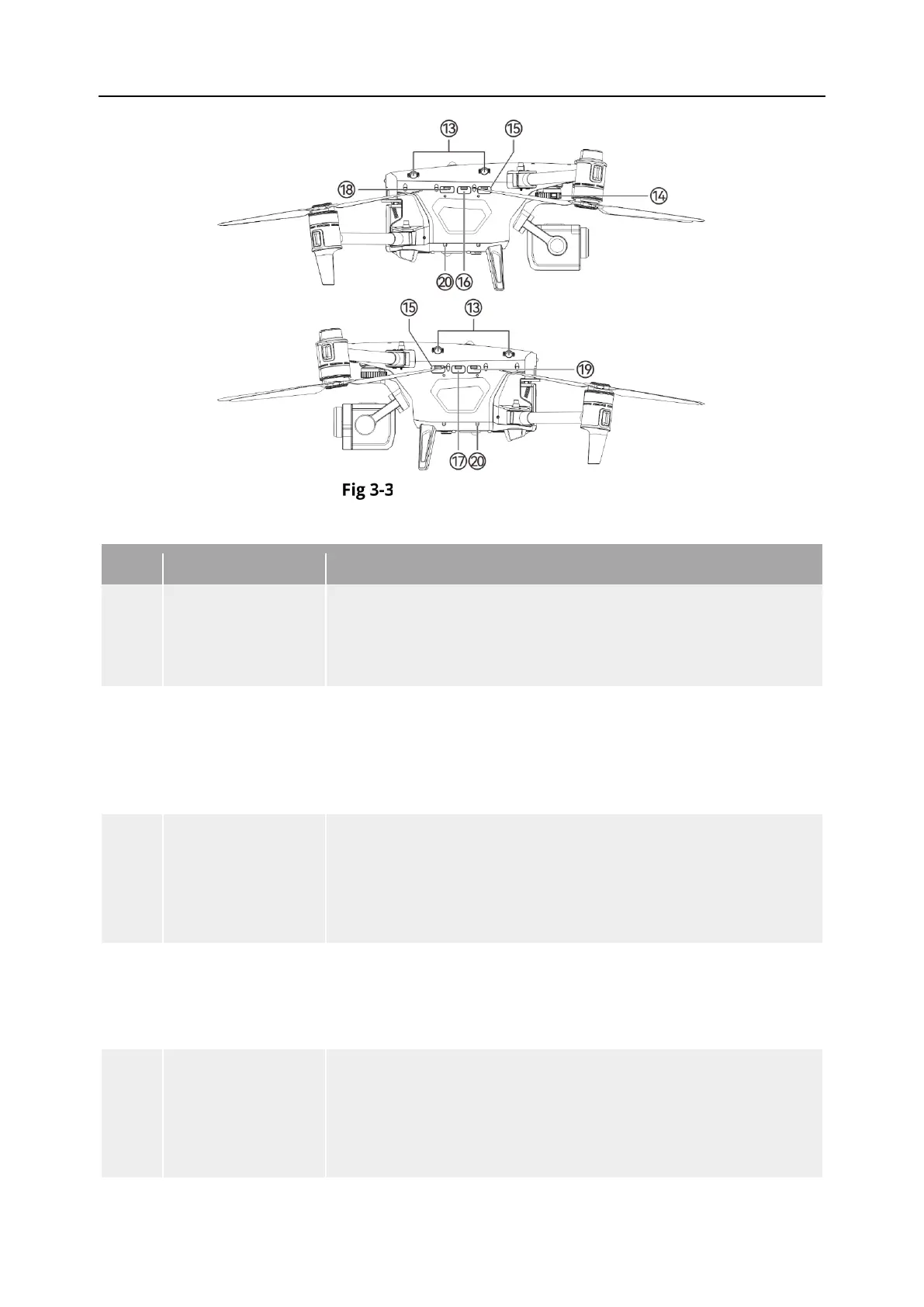
Aircraft Side View
Table 3-3 Aircraft Side View Details
13
Side Visual Sensing
Used to sense the obstacles in the left and right sides and
avoid the aircraft from colliding with them.
14 Gimbal Interface Used to connect to the gimbal camera.
15 P-Port
PSDK Interface. Additional mounts can be added to the aircraft
fuselage through the extension interface, such as speakers,
spotlights, and RTK modules. Supports the connection of
devices using MIPI protocols. (excludes USB 2.0 Full-Speed
16 P-Port
PSDK Interface. Additional mounts can be added to the aircraft
fuselage through the extension interface, such as speakers,
spotlights, and RTK modules.
When gimbal is mounted, please connect the gimbal with
aircraft via this interface.
17 O-Port
OSDK interface. The OSDK interface supports the integration of
additional high-bandwidth computing unit devices.
This interface also allows the connection of PSDK devices using
USB. (excludes USB 2.0 Full-Speed devices)
18 WLAN Interface
Pre-set interface, if the purchased drone version is equipped
with relevant hardware, users can insert a mobile data card
(nano-SIM card) to provide internet access for the drone.
The integrated SD card slot here is not available for the
moment, please do not use it.












 To Next Page