CONFIGURA TION 195
FIELDBUS CONFIG 3
BIT-PA C KED GO TO
FIELDBUS CONFIG 3
JUMPER 1 4
BLO CK OP C ONFIG 2
FIELDBUS CONFIG 3
FIELDBUS CONFIG 3
JUMPER 2 to 8
FIELDBUS CONFIG 3
BIT-PA CKED GETFRO M
FIELDBUS CONFIG 3
JUMPER 9 to 16
13.11.1 BLOC K OP C ONFIG / Block outputs G OT O
13.11.2 Other GOT O windows
Not all of the GO TO connection windows are found in this menu. Some blocks have them contained within
their o wn menus. These include the following :-
Input/output terminals. Multi - function blocks 1 - 8 Jumpers Comparators C/O switches
These functions occur in multiples and have fe w other parameters to program. Therefore as an aid in
assisting the user to remember the particular unit in use at the time of connection, each one contains its o wn
GO TO window .
The application blocks have many parameters to adjust and it is convenient to define their individual
connections within this BLOC K DIA GRA M menu.
Connecting the GOTO to a PIN other than 400)Block disconnect, causes activation of the block.
All GET FROM windo ws are found within their block menus.
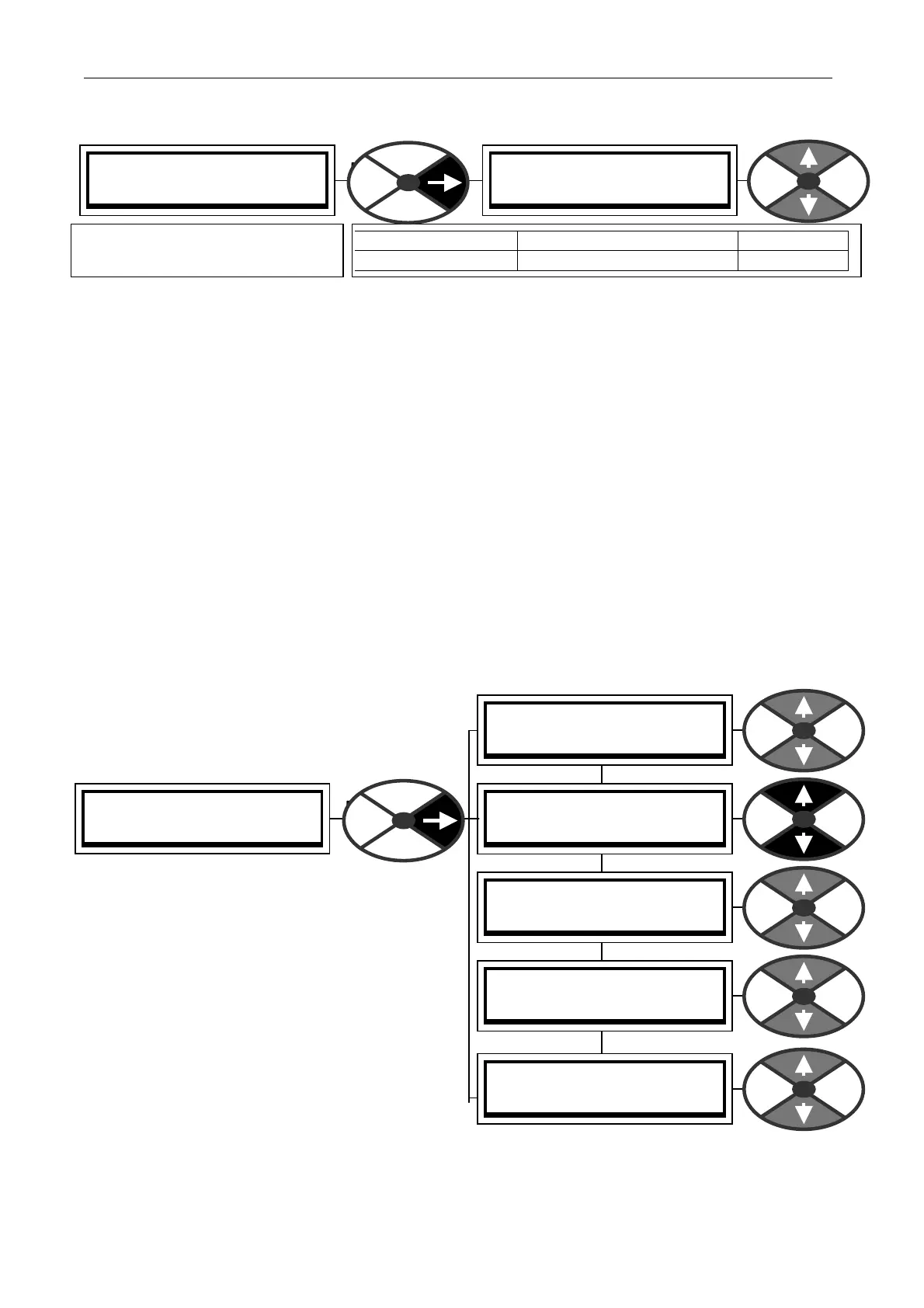
13.12 CONFIGURATION / FIELDBUS CONFIG
This section outlines the FIELDBUS CONFIG menu.
It is used to select parameters for transmitting to,
or receiving from, the host controller using for
example PROFIBUS protocol.
For a full description refer to the SERIAL C OMMS
manual. (Download from w w w.sprint-electric.com)
Other protocols may be used depending on which
comms option card is fitted to the PL/X.
Do not confuse FIELDBUS C ONFIG jumpers with
CONFIGURA TION /JUMPER CONNECTIO NS. They
are independantly useable tools. It w as convenient
for the designers to use the same nomenclature.
Each parameter selected for transmission from the
PL/X is configured using a GET FROM.
Each parameter selected for receiving by the PL/X
is configured using a GOT O.
There is also “DATA ON DEM AND” providing a roaming read/write facility to any PIN.
BLO CK OP C ONFIG 3
(Description) GOTO
(Description) GOTO
PIN) Description of function
PARA METER RANGE DEF AULT
(Description) GO TO PIN 000 to 720 400
Defines the destination PIN for
connection from the block output
www.bardac.com)



 To Next Page