CONFIGURA TION 201
CONFIGURATION 2
CONFLICT HELP MENU 3
CONFLICT HELP MENU 3
NUMBER O F CONFLIC TS
CONFLICT HELP MENU 3
MULTIPLE GOT O ON PIN
13.14 CONFLICT HELP MENU
This menu is used as an aid to find accidental user
connections of more than one GOTO to any PIN.
There is an automatic conflict check w hen the
ENABLE GOT O, GETFRO M is set to DIS ABLED.
(This is done at the end of a configuration session). If a conflict is found, the display will give the alarm
message GO TO CONFLICT. See 13.2.7 CONFIGURA TION / EN ABLE GOT O, GETFROM.
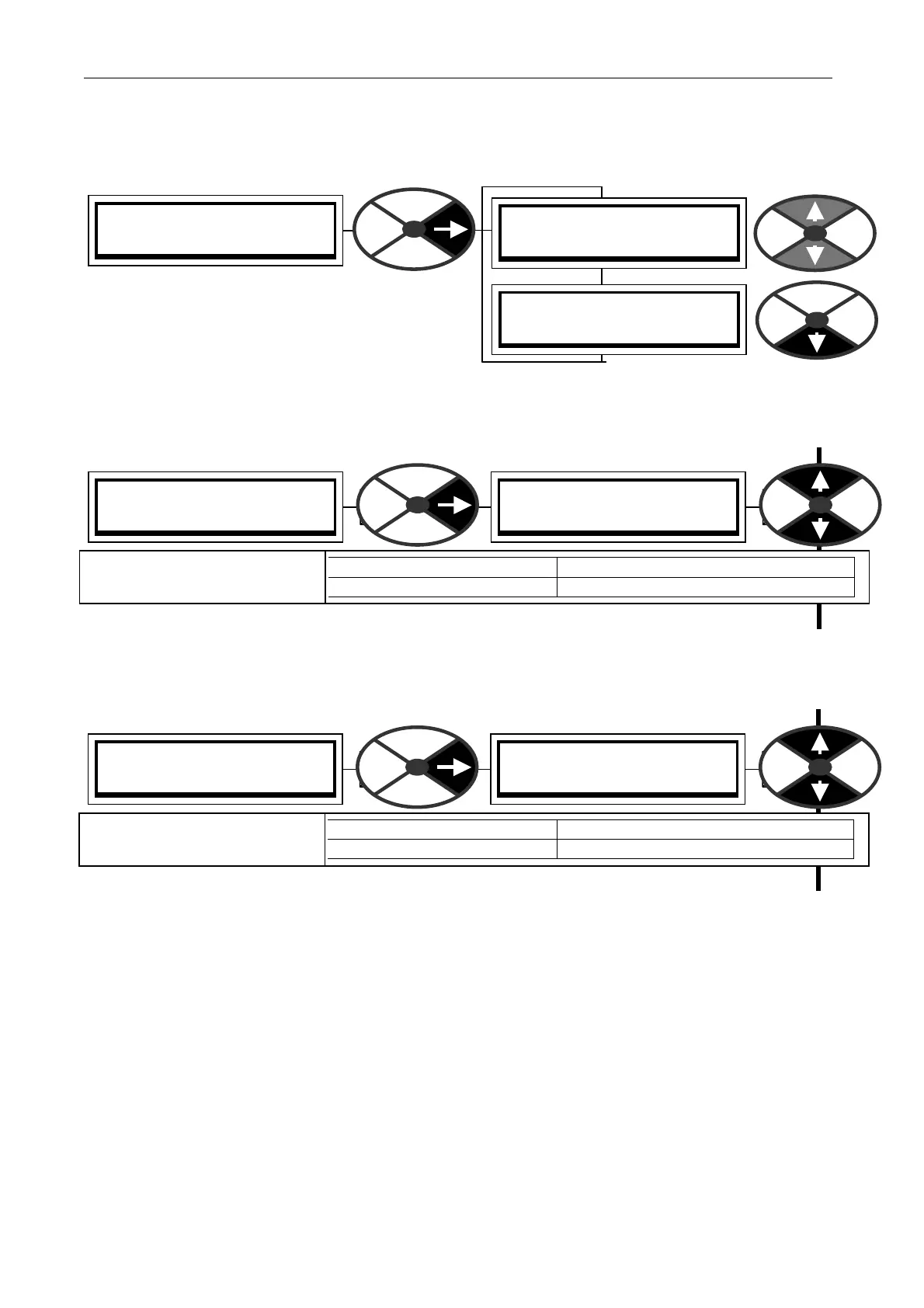
13.14.1 C ONFLIC T HELP MENU / Number of conflicts
Note, there will be at least 2 conflicts for each conflict PIN. Removing one GO TO from the conflict
PIN will reduce the conflict number by at least 2.
This windo w has a branch hopping facility to the MULTIPLE GO TO ON PIN windo w.
13.14.2 C ONFLIC T HELP MENU / Multiple G OT O conflict PIN identifier
Note, there will be at least 2 conflicts for each conflict PIN. Removing one GO TO from the conflict
PIN will reduce the conflict number by 2. The number 400 is block disconnect and indicates no
conflicts. This windo w has a branch hopping facility to the NUMBER O F CO NFLIC TS windo w.
.
CONFLICT HELP MENU 3
NUMBER O F CONFLIC TS
NUMBER O F CONFLIC TS
0
PARA METER RA NGE
NUMBER O F CONFLIC TS 0 to 50
Shows the number of G OT O
connections in conflict.
CONFLICT HELP MENU 3
MULTIPLE GOT O ON PIN
MULTIPLE GOT O ON PIN
400
PARA METER RA NGE
MULTIPLE GO TO ON PIN 0 to 720
Shows the next PIN with
more than 1 GOTO connected



 To Next Page