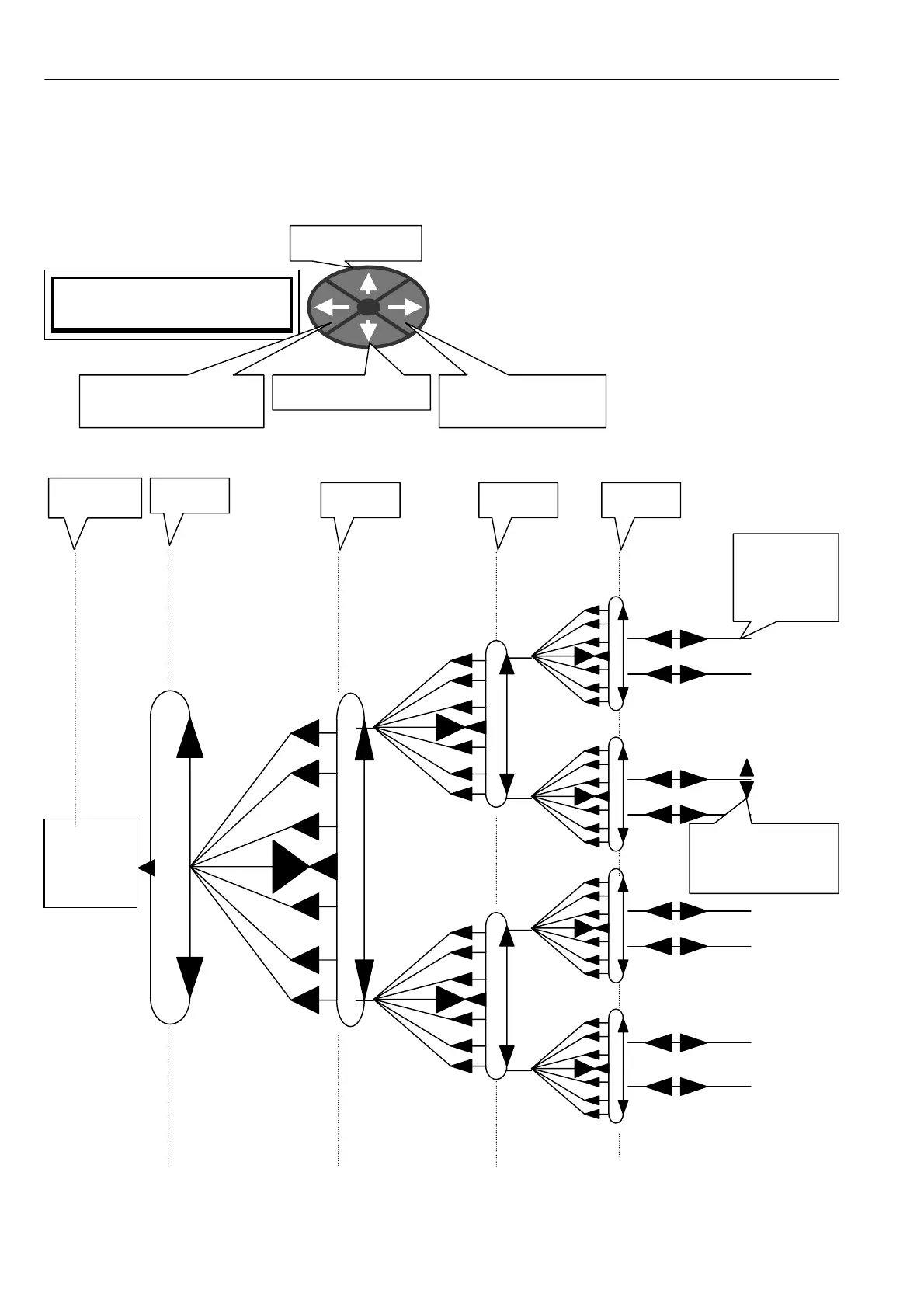
46 Menu tree structure
5.1 Key functions
The user display has been designed to make programming as simple as possible. 4 keys arranged as up/dow n
and left/right are used to step through the tree structure in their nominated direction.
Notice that tapping the left
key allo ws you to exit from
any location back to the start
point on the previous menu
level. The selected menu is
displayed on the upper line of
characters. If you hold the left
key dow n you will quickly
arrive back at the default %
diagnostic windo ws. The level
number is displayed at the
right hand end of the top line.
As well as travelling around the tree structure the keys perform other functions. These are as follows.
PRESS RIGHT KEY FOR
ENTRY MENU LEVEL 1
LEFT (exit to previous
menu level)
DO W N (decrease)
RIGH T (enter next
menu level)
UP (increase)
Parameters
are sited at
ends of
branches
Parameters may
be changed with
up/do wn keys
Level 1
Level 2 Level 3 Level 4
keystrokes
not needed
Automatic
default %
diagnostic
summary
windows



 To Next Page