102 BD FACSCalibur Instructions for Use
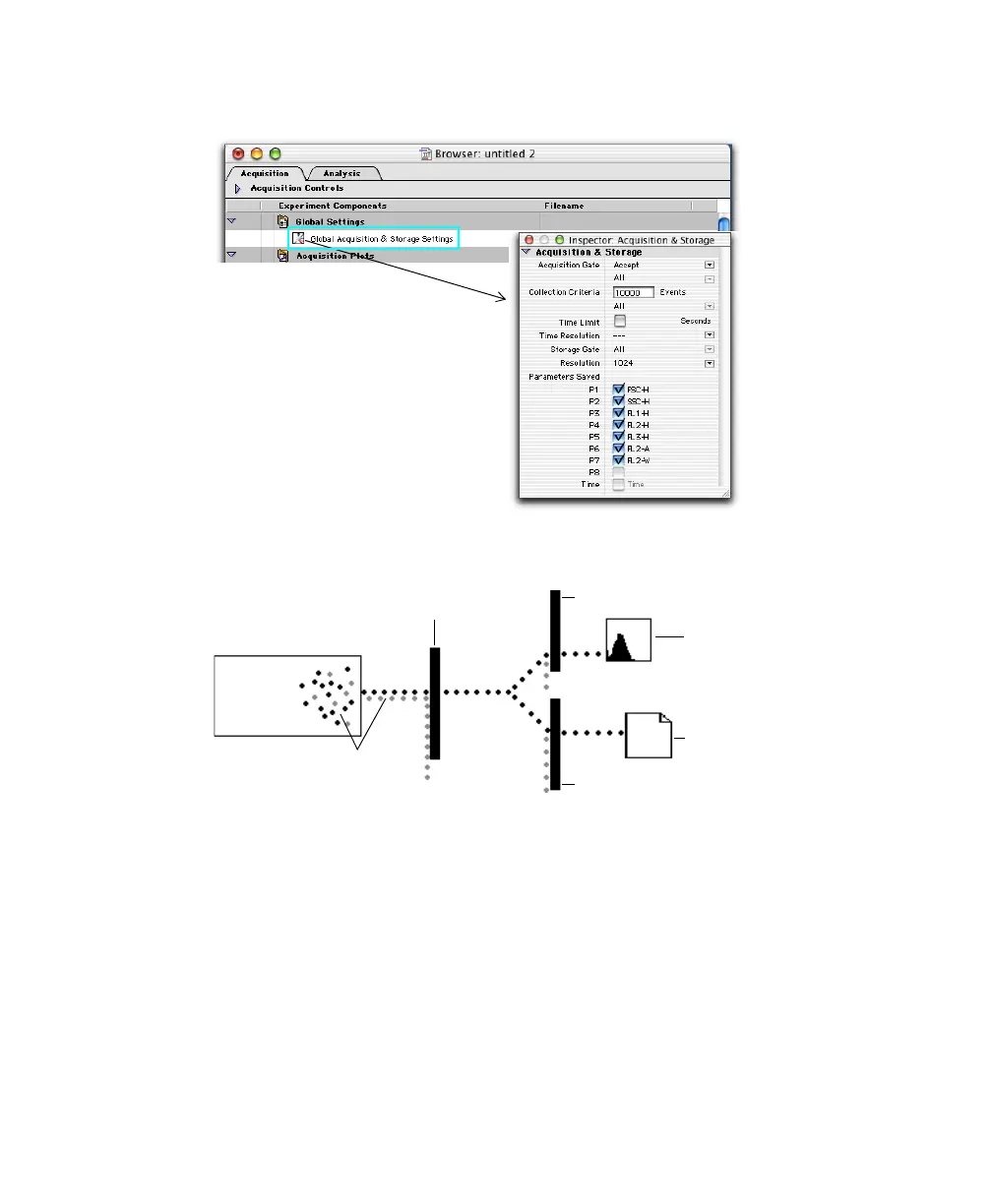
Figure 5-2 Acquisition & Storage Inspector
2 Make selections in the Acquisition & Storage dialog or Inspector.
• The Acquisition Gate determines which events are available for data
storage, display, and statistical calculations.
• Collection Criteria determine when acquisition will stop: after a set
number of events (Event Count), time, or whichever comes first.
• The Storage Gate determines which events are saved in the data file.
(Note that the storage gate does not affect which events can be shown
in acquisition plots.)
cytometer
acquisition gate
events
plot gate
storage gate
data plot
FCS file



 To Next Page