106 BD FACSCalibur Instructions for Use
7 Click Add above the Tubes list to add another tube.
8 Enter a name for the tube and define parameter labels.
9 Repeat steps 7 and 8 for the remaining tubes in the panel; when finished,
click OK.
10 Save the Experiment document.
Working With Panels in the Browser
Panels can be used to create an acquisition tube list. Once a tube list is defined,
each tube can be associated with plots on the Experiment document. During
acquisition, data is displayed in the associated plots and remains displayed until
all tubes in the panel are acquired.
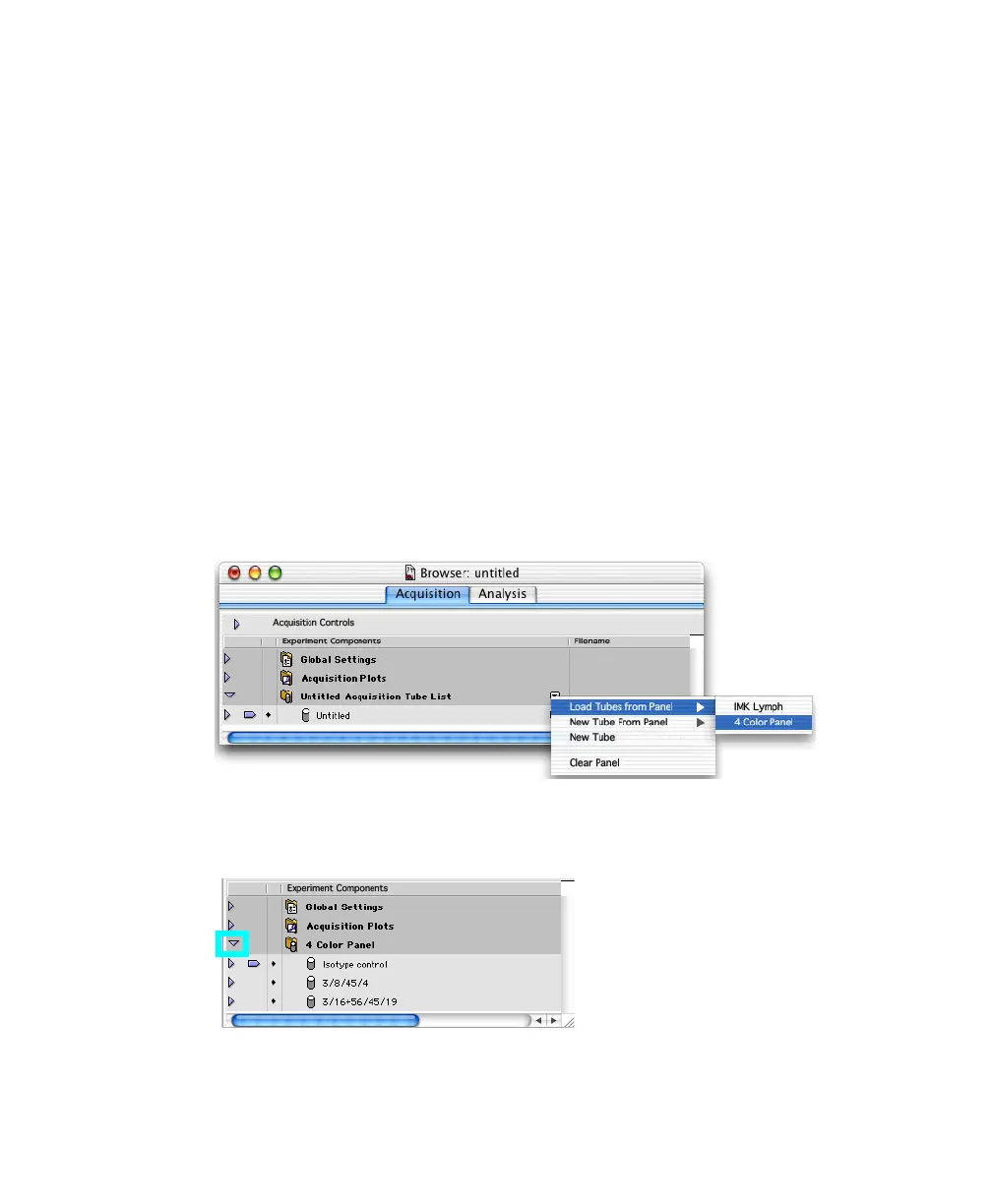
1 Click the pop-up control next to Untitled Acquisition Tube List and choose
Load Tubes from Panel; select the panel you just created.
The Acquisition Tube List name changes to the name of the selected panel.
Click the triangle next to the panel folder to display the tubes.



 To Next Page