108 BD FACSCalibur Instructions for Use
5 Continue associating tubes with plot(s) until each tube in the panel lists the
required number of plots.
Specifying Tube-Specific Settings (Optional)
BD CellQuest Pro software allows you to associate custom instrument settings or
acquisition and storage settings with any tube in the Browser. When no tube-
specific settings exist, the tube will be acquired using global acquisition and
storage settings or the current instrument settings for the Experiment document.
Adding Tube-Specific Acquisition & Storage Settings
Create tube-specific acquisition and storage settings when you want to acquire
one tube with a different number of events to acquire, for example, or store the
data in a custom location.
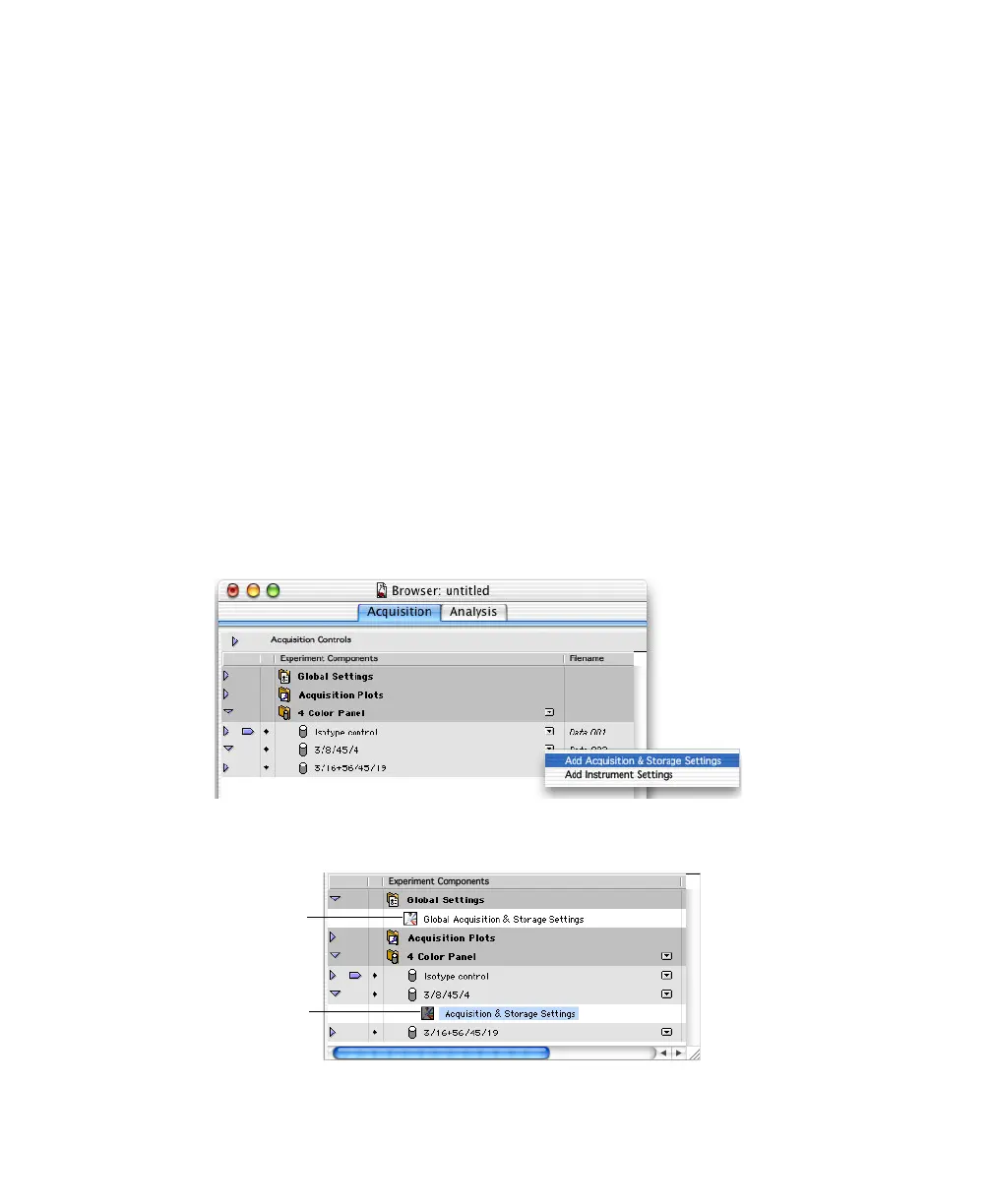
1 Click the pop-up control next to an acquisition tube, and choose Add
Acquisition & Storage Settings.
An Acquisition & Storage Settings icon is added below the tube:
global settings
tube-specific
settings



 To Next Page